Note
Access to this page requires authorization. You can try signing in or changing directories.
Access to this page requires authorization. You can try changing directories.
The following steps describe how to restrict public access to custom question answering resources as well as how to enable Azure Private Link. Protect an Azure AI services resource from public access by configuring the virtual network.
Private Endpoints
Azure Private Endpoint is a network interface that connects you privately and securely to a service powered by Azure Private Link. Custom question answering provides you support to create private endpoints to the Azure Search Service.
Private endpoints are provided by Azure Private Link, as a separate service. For more information about costs, see the pricing page.
Steps to enable private endpoint
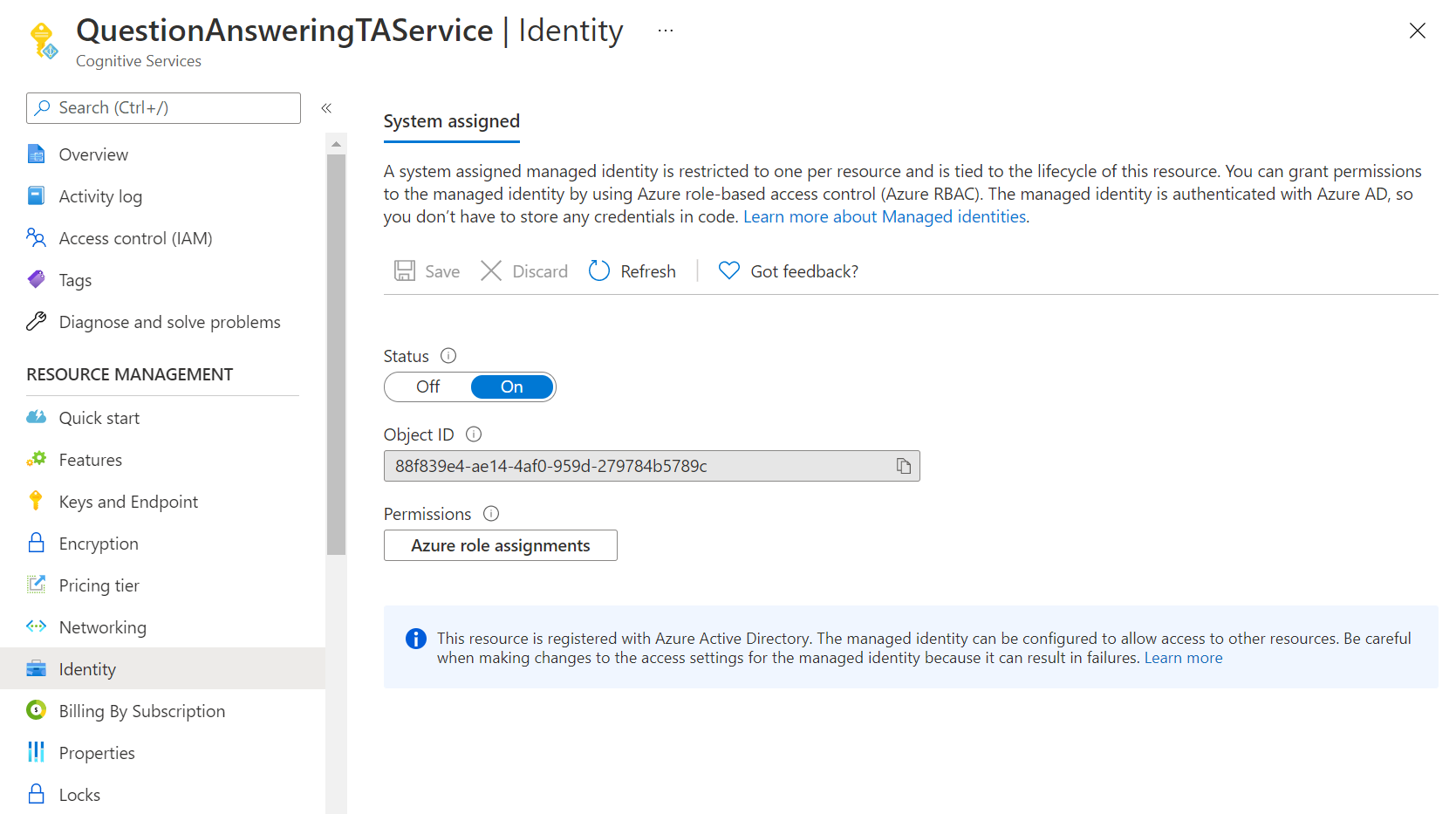
- Assign the contributor role to your resource in the Azure Search Service instance. This operation requires Owner access to the subscription. Go to Identity tab in the service resource to get the identity.
- Add the above identity as Contributor by going to the Azure Search Service access control tab.
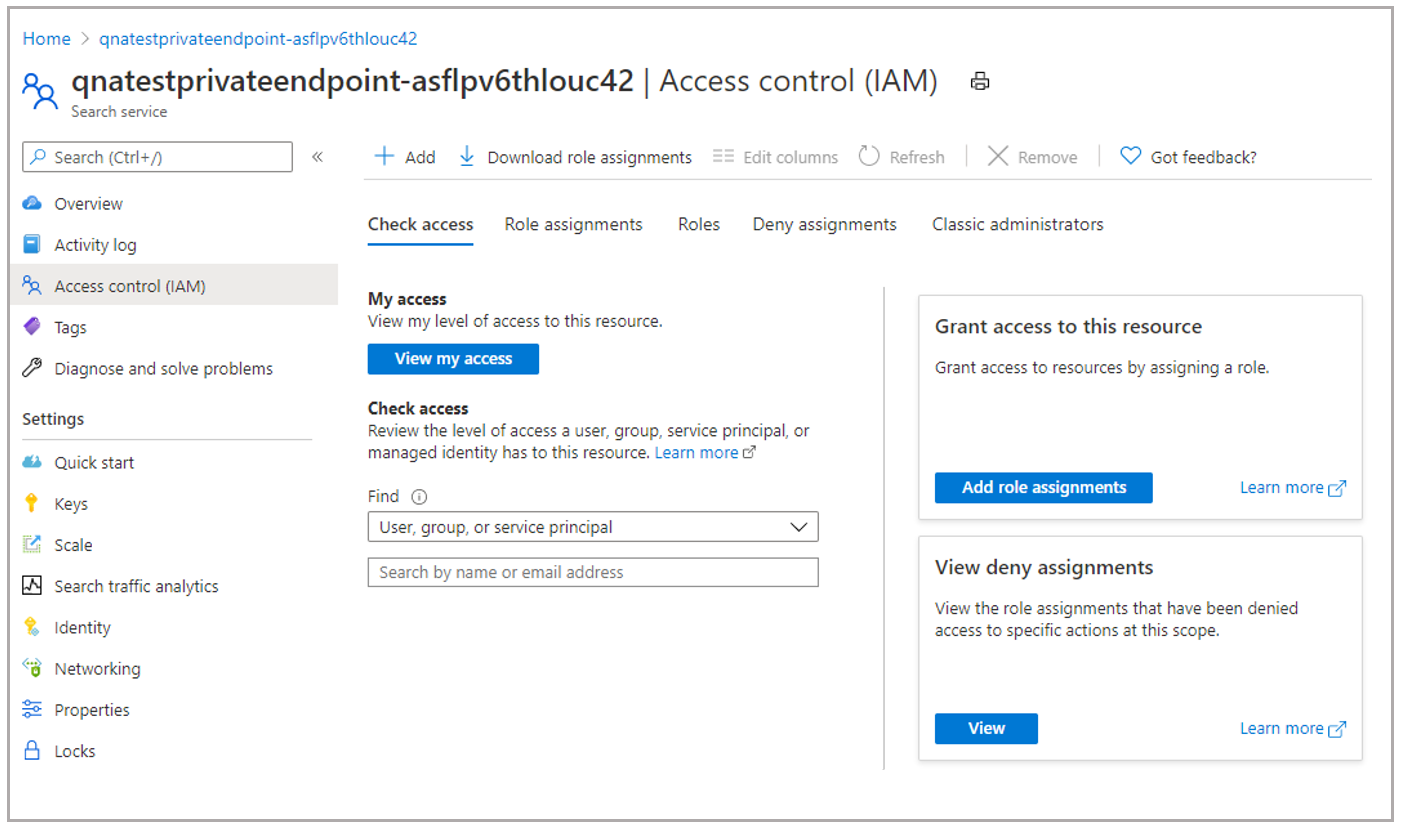
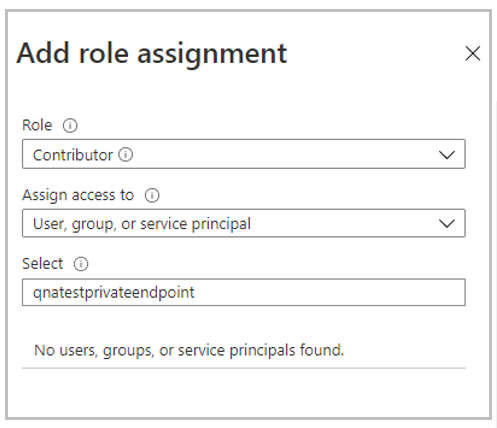
- Select on Add role assignments, add the identity and select Save.
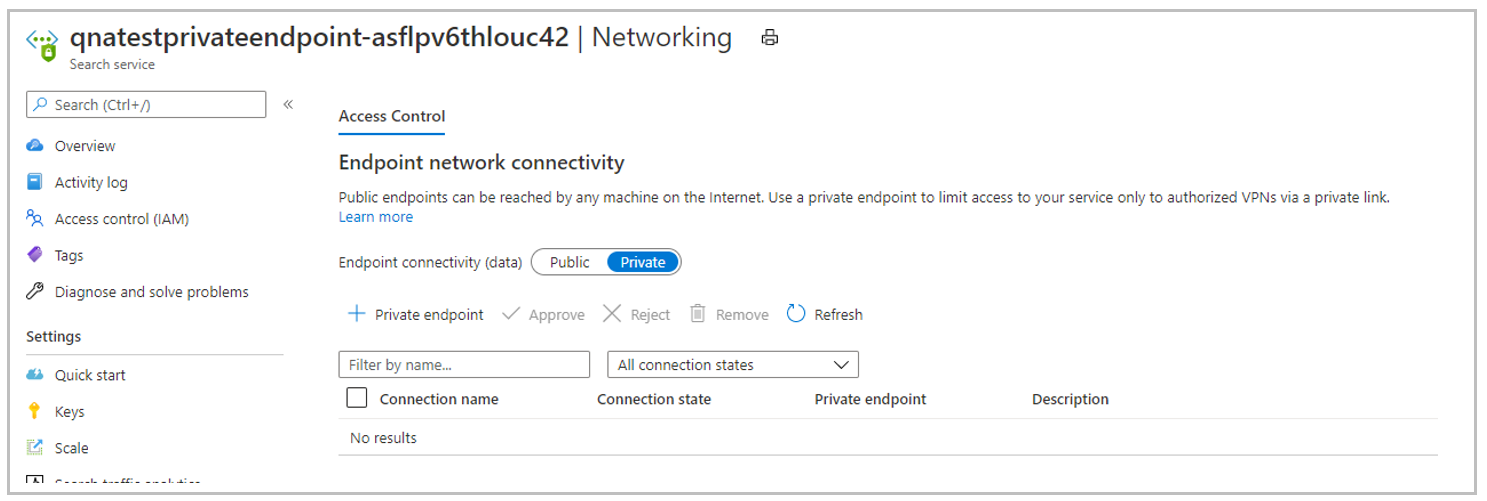
- Now, go to Networking tab in the Azure Search Service instance and switch Endpoint connectivity data from Public to Private. This operation is a long running process and can take up to 30 mins to complete.
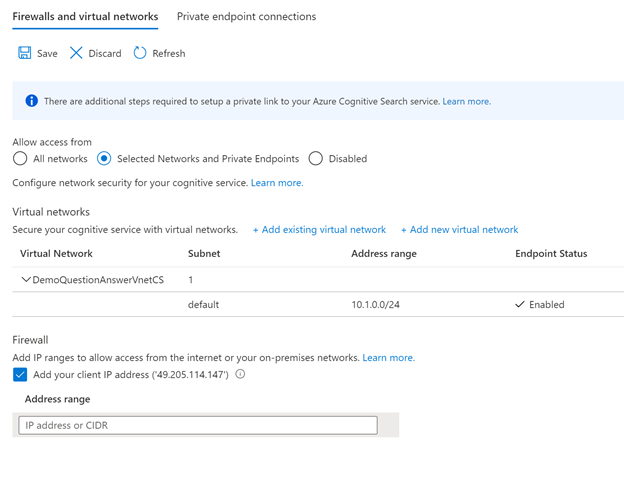
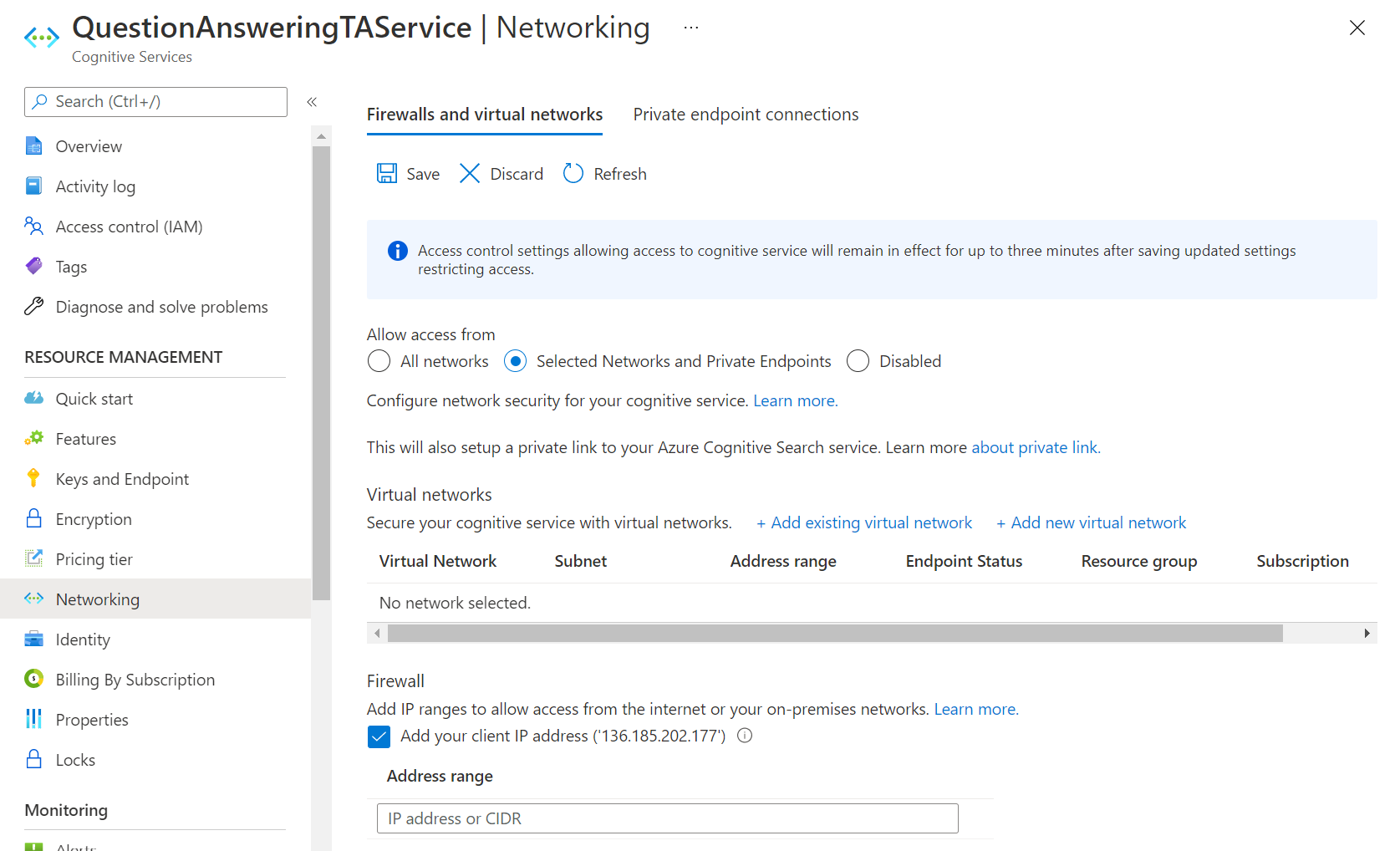
- Go to Networking tab of language resource and under the Allow access from, select the Selected Networks and private endpoints option and select save.
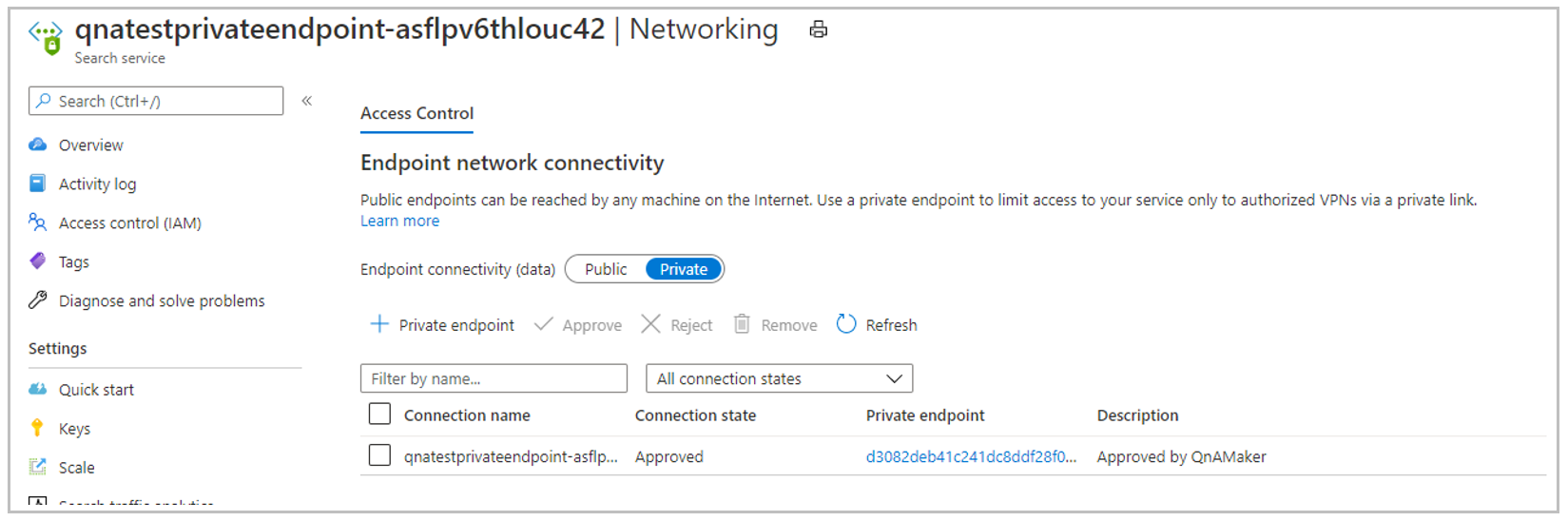
This will establish a private endpoint connection between language resource and Azure AI Search service instance. You can verify the Private endpoint connection on the Networking tab of the Azure AI Search service instance. Once the whole operation is completed, you're good to use your language resource with question answering enabled.
Support details
We don't support changes to Azure AI Search service once you enable private access to your language resources. If you change the Azure AI Search service via 'Features' tab after you have enabled private access, the language resource will become unusable.
After establishing Private Endpoint Connection, if you switch Azure AI Search Service Networking to 'Public', you won't be able to use the language resource. Azure Search Service Networking needs to be 'Private' for the Private Endpoint Connection to work.
Restrict access to Azure AI Search resource
Follow these steps to restrict public access to custom question answering language resources. Protect an Azure AI services resource from public access by configuring the virtual network.