Note
Access to this page requires authorization. You can try signing in or changing directories.
Access to this page requires authorization. You can try changing directories.
Review these formatting guidelines to get the best results for your content.
Formatting considerations
After you import a file or URL, custom question answering converts and stores your content in the markdown format. The conversion process adds new lines in the text, such as \n\n. A knowledge of the markdown format helps you to understand the converted content and manage your project content.
If you add or edit your content directly in your project, use markdown formatting to create rich text content or change the markdown format content that is already in the answer. Custom question answering supports much of the markdown format to bring rich text capabilities to your content. However, the client application, such as a chat bot may not support the same set of markdown formats. It's important to test the client application's display of answers.
Basic document formatting
Custom question answering identifies sections and subsections and relationships in the file based on visual clues like:
- font size
- font style
- numbering
- colors
Note
We don't support extraction of images from uploaded documents currently.
Product manuals
A manual is typically guidance material that accompanies a product. It helps the user to set up, use, maintain, and troubleshoot the product. When custom question answering processes a manual, it extracts the headings and subheadings as questions and the subsequent content as answers. For example, see, Surface Book 3 Specs and Features guide.
To follow is an example of a manual with an index page, and hierarchical content
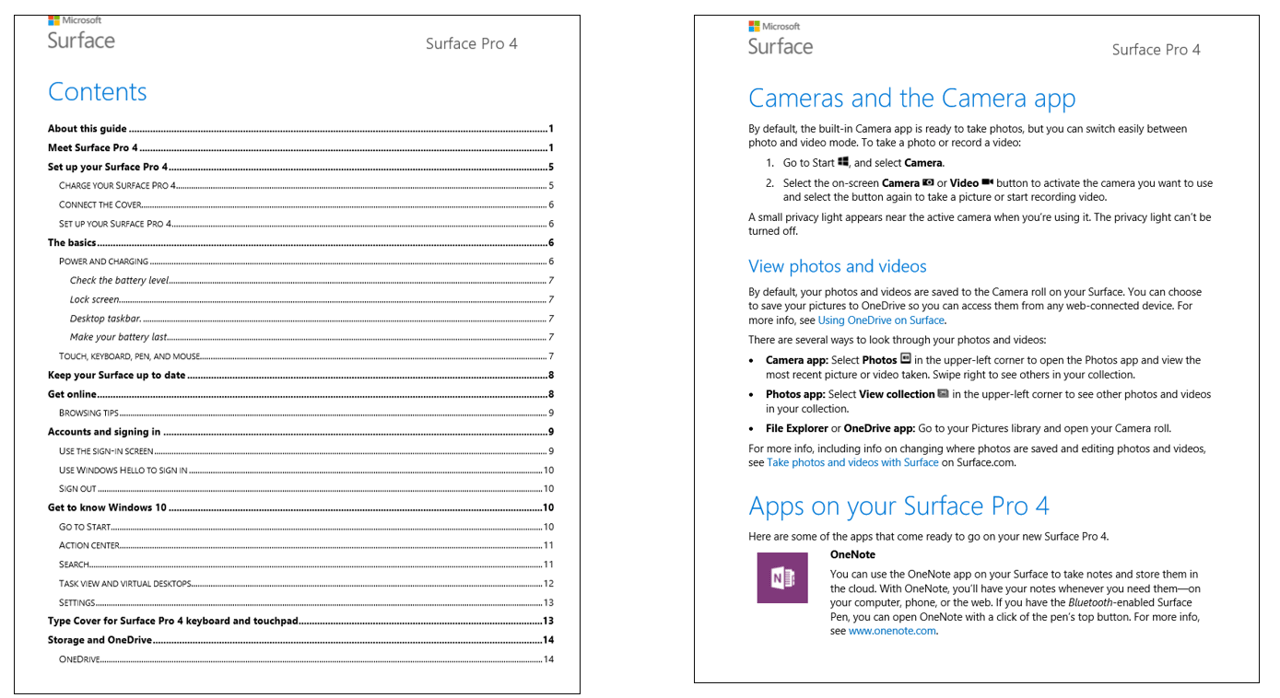
Note
Extraction works best on manuals that have a table of contents and/or an index page, and a clear structure with hierarchical headings.
Brochures, guidelines, papers, and other files
Many other types of documents can also be processed to generate question answer pairs, provided they have a clear structure and layout. These documents include: Brochures, guidelines, reports, white papers, scientific papers, policies, books, etc.
To follow is an example of a semi-structured doc, without an index:
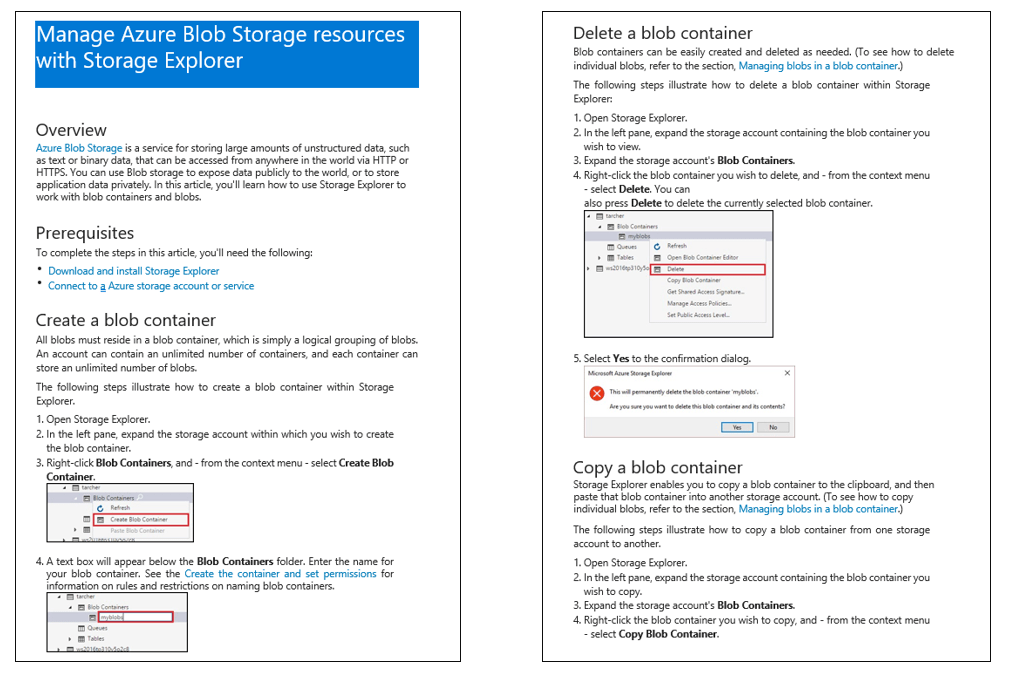
Structured custom question answering document
The format for structured question-answers in DOC files is in the form of alternating questions and answers per line. It's one question per line followed by its answer in the following line, as shown:
Question1

Answer1

Question2

Answer2
To follow is an example of a structured custom question answering word document:
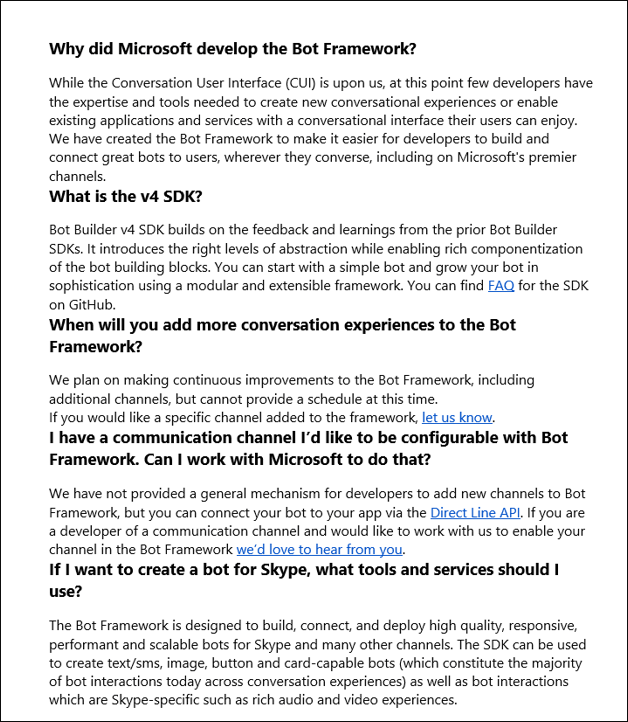
Structured TXT, TSV and XLS Files
Custom question answering in the form of structured .txt, .tsv or .xls files can also be uploaded to custom question answering to create or augment a project. These files can either be plain text, or can have content in RTF or HTML. Question answer pairs have an optional metadata field that can be used to group question answer pairs into categories.
| Question | Answer | Metadata (one key: One value) |
|---|---|---|
| Question1 | Answer1 | Key1:Value1 | Key2:Value2 |
| Question2 | Answer2 | Key:Value |
Any other columns in the source file are ignored.
Structured data format through import
Importing a project replaces the content of the existing project. Import requires a structured .tsv file that contains data source information. This information helps group the question-answer pairs and attributes them to a particular data source. Question answer pairs have an optional metadata field that can be used to group question answer pairs into categories. The import format needs to be similar to the exported knowledgebase format.
| Question | Answer | Source | Metadata (one key: one value) | QnaId |
|---|---|---|---|---|
| Question1 | Answer1 | Url1 | Key1:Value1 | Key2:Value2 |
QnaId 1 |
| Question2 | Answer2 | Editorial | Key:Value |
QnaId 2 |
Multi-turn document formatting
- Use headings and subheadings to denote hierarchy. For example, You can h1 to denote the parent question answer and h2 to denote the question answer that should be taken as prompt. Use small heading size to denote subsequent hierarchy. Don't use style, color, or some other mechanism to imply structure in your document, custom question answering doesn't extract the multi-turn prompts.
- First character of heading must be capitalized.
- Don't end a heading with a question mark,
?.
Sample documents:
Surface Pro (docx)
Contoso Benefits (docx)
Surface Book 3 (web)
FAQ URLs
Custom question answering can support FAQ web pages in three different forms:
- Plain FAQ pages
- FAQ pages with links
- FAQ pages with a
TopicsHomepage
Plain FAQ pages
This type is the most common type of FAQ page, in which the answers immediately follow the questions in the same page.
FAQ pages with links
In this type of FAQ page, questions are aggregated together and are linked to answers that are either in different sections of the same page, or in different pages.
To follow is an example of an FAQ page with links in sections that are on the same page:
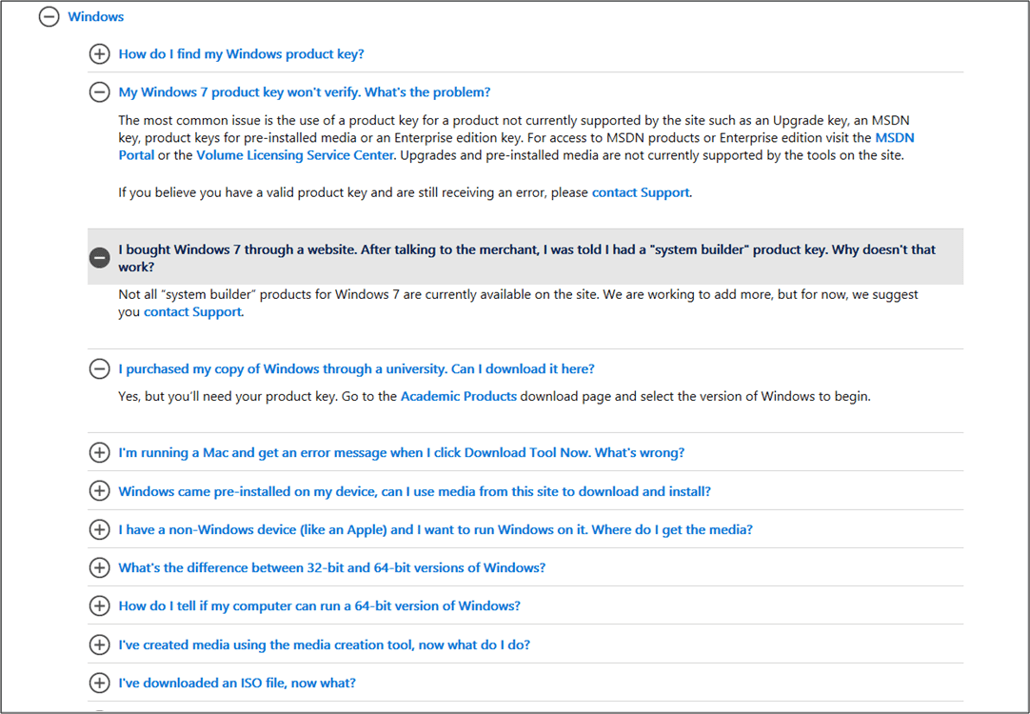
Parent Topics page links to child answers pages
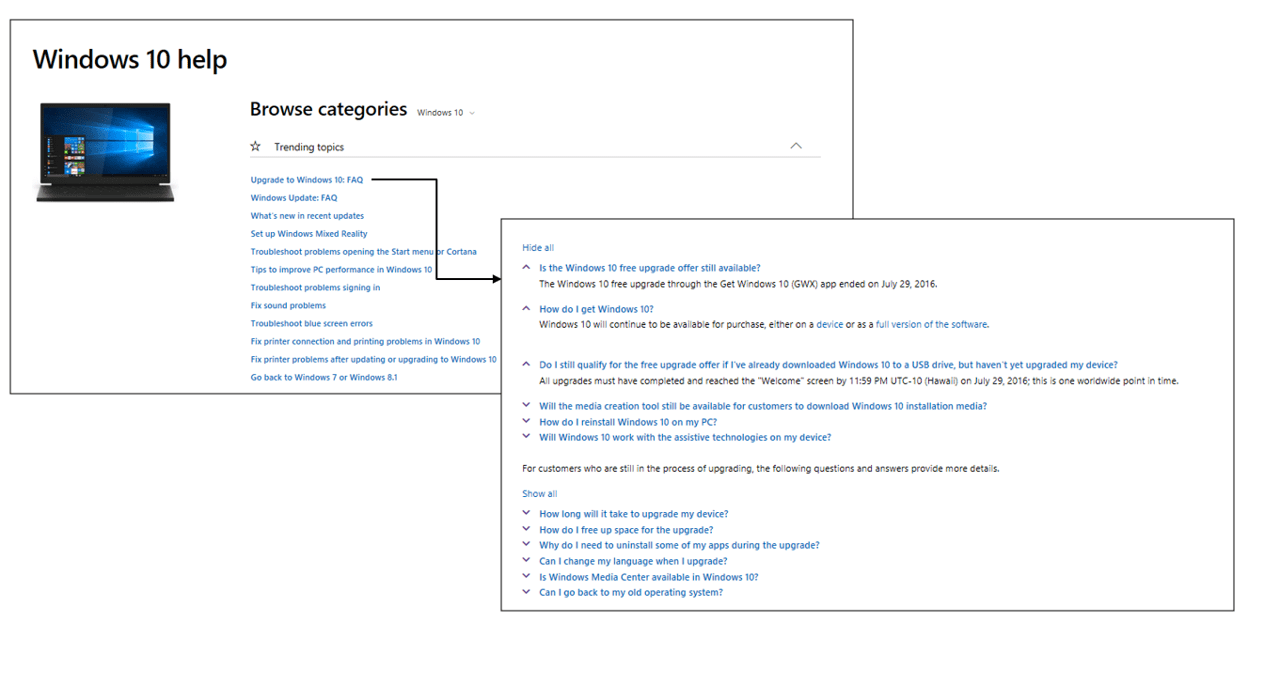
This type of FAQ has a Topics page where each subject is linked to a corresponding set of questions and answers on a different page. Question answer crawls all the linked pages to extract the corresponding questions & answers.
To follow is an example of a Topics page with links to FAQ sections in different pages.
Support URLs
Custom question answering works with semi-structured support web pages. These web pages include articles that explain how to do a task, how to solve a problem, or what best practices to follow. Extraction works best when the content has a clear structure with headings.
Note
Extraction for support articles is a new feature and is in early stages. It works best for simple pages that are well structured, and don't contain complex headers/footers.