Note
Access to this page requires authorization. You can try signing in or changing directories.
Access to this page requires authorization. You can try changing directories.
In this article, you learn control plane networking options for Azure Kubernetes Service (AKS). We first pose a question to help guide your planning, and then provide options, recommendations, and best practices.
How do you want to access your API server?
The Azure-managed AKS control plane consists of several components that help manage the cluster, including the API server. You need to configure networking so that nodes and end users can access the API server for things like updates and cluster management.
Control plane networking options
When setting up control plane networking, you can choose a public cluster or a private cluster:
| Control plane networking option | Diagram of networking components | Features & functionality |
|---|---|---|
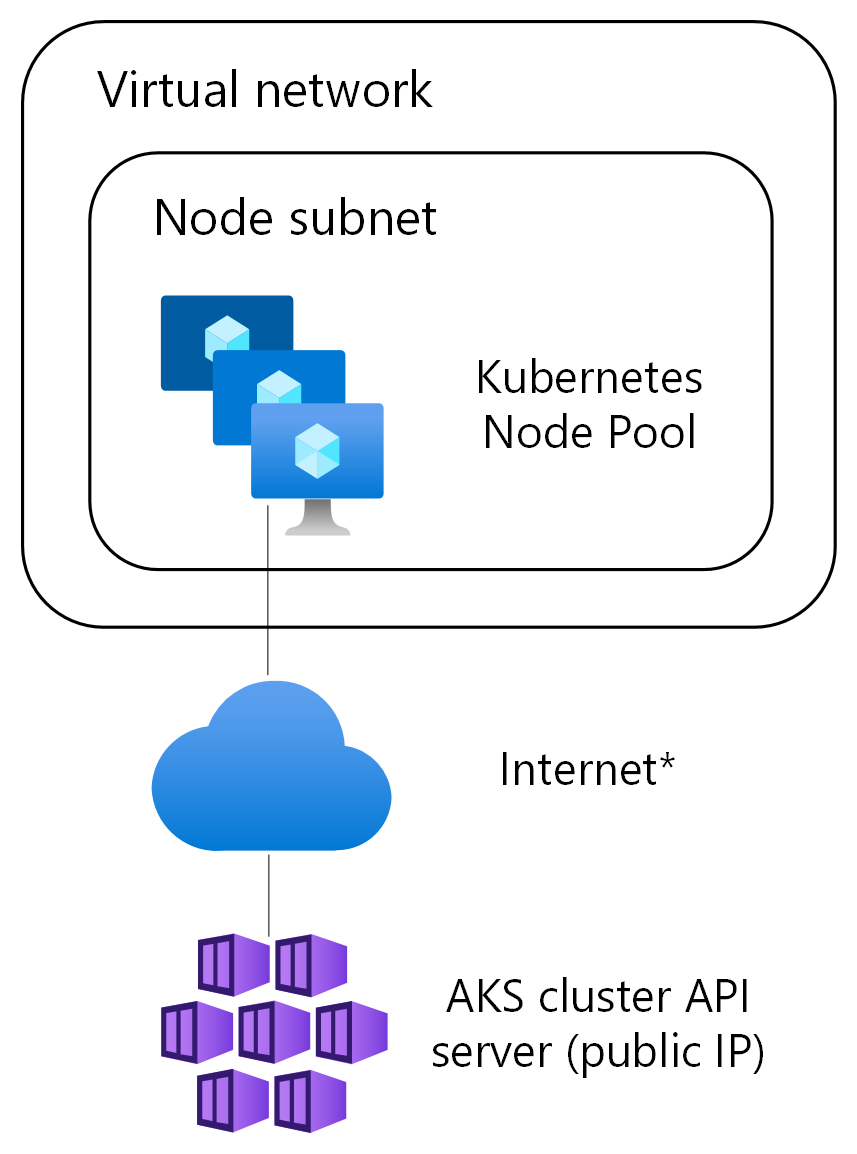
| Public cluster |
|
• API server accessible via a public IP address, allowing users and nodes to connect without any extra configuration. • You can restrict access to certain source IP ranges. • Uses konnectivity tunnel for node and pod access. |
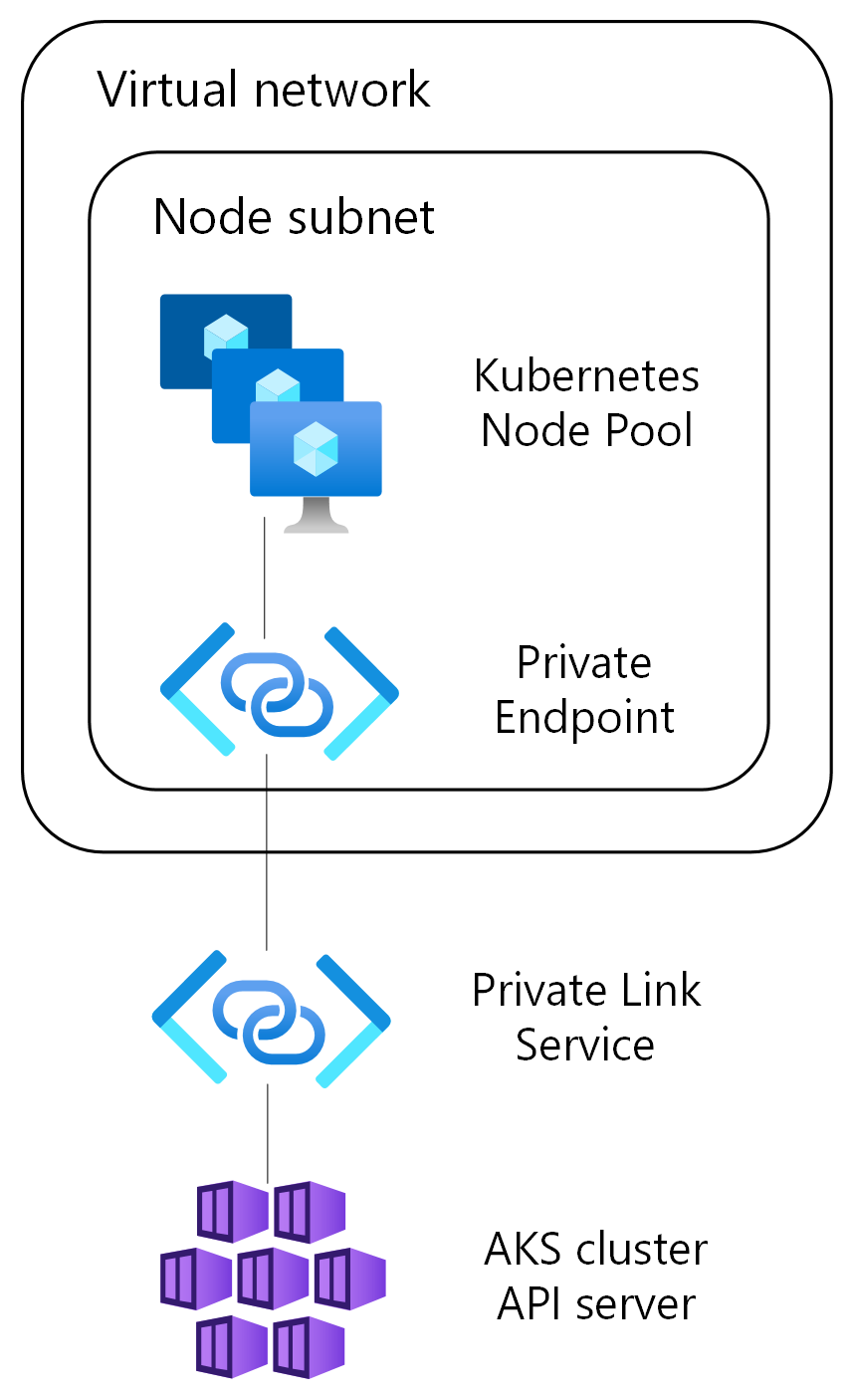
| Private cluster |
|
• API server accessible via internal IP address, with Azure Private DNS used for API server hostname. • Uses Azure Private Link to securely connect to the API server. • Uses konnectivity tunnel for node and pod access. |
Recommendations
Our general recommendation is to use a public cluster, as it simplifies the networking setup and allows for easier access to the API server. However, if you have specific security or compliance requirements, a private cluster might be more appropriate.