Note
Access to this page requires authorization. You can try signing in or changing directories.
Access to this page requires authorization. You can try changing directories.
This article compares the different options for visualizing collected data in Azure Monitor and description of different scenarios where each tool is most useful. It also provides guidance on how to choose the right visualization tool for your needs.
Azure workbooks
Azure workbooks provide a flexible canvas for data analysis and the creation of rich visual reports. You can use workbooks to tap into the most complete set of data sources from across Azure and combine them into unified interactive experiences. They're especially useful to prepare end-to-end monitoring views across multiple Azure resources. Insights, such as Container insights and VM insights, use prebuilt workbooks to present you with critical health and performance information for a particular service. You can access a gallery of workbooks on the Workbooks tab in Azure Monitor, create custom workbooks, or leverage Azure GitHub community templates to meet the requirements of your different users.
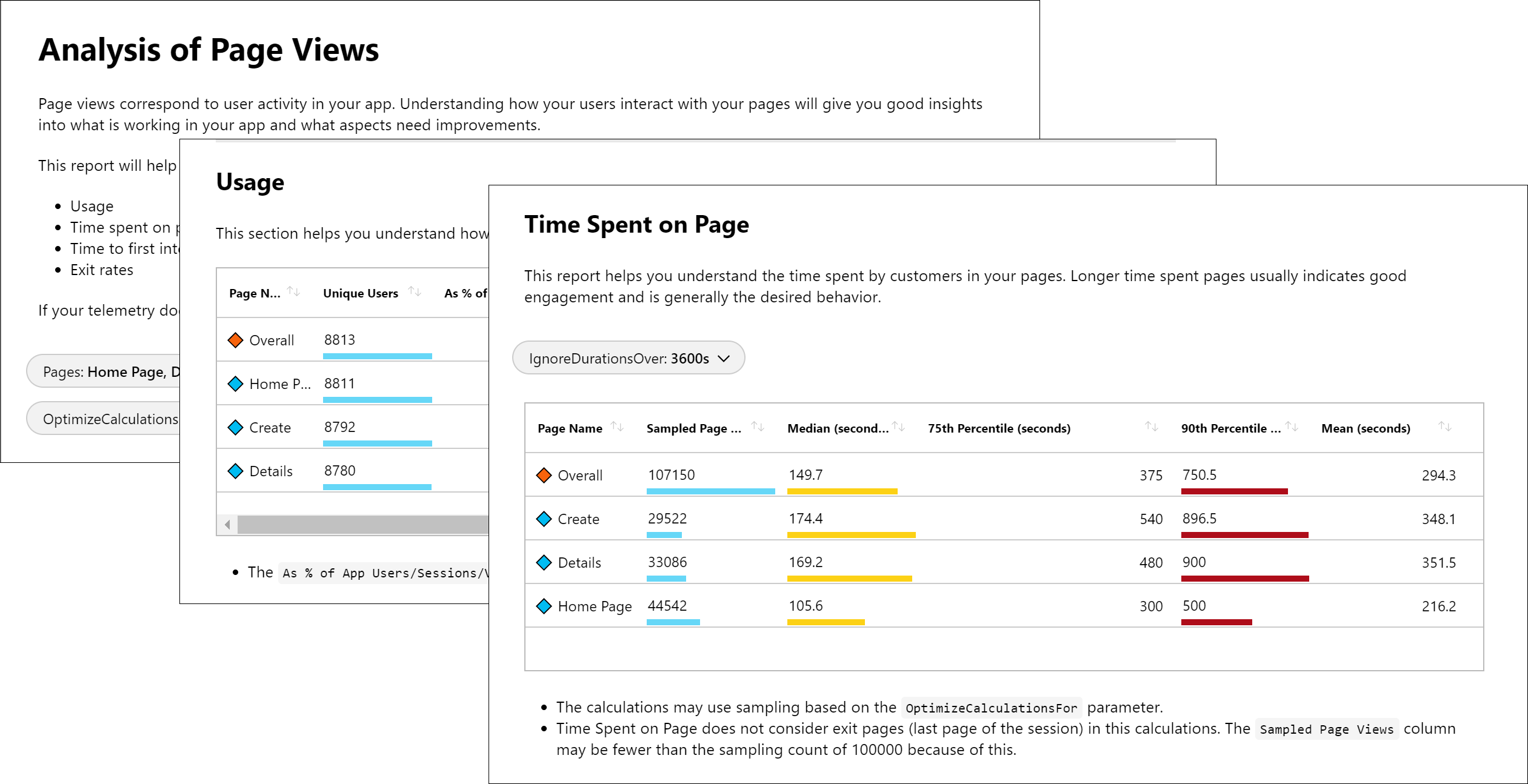
Azure workbooks are ideal for Azure managed hybrid and edge environments, including hybrid environments with Azure Arc. They allow you to create custom reports based on data from insights and provide integrations with other Azure features for actions and automation.
Power BI
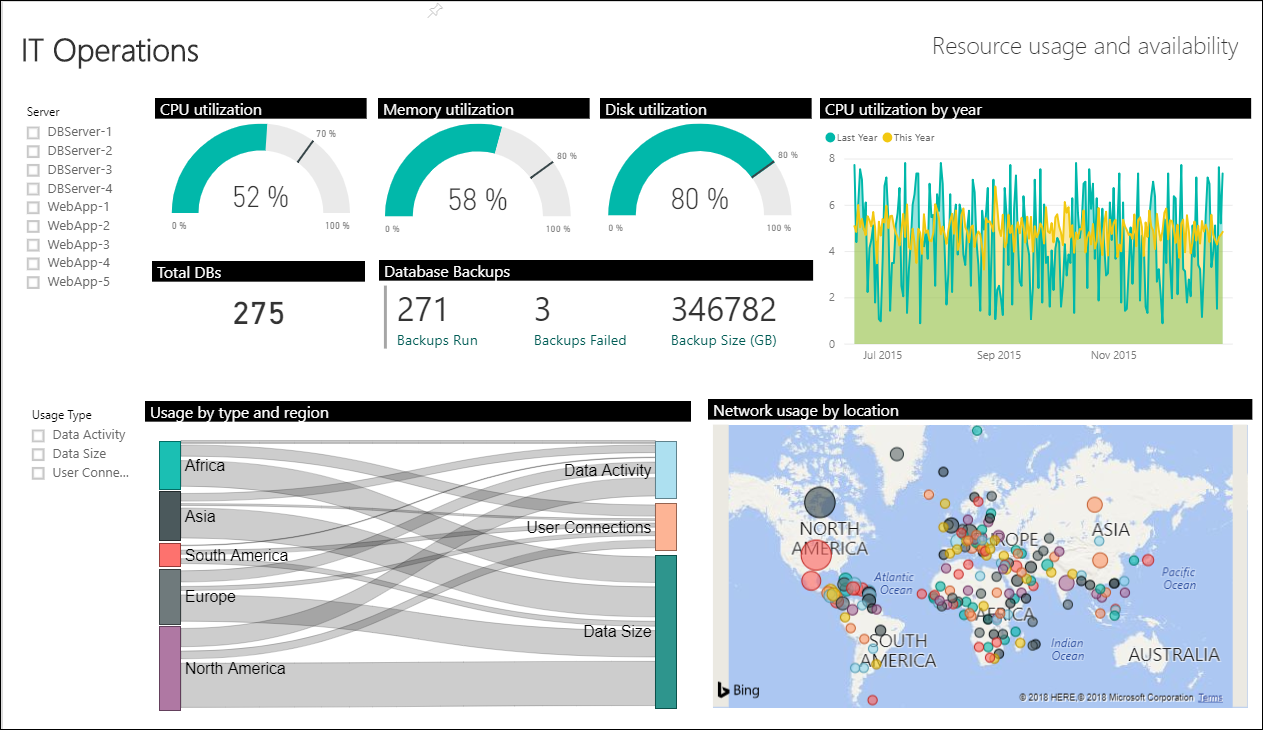
Power BI is useful for creating business-centric dashboards and reports, along with reports that analyze long-term KPI (Key Performance Indicator) trends. You can import the results of a log query into a Power BI dataset, which allows you to take advantage of features such as combining data from different sources and sharing reports on the web and mobile devices.
Other options
Some Azure Monitor partners provide visualization functionality. An Azure Monitor partner might provide out-of-the-box visualizations to save you time, although these solutions might have an extra cost.
You can also build your own custom websites and applications using metric and log data in Azure Monitor using the REST API. The REST API gives you flexibility in UI, visualization, interactivity, and features.