Note
Access to this page requires authorization. You can try signing in or changing directories.
Access to this page requires authorization. You can try changing directories.
To change the Entra Directory of your Azure subscription, you need to complete the following two-party request and accept workflow.
- To initiate a change directory request, you need to be a subscription owner of the subscription in the source directory.
- To accept a change directory request, you or another party need to be an Entra admin in the destination directory.
Follow these steps to complete the change directory workflow.
Step 1 - Sign into the Azure portal and go to Subscriptions
- Sign into the Azure portal of the source directory as a subscription owner or Entra admin and select the subscription you want to change from the Subscriptions page in Azure portal
- Select Change Directory
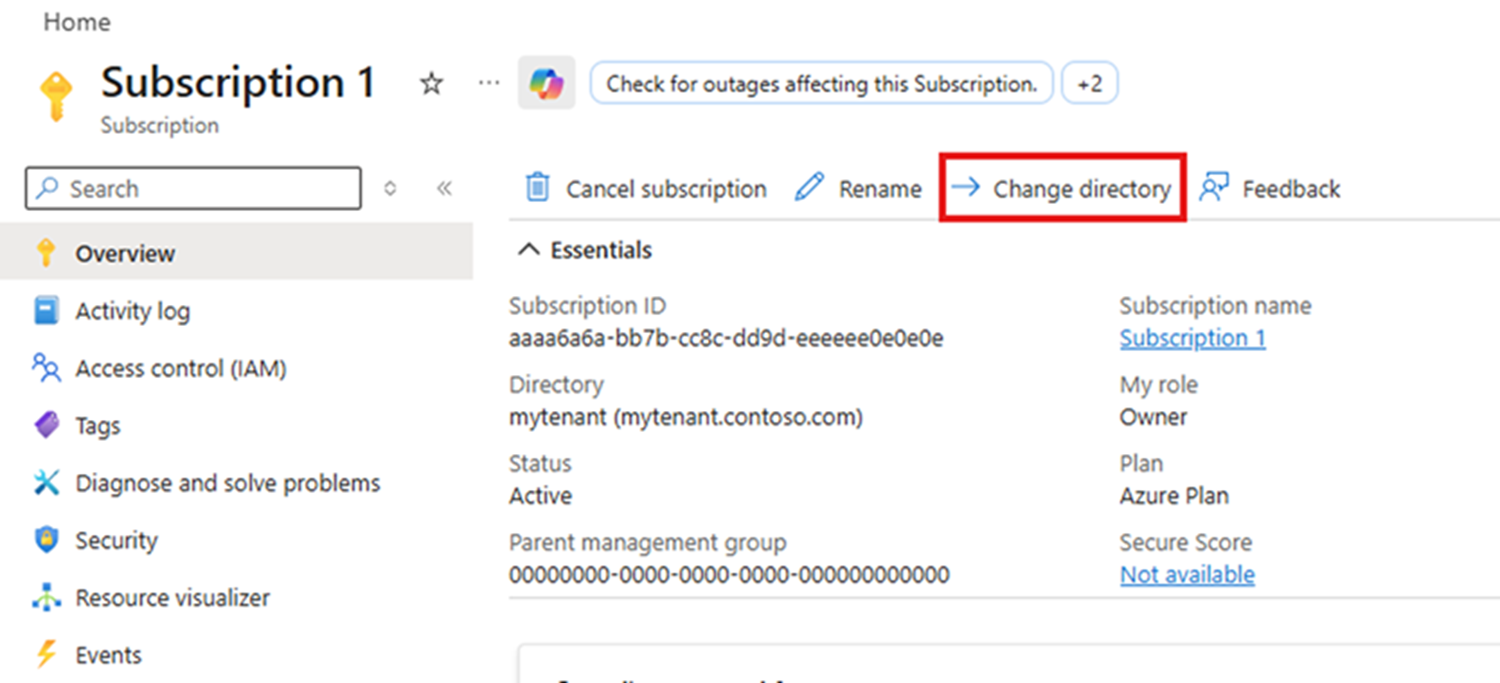
- The Change directory experience opens.
Step 2 - Initiate the directory change request
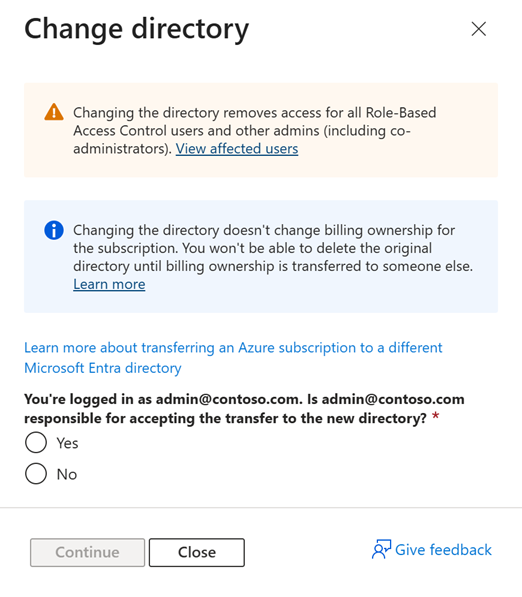
- Read the information completely to understand the implications of the change directory action.
- Choose whether you or another party will accept the request in the destination directory.
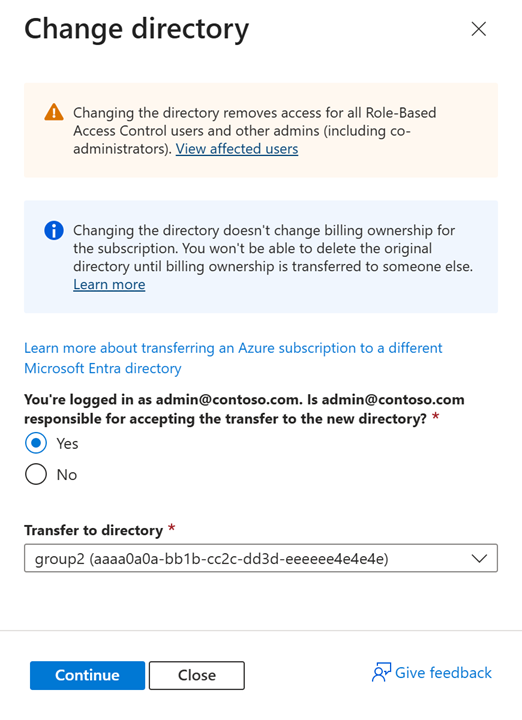
- Yes - if you're the acceptor in the destination
- No - if you're inviting another party to accept the invitation
If you're the acceptor select Yes and select the Entra tenant ID of the destination directory in the dropdown and click Continue to initiate the transfer.
If you're sending the request to another party select No and enter the email address of the recipient and the Entra tenant ID of the destination directory and click Continue to initiate the transfer.
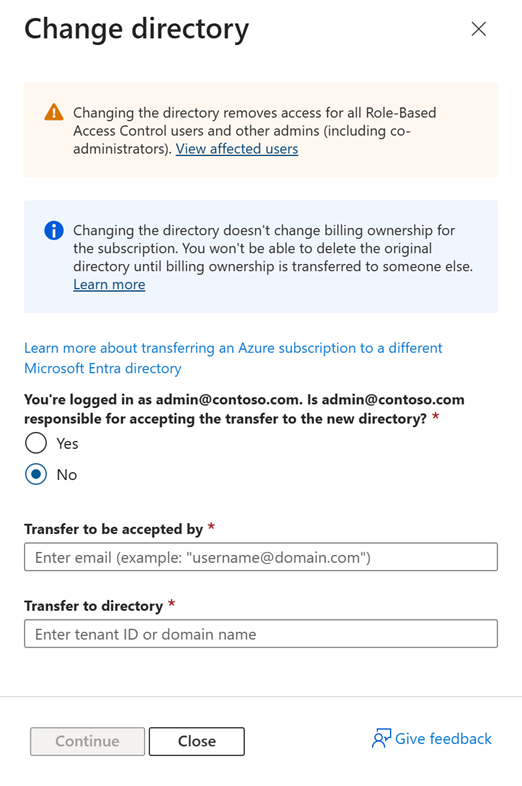
Step 3 - Confirm the directory change request
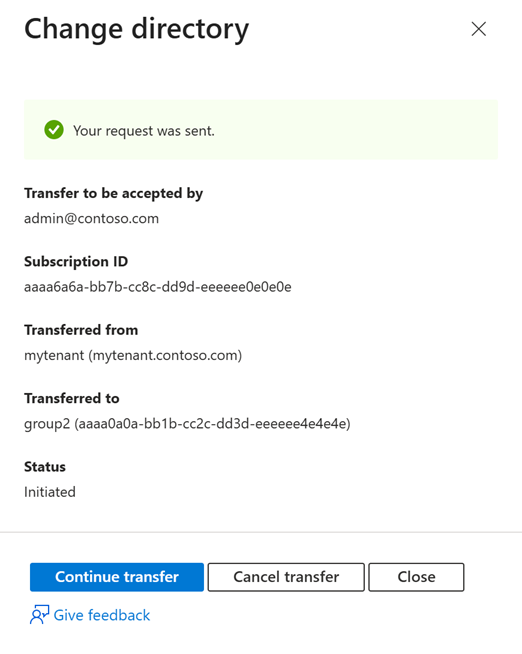
- If you initiated a request that you'll be accepting you'll be presented with a confirmation page to Continue the transfer.
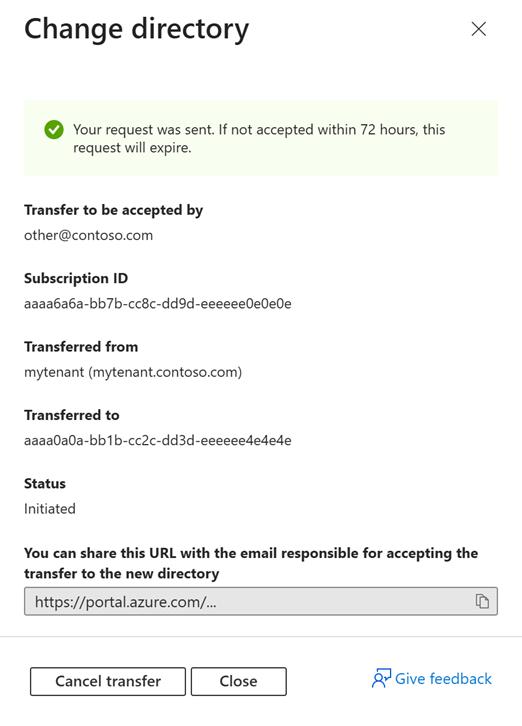
- If you sent the request to another party, you receive the following confirmation page. This confirmation page includes a link for the acceptor to complete the transfer. Share the link with the recipient to complete the transfer.
Step 4 - Accept the directory change request
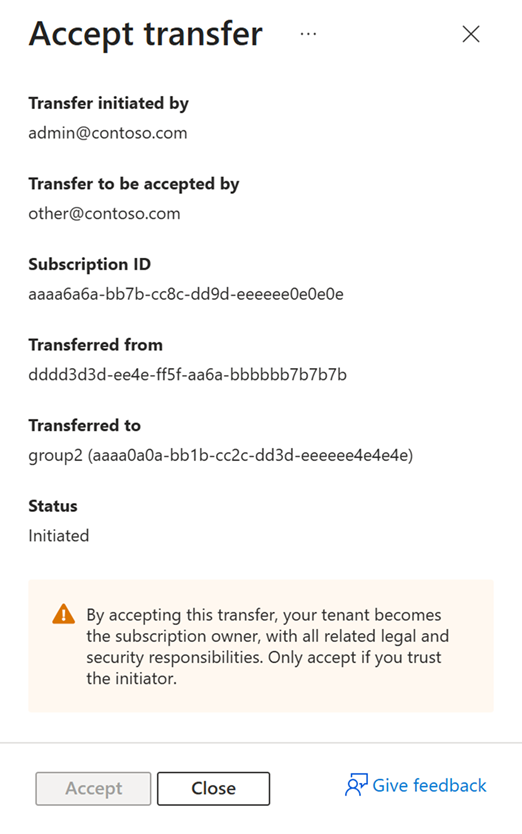
- If you initiated a request and are also the acceptor click Accept to complete the transfer.
- If you sent the request to another party, they need to click the link to Accept the transfer that was generated in step 2.