Note
Access to this page requires authorization. You can try signing in or changing directories.
Access to this page requires authorization. You can try changing directories.
Switch services using the Version drop-down list. Learn more about navigation.
Applies to: ✅ Azure Data Explorer ✅ Azure Monitor ✅ Microsoft Sentinel
Calculates a point at fraction value on a line on Earth.
Syntax
geo_line_interpolate_point(lineString,fraction)
Learn more about syntax conventions.
Parameters
| Name | Type | Required | Description |
|---|---|---|---|
| lineString | dynamic |
✔️ | A LineString in the GeoJSON format. |
| fraction | real |
✔️ | fraction value should be between 0 (start of the line) and 1 (end of the line). |
Returns
The point coordinate value in GeoJSON Format and of a dynamic data type on line string at the specific fraction value. If the line or fraction value is invalid, the query produces a null result.
Note
- The geospatial coordinates are interpreted as represented by the WGS-84 coordinate reference system.
- The geodetic datum used to measure distance on Earth is a sphere. Line edges are geodesics on the sphere.
- If input line edges are straight cartesian lines, consider using geo_line_densify() in order to convert planar edges to geodesics.
- The input should not contain more than a single line string.
- In order to calculate a fraction value use geo_line_locate_point()
LineString definition and constraints
dynamic({"type": "LineString","coordinates": [[lng_1,lat_1], [lng_2,lat_2], ..., [lng_N,lat_N]]})
- LineString coordinates array must contain at least two entries.
- Coordinates [longitude, latitude] must be valid where longitude is a real number in the range [-180, +180] and latitude is a real number in the range [-90, +90].
- Edge length must be less than 180 degrees. The shortest edge between the two vertices is chosen.
Examples
The following example calculates a point at 25% location since line start.
let line = dynamic({"type":"LineString","coordinates":[[-73.95796, 40.80042], [-73.97317, 40.764486]]});
print point = geo_line_interpolate_point(line, 0.25);
Output
| point |
|---|
| {"type": "Point", "coordinates": [-73.961764043218281, 40.791436687257232]} |
The following example calculates point longitude at 90% since line start.
let line = dynamic({"type":"LineString","coordinates":[[-73.95807266235352,40.800426144169315],[-73.94966125488281,40.79691751000055],[-73.97317886352539,40.764486356930334],[-73.98210525512695,40.76786669510221],[-73.96004676818848,40.7980870753293]]});
print point = geo_line_interpolate_point(line, 0.9)
| project lng = point.coordinates[0]
Output
| result |
|---|
| -73.96556545832799 |
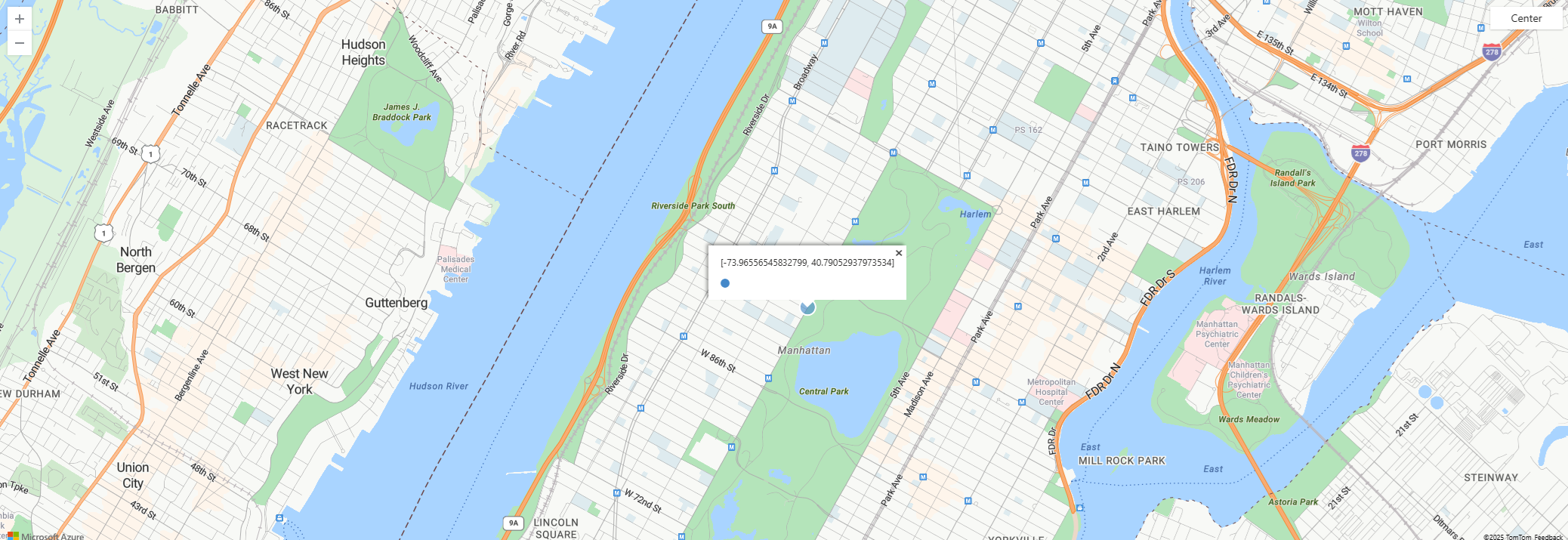
The following example visualizes point on a map.
let line = dynamic({"type":"LineString","coordinates":[[-73.95807266235352,40.800426144169315],[-73.94966125488281,40.79691751000055],[-73.97317886352539,40.764486356930334],[-73.98210525512695,40.76786669510221],[-73.96004676818848,40.7980870753293]]});
print point = geo_line_interpolate_point(line, 0.9)
| render scatterchart with (kind = map)
The following example returns true because of the invalid line.
print is_bad_line = isnull(geo_line_interpolate_point(dynamic({"type":"LineString","coordinates":[[1, 1]]}), 0.5))
Output
| is_bad_line |
|---|
| true |