Note
Access to this page requires authorization. You can try signing in or changing directories.
Access to this page requires authorization. You can try changing directories.
Overview
Microsoft Entra ID Entitlement Management integrates with ServiceNow, providing an alternative portal where users can request access packages, view request history, and approve or deny requests when they're designated as approvers.
Microsoft Entra ID Entitlement Management remains the system of record. Administrators create and manage catalogs, access packages, assignment policies, requestor eligibility, approvers, and assignments in Microsoft Entra ID Entitlement Management. ServiceNow provides the end-user request and approval experience.
| Activity | Where it's performed |
|---|---|
| Create and manage access packages, policies, and approvers | Microsoft Entra ID Entitlement Management |
| Request an access package | ServiceNow |
| View request status and history | ServiceNow |
| Approve or deny a request | ServiceNow |
Licensing requirements
A Microsoft Entra ID P2 or Microsoft Entra Suite license is required to use this integration.
Note
Access packages and policies are created and managed in Microsoft Entra ID Entitlement Management, not in ServiceNow.
Install and configure
Install the application from the Microsoft Entra ID Governance - ServiceNow Store.
For installation and configuration instructions, see the Microsoft Entra ID Governance Integration with ServiceNow Installation Guide under Links and Documents on the ServiceNow Store page.
Available functionality in ServiceNow
In ServiceNow, open Service Catalog > Microsoft Entra ID Governance. The Access Package and Request History options are available to requestors, while Approvals is available to designated approvers.
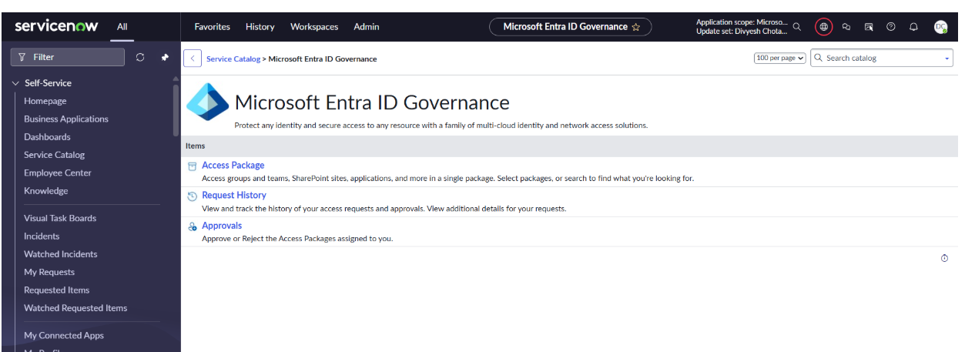
Figure 1. Microsoft Entra ID Governance application in ServiceNow.
Request an access package
Select Access Package, open the Available tab, choose an access package, provide the information required by its assignment policy, and submit the request. Use the Active and Expired tabs to view current and past access.
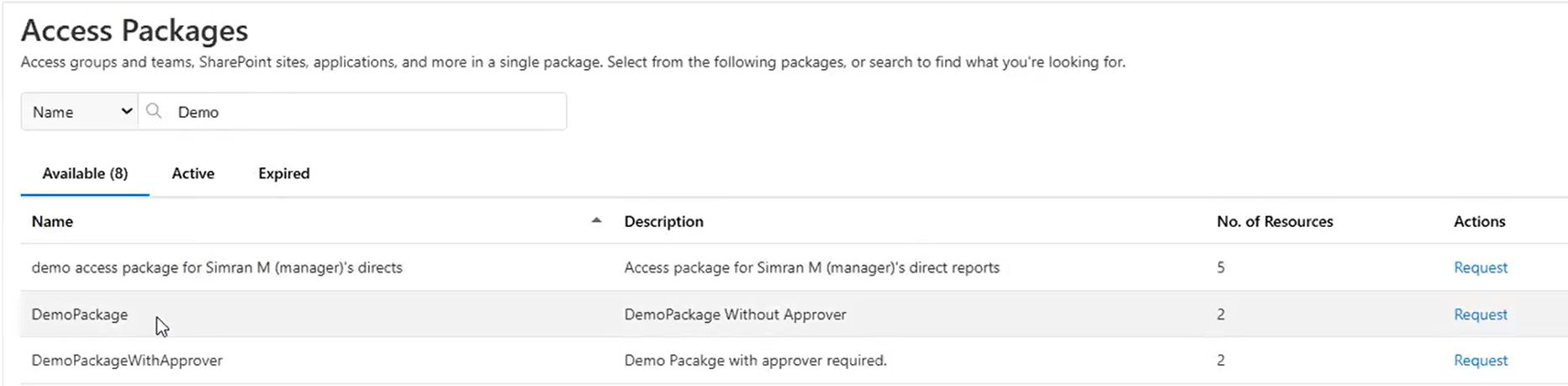
Figure 2. Access Packages page in ServiceNow.
View access package request history
Select Request History to view submitted requests and their current status. Select View to open additional request details.
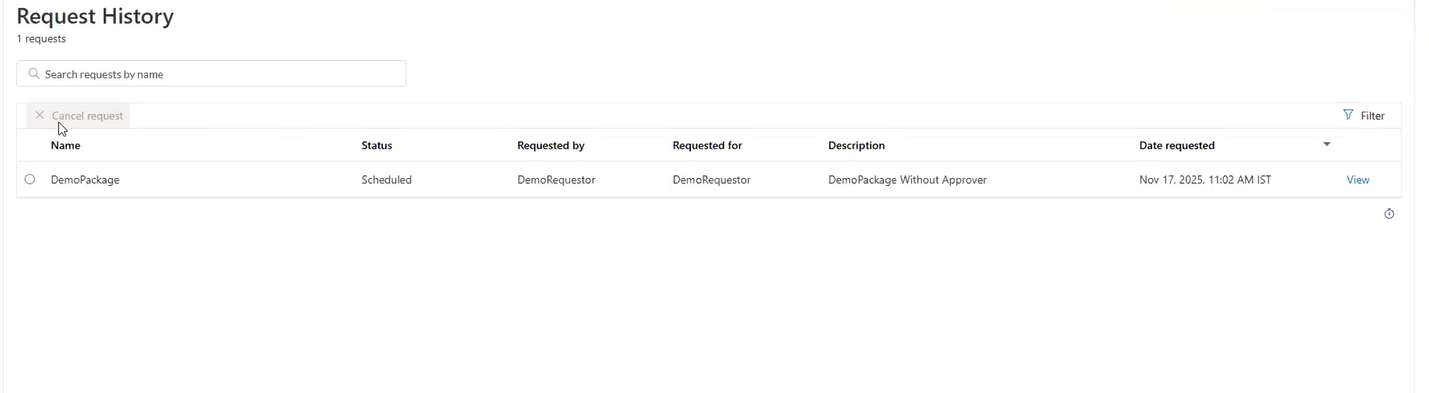
Figure 3. Request History page in ServiceNow.
Approve or deny an access package request
Select Approvals, then select Review to open a request assigned to you. Review the details, and select Approve or Deny.
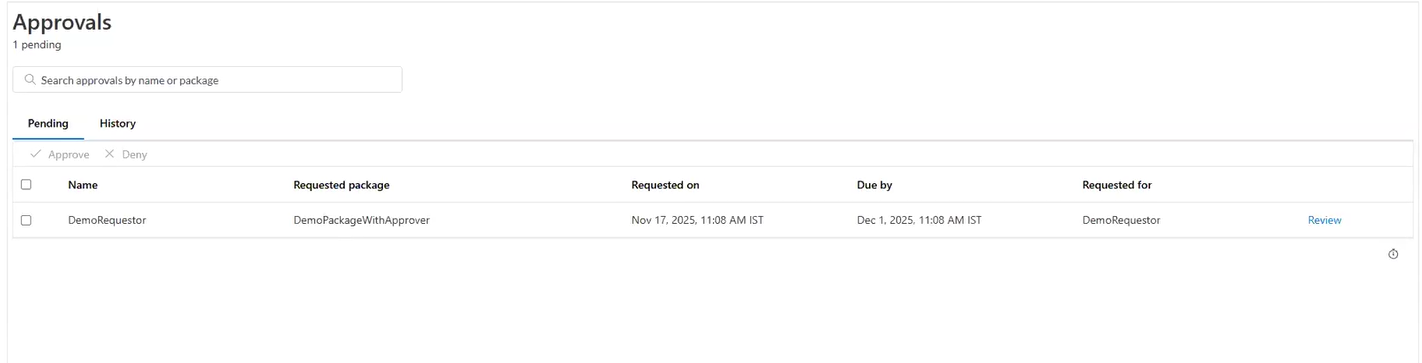
Figure 4. Approvals page in ServiceNow.