Note
Access to this page requires authorization. You can try signing in or changing directories.
Access to this page requires authorization. You can try changing directories.
Applies to: ✔️ Front Door Standard ✔️ Front Door Premium
This quickstart describes how to use Terraform to create a Front Door profile to set up high availability for a web endpoint.
Note
For web workloads, we highly recommend utilizing Azure DDoS protection and a web application firewall to safeguard against emerging DDoS attacks. Another option is to employ Azure Front Door along with a web application firewall. Azure Front Door offers platform-level protection against network-level DDoS attacks. For more information, see security baseline for Azure services.
In this article, you learn how to:
- Create a random value for the Azure resource group name using random_pet.
- Create an Azure resource group using azurerm_resource_group.
- Create a random value for the Front Door endpoint resource name and App Service app name using random_id.
- Create a Front Door profile using azurerm_cdn_frontdoor_profile.
- Create a Front Door endpoint using azurerm_cdn_frontdoor_endpoint.
- Create a Front Door origin group using azurerm_cdn_frontdoor_origin_group
- Create a Front Door origin, which refers to the App Service app, using azurerm_cdn_frontdoor_origin.
- Create a Front Door route using azurerm_cdn_frontdoor_route.
- Create an App Service plan using azurerm_service_plan.
- Create an App Service app using azurerm_windows_web_app.
Prerequisites
Implement the Terraform code
Note
The sample code for this article is located in the Azure Terraform GitHub repo. You can view the log file containing the test results from current and previous versions of Terraform.
See more articles and sample code showing how to use Terraform to manage Azure resources
Create a directory in which to test the sample Terraform code and make it the current directory.
Create a file named
providers.tfand insert the following code:
terraform {
  required_version = ">=1.0"
  required_providers {
    azurerm = {
      source  = "hashicorp/azurerm"
      version = "~>3.0"
    }
    random = {
      source  = "hashicorp/random"
      version = "~>3.0"
    }
  }
}
provider "azurerm" {
  features {}
}
- Create a file named
main.tfand insert the following code:
resource "random_pet" "rg-name" {
  prefix = var.resource_group_name_prefix
}

resource "azurerm_resource_group" "rg" {
  name     = random_pet.rg-name.id
  location = var.resource_group_location
}

resource "random_id" "front_door_endpoint_name" {
  byte_length = 8
}

locals {
  front_door_profile_name      = "MyFrontDoor"
  front_door_endpoint_name     = "afd-${lower(random_id.front_door_endpoint_name.hex)}"
  front_door_origin_group_name = "MyOriginGroup"
  front_door_origin_name       = "MyAppServiceOrigin"
  front_door_route_name        = "MyRoute"
}

resource "azurerm_cdn_frontdoor_profile" "my_front_door" {
  name                = local.front_door_profile_name
  resource_group_name = azurerm_resource_group.rg.name
  sku_name            = var.front_door_sku_name
}

resource "azurerm_cdn_frontdoor_endpoint" "my_endpoint" {
  name                     = local.front_door_endpoint_name
  cdn_frontdoor_profile_id = azurerm_cdn_frontdoor_profile.my_front_door.id
}

resource "azurerm_cdn_frontdoor_origin_group" "my_origin_group" {
  name                     = local.front_door_origin_group_name
  cdn_frontdoor_profile_id = azurerm_cdn_frontdoor_profile.my_front_door.id
  session_affinity_enabled = true

  load_balancing {
    sample_size                 = 4
    successful_samples_required = 3
  }

  health_probe {
    path                = "/"
    request_type        = "HEAD"
    protocol            = "Https"
    interval_in_seconds = 100
  }
}

resource "azurerm_cdn_frontdoor_origin" "my_app_service_origin" {
  name                          = local.front_door_origin_name
  cdn_frontdoor_origin_group_id = azurerm_cdn_frontdoor_origin_group.my_origin_group.id

  enabled                        = true
  host_name                      = azurerm_windows_web_app.app.default_hostname
  http_port                      = 80
  https_port                     = 443
  origin_host_header             = azurerm_windows_web_app.app.default_hostname
  priority                       = 1
  weight                         = 1000
  certificate_name_check_enabled = true
}

resource "azurerm_cdn_frontdoor_route" "my_route" {
  name                          = local.front_door_route_name
  cdn_frontdoor_endpoint_id     = azurerm_cdn_frontdoor_endpoint.my_endpoint.id
  cdn_frontdoor_origin_group_id = azurerm_cdn_frontdoor_origin_group.my_origin_group.id
  cdn_frontdoor_origin_ids      = [azurerm_cdn_frontdoor_origin.my_app_service_origin.id]

  supported_protocols    = ["Http", "Https"]
  patterns_to_match      = ["/*"]
  forwarding_protocol    = "HttpsOnly"
  link_to_default_domain = true
  https_redirect_enabled = true
}
- Create a file named
app-service.tfand insert the following code:
resource "random_id" "app_name" {
  byte_length = 8
}

locals {
  app_name              = "myapp-${lower(random_id.app_name.hex)}"
  app_service_plan_name = "AppServicePlan"
}

resource "azurerm_service_plan" "app_service_plan" {
  name                = local.app_service_plan_name
  location            = azurerm_resource_group.rg.location
  resource_group_name = azurerm_resource_group.rg.name

  sku_name     = var.app_service_plan_sku_name
  os_type      = "Windows"
  worker_count = var.app_service_plan_capacity
}

resource "azurerm_windows_web_app" "app" {
  name                = local.app_name
  location            = azurerm_resource_group.rg.location
  resource_group_name = azurerm_resource_group.rg.name
  service_plan_id     = azurerm_service_plan.app_service_plan.id

  https_only = true

  site_config {
    ftps_state          = "Disabled"
    minimum_tls_version = "1.2"
    ip_restriction {
      service_tag               = "AzureFrontDoor.Backend"
      ip_address                = null
      virtual_network_subnet_id = null
      action                    = "Allow"
      priority                  = 100
      headers {
        x_azure_fdid      = [azurerm_cdn_frontdoor_profile.my_front_door.resource_guid]
        x_fd_health_probe = []
        x_forwarded_for   = []
        x_forwarded_host  = []
      }
      name = "Allow traffic from Front Door"
    }
  }
}
- Create a file named
variables.tfand insert the following code:
variable "resource_group_location" {
  type        = string
  description = "Location for all resources."
  default     = "chinaeast2"
}

variable "resource_group_name_prefix" {
  type        = string
  description = "Prefix of the resource group name that's combined with a random ID so name is unique in your Azure subscription."
  default     = "rg"
}

variable "app_service_plan_sku_name" {
  type        = string
  description = "The SKU for the plan. Possible values include: B1, B2, B3, D1, F1, I1, I2, I3, I1v2, I2v2, I3v2, I4v2, I5v2, I6v2, P1v2, P2v2, P3v2, P0v3, P1v3, P2v3, P3v3, P1mv3, P2mv3, P3mv3, P4mv3, P5mv3, S1, S2, S3, SHARED, EP1, EP2, EP3, WS1, WS2, WS3, Y1."
  default     = "S1"
  validation {
    condition     = contains(["B1", "B2", "B3", "D1", "F1", "I1", "I2", "I3", "I1v2", "I2v2", "I3v2", "I4v2", "I5v2", "I6v2", "P1v2", "P2v2", "P3v2", "P0v3", "P1v3", "P2v3", "P3v3", "P1mv3", "P2mv3", "P3mv3", "P4mv3", "P5mv3", "S1", "S2", "S3", "SHARED", "EP1", "EP2", "EP3", "WS1", "WS2", "WS3", "Y1"], var.app_service_plan_sku_name)
    error_message = "The SKU value must be one of the following: B1, B2, B3, D1, F1, I1, I2, I3, I1v2, I2v2, I3v2, I4v2, I5v2, I6v2, P1v2, P2v2, P3v2, P0v3, P1v3, P2v3, P3v3, P1mv3, P2mv3, P3mv3, P4mv3, P5mv3, S1, S2, S3, SHARED, EP1, EP2, EP3, WS1, WS2, WS3, Y1."
  }
}

variable "app_service_plan_capacity" {
  type        = number
  description = "The number of Workers (instances) to be allocated."
  default     = 1
}

variable "front_door_sku_name" {
  type        = string
  description = "The SKU for the Front Door profile. Possible values include: Standard_AzureFrontDoor, Premium_AzureFrontDoor"
  default     = "Standard_AzureFrontDoor"
  validation {
    condition     = contains(["Standard_AzureFrontDoor", "Premium_AzureFrontDoor"], var.front_door_sku_name)
    error_message = "The SKU value must be one of the following: Standard_AzureFrontDoor, Premium_AzureFrontDoor."
  }
}
- Create a file named
outputs.tfand insert the following code:
output "resource_group_name" {
  value = azurerm_resource_group.rg.name
}


output "frontDoorEndpointHostName" {
  value = azurerm_cdn_frontdoor_endpoint.my_endpoint.host_name
}
Initialize Terraform
Run terraform init to initialize the Terraform deployment. This command downloads the Azure provider required to manage your Azure resources.
terraform init -upgrade
Key points:
- The
-upgradeparameter upgrades the necessary provider plugins to the newest version that complies with the configuration's version constraints.
Create a Terraform execution plan
Run terraform plan to create an execution plan.
terraform plan -out main.tfplan
Key points:
- The
terraform plancommand creates an execution plan, but doesn't execute it. Instead, it determines what actions are necessary to create the configuration specified in your configuration files. This pattern allows you to verify whether the execution plan matches your expectations before making any changes to actual resources. - The optional
-outparameter allows you to specify an output file for the plan. Using the-outparameter ensures that the plan you reviewed is exactly what is applied.
Apply a Terraform execution plan
Run terraform apply to apply the execution plan to your cloud infrastructure.
terraform apply main.tfplan
Key points:
- The example
terraform applycommand assumes you previously ranterraform plan -out main.tfplan. - If you specified a different filename for the
-outparameter, use that same filename in the call toterraform apply. - If you didn't use the
-outparameter, callterraform applywithout any parameters.
Verify the results
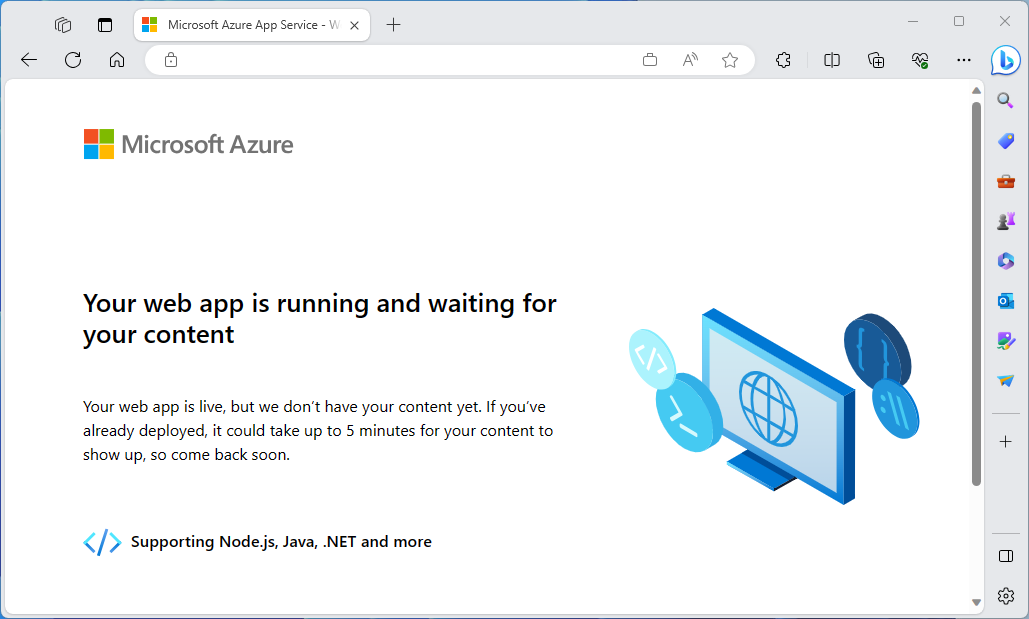
Get the Front Door endpoint:
terraform output -raw frontDoorEndpointHostNamePaste the endpoint into a browser.
Clean up resources
When you no longer need the resources created via Terraform, do the following steps:
Run terraform plan and specify the
destroyflag.terraform plan -destroy -out main.destroy.tfplanKey points:
- The
terraform plancommand creates an execution plan, but doesn't execute it. Instead, it determines what actions are necessary to create the configuration specified in your configuration files. This pattern allows you to verify whether the execution plan matches your expectations before making any changes to actual resources. - The optional
-outparameter allows you to specify an output file for the plan. Using the-outparameter ensures that the plan you reviewed is exactly what is applied.
- The
Run terraform apply to apply the execution plan.
terraform apply main.destroy.tfplan
Troubleshoot Terraform on Azure
Troubleshoot common problems when using Terraform on Azure