Note
Access to this page requires authorization. You can try signing in or changing directories.
Access to this page requires authorization. You can try changing directories.
Monitoring and managing your network is essential to ensure the health, performance, and security of your Azure resources. Network monitoring gives you visibility into the behavior of your network, so you can detect and diagnose issues before they affect your applications and users. Network management helps you configure, govern, and maintain your network resources consistently and at scale, even as your environment grows across regions and subscriptions. Together, these capabilities help you operate a reliable, secure, and well-governed network.
This article provides an overview of network monitoring and management in the context of Azure's services: Azure Network Watcher, Azure Virtual Network Manager, and Azure Monitor. It describes the key services and categories to help you choose the right solution for your needs.
Choosing a solution
Choose the right network monitoring and management solution to keep your environment healthy and operations efficient. Imagine a scenario where a growing organization needs to diagnose intermittent connectivity issues between virtual networks. Or consider an enterprise that needs to enforce consistent security and topology rules across hundreds of virtual networks spanning multiple regions and subscriptions. Each scenario calls for tailored tools that provide the right level of visibility, diagnostics, or governance.
When selecting a network monitoring or management solution, consider the following factors:
- Scope: Do you need to monitor or manage resources within a single virtual network, or across multiple virtual networks, regions, and subscriptions?
- Visibility vs. control: Are you primarily troubleshooting and diagnosing issues, or do you need to enforce configuration and governance at scale?
- Data granularity: Do you need point-in-time diagnostics, continuous logging, or aggregated metrics and alerts?
- Cost: Consider the cost of the service itself and the operational cost of managing a solution built on that service. For more information, see Azure pricing.
- Integration: Does the solution need to integrate with existing dashboards, alerting pipelines, or automation workflows?
Azure offers several network monitoring and management services, each catering to different needs and scenarios.
Azure Network Watcher
Azure Network Watcher is a regional service that provides tools to monitor, diagnose, and gain insights into your network performance and health. Use it to visualize your network topology, capture traffic, and troubleshoot connectivity issues in your virtual networks.
Use cases
- Topology and resource visualization: Visualize the resources in a virtual network and their relationships by using Network insights.
- Connectivity monitoring: Monitor communication between virtual machines, on-premises resources, and internet endpoints over time by using Connection monitor.
- Connectivity troubleshooting: Diagnose connectivity problems between a source and destination by using Connection troubleshoot and verify IP flow rules by using IP flow verify.
- Traffic logging and analytics: Capture and analyze traffic by using virtual network flow logs, network security group flow logs, and traffic analytics.
- Packet-level diagnostics: Capture packets to and from a virtual machine by using packet capture.
Azure Virtual Network Manager
Azure Virtual Network Manager helps you group, configure, deploy, and manage virtual networks at scale across regions and subscriptions. Use it to apply consistent connectivity and security configurations centrally instead of managing each virtual network individually.
Use cases
- Centralized topology management: Group virtual networks and apply hub-and-spoke or mesh network topologies across your organization.
- Security administration: Create security admin rules that take precedence over network security group rules, and enforce them across many virtual networks at once.
- Scoped governance: Use network groups to target configurations to a subset of virtual networks based on subscriptions, management groups, or explicit membership.
- Consistent connectivity at scale: Deploy connectivity configurations across multiple regions and subscriptions from a single management experience.
Azure Monitor
Azure Monitor is a monitoring solution that collects, analyzes, and acts on telemetry from your Azure and hybrid environments. Use it to aggregate metrics and logs from your network resources, set up alerts, and build dashboards to understand the health and performance of your infrastructure.
Use cases
- Metrics and logs: Collect platform metrics and resource logs from networking resources, such as load balancers, virtual network gateways, and application gateways.
- Alerting: Configure alert rules that notify you or trigger automated actions when metrics or logs indicate a problem.
- Dashboards and workbooks: Build custom visualizations to track the health and performance of your network resources over time.
- Log Analytics: Query collected logs by using Kusto Query Language (KQL) to investigate trends and troubleshoot problems across your environment.
Combining services
Combine these services to create a network monitoring and management solution that meets your specific requirements. Examples include:
- Use Virtual Network Manager to enforce consistent topology and security across your virtual networks, while using Network Watcher to diagnose connectivity issues within that environment.
- Use Network Watcher's flow logs as a data source for Azure Monitor, so you can alert on and visualize traffic patterns.
- Use Azure Monitor to track the health of resources that Virtual Network Manager configures at scale, providing a feedback loop for your governance policies.
Azure portal experience
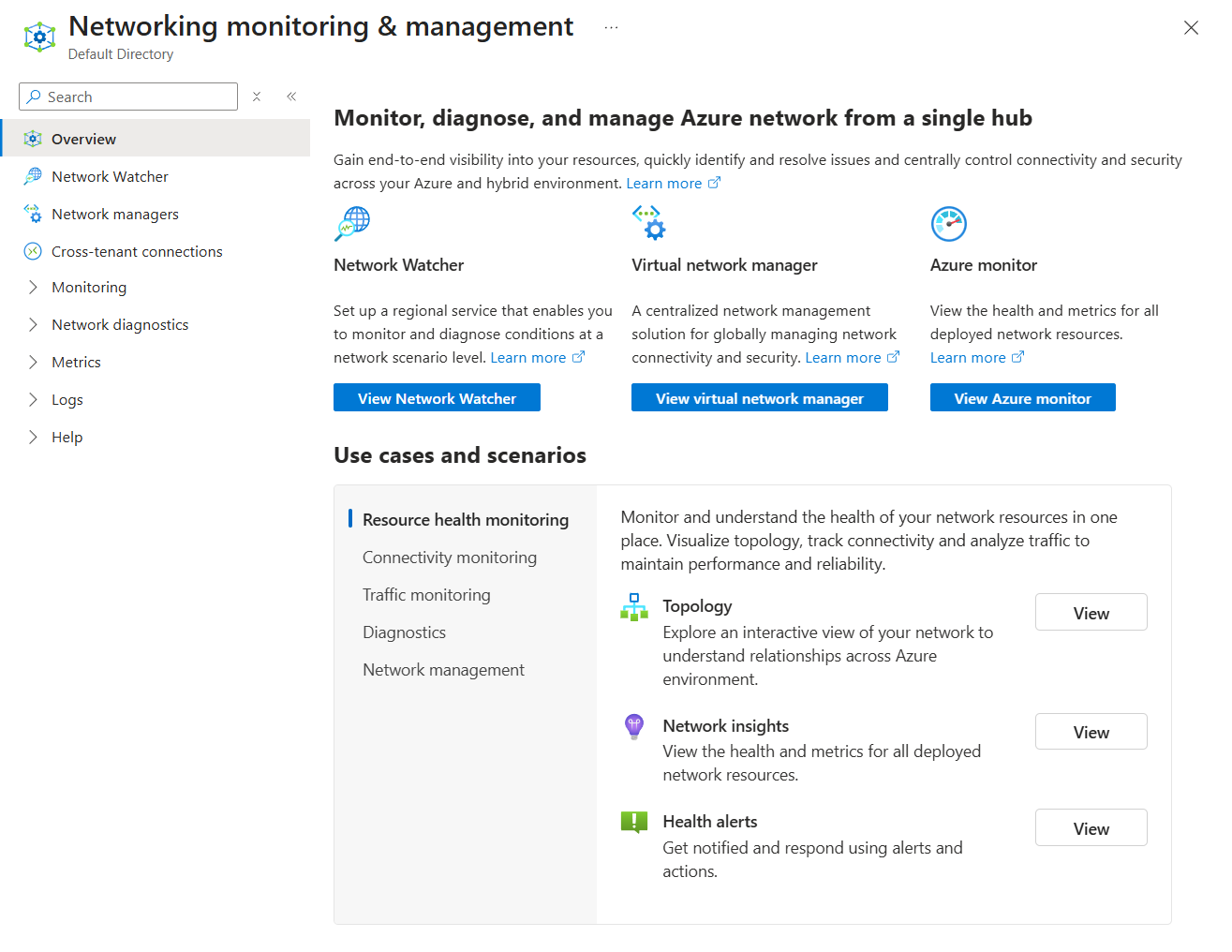
The Azure portal provides a centralized hub for choosing network monitoring and management services. From a single page, you can monitor, diagnose, and manage your Azure network, with entry points for Network Watcher, Virtual Network Manager, and Azure Monitor, along with common use cases and scenarios such as resource health monitoring, connectivity monitoring, and traffic monitoring.
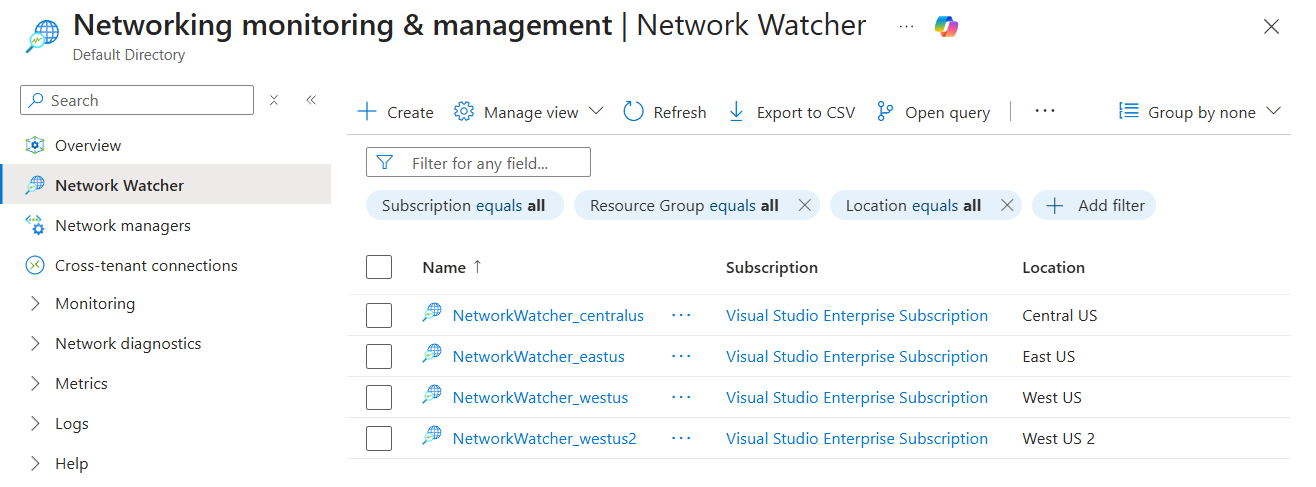
Along with the deployment of the services, you can manage each service from the portal. For example, you can view all of the Network Watcher instances deployed across your subscriptions in a single list, filter by subscription, resource group, or location, and select an instance to manage.