Note
Access to this page requires authorization. You can try signing in or changing directories.
Access to this page requires authorization. You can try changing directories.
This article provides an overview of the reasons and steps involved in moving Azure VMs to another Azure region by using Azure Site Recovery.
Reasons to move Azure VMs
You might move VMs for the following reasons:
- You deployed VMs in one region, and a new region support was added that is closer to the end users of your application or service. In this scenario, you want to move your VMs as is to the new region to reduce latency. Use the same approach if you want to consolidate subscriptions or if governance or organization rules require you to move.
Move VMs by using Site Recovery
Moving VMs by using Site Recovery involves the following steps:
- Verify prerequisites.
- Prepare the source VMs.
- Prepare the target region.
- Copy data to the target region. Use Azure Site Recovery replication technology to copy data from the source VM to the target region.
- Test the configuration. After the replication completes, test the configuration by performing a test failover to a non-production network.
- Perform the move.
- Discard the resources in the source region.
Note
The following sections provide details about these steps.
Important
Currently, Azure Site Recovery supports moving VMs from one region to another but doesn't support moving VMs within a region.
Typical architectures for a multi-tier deployment
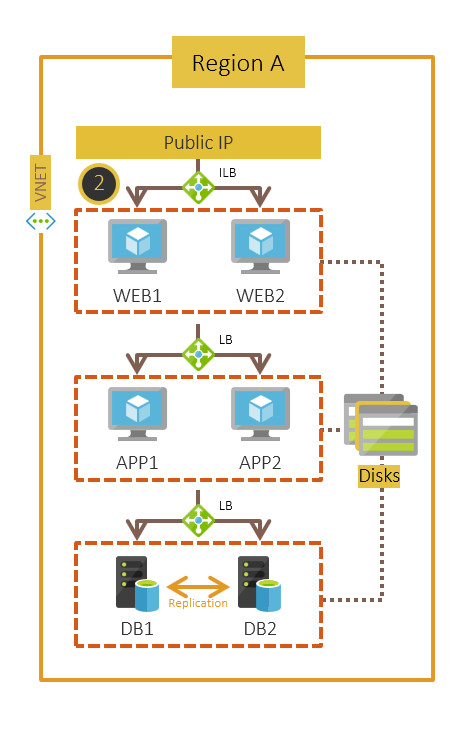
This section describes the most common deployment architectures for a multi-tier application in Azure. The example is a three-tiered application with a public IP. Each tier (web, application, and database) has two VMs, and an Azure load balancer connects them to the other tiers. The database tier uses SQL Server Always On replication between the VMs for high availability.
Single-instance VMs deployed across various tiers: You configure each VM in a tier as a single-instance VM and connect it by load balancers to the other tiers. This configuration is the simplest to adopt.
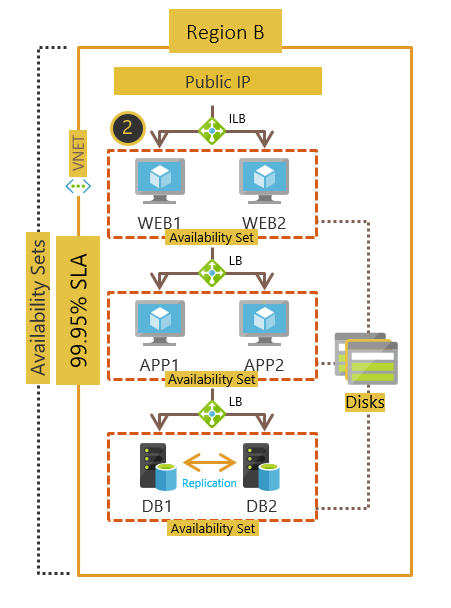
VMs in each tier deployed across availability sets: You configure each VM in a tier in an availability set. Availability sets ensure that the VMs you deploy on Azure are distributed across multiple isolated hardware nodes in a cluster. This distribution ensures that if a hardware or software failure within Azure happens, only a subset of your VMs are affected, and your overall solution remains available and operational.
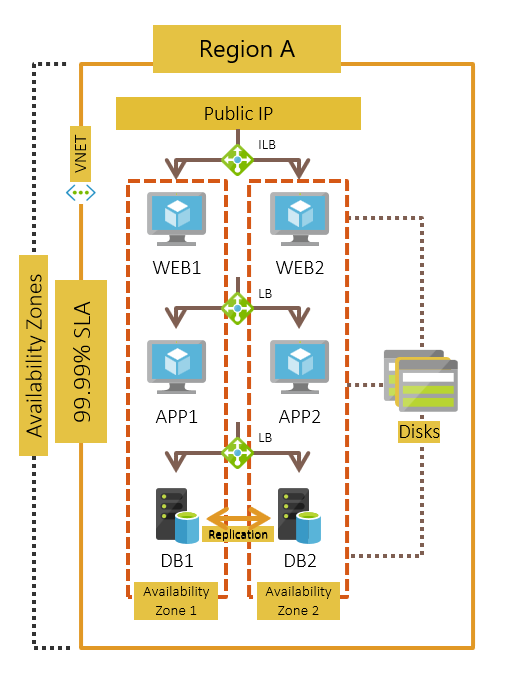
VMs in each tier deployed across Availability Zones: You configure each VM in a tier across Availability Zones. An Availability Zone in an Azure region is a combination of a fault domain and an update domain. For example, if you create three or more VMs across three zones in an Azure region, your VMs are effectively distributed across three fault domains and three update domains. The Azure platform recognizes this distribution across update domains to make sure that VMs in different zones aren't updated at the same time.
Move VMs as is to a target region
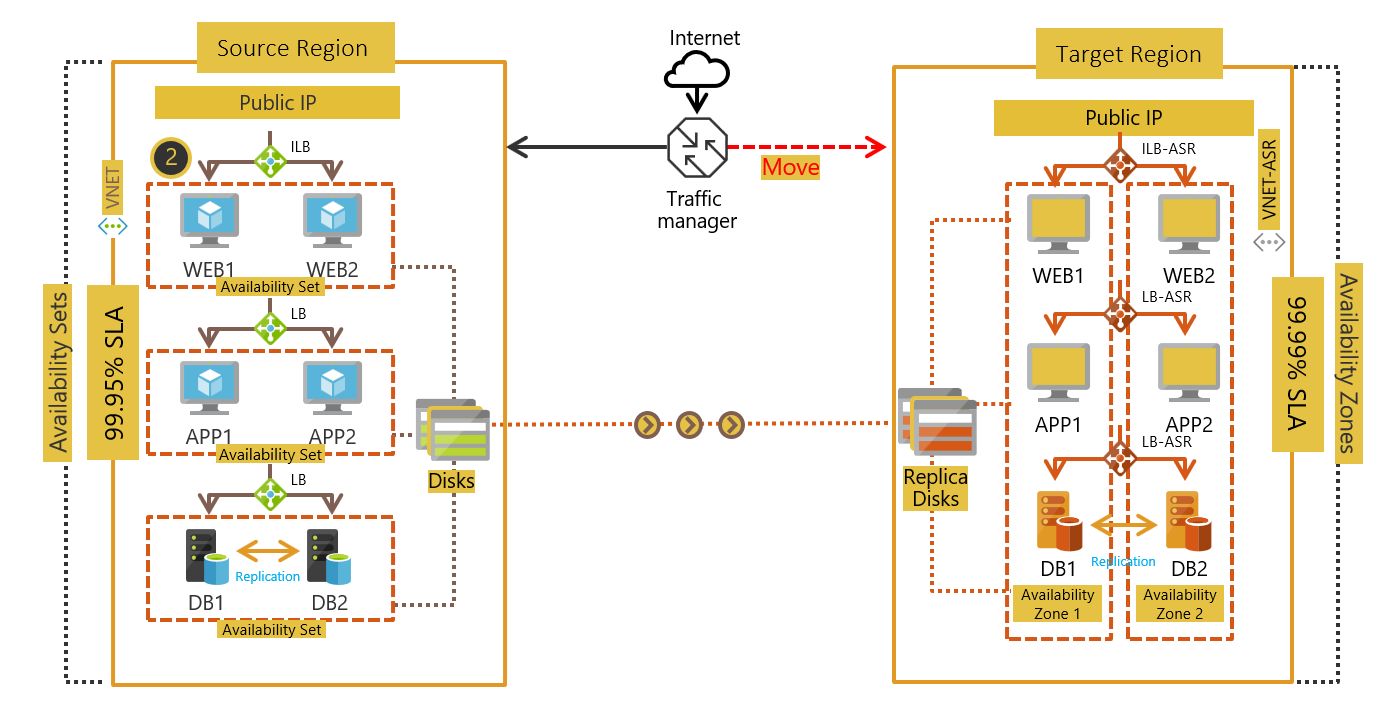
Based on the architectures mentioned earlier, here's what the deployments look like after you perform the move as is to the target region.
- Single-instance VMs deployed across various tiers
- VMs in each tier deployed across availability sets
- VMs in each tier deployed across Availability Zones
Move VMs to increase availability
Single-instance VMs deployed across various tiers
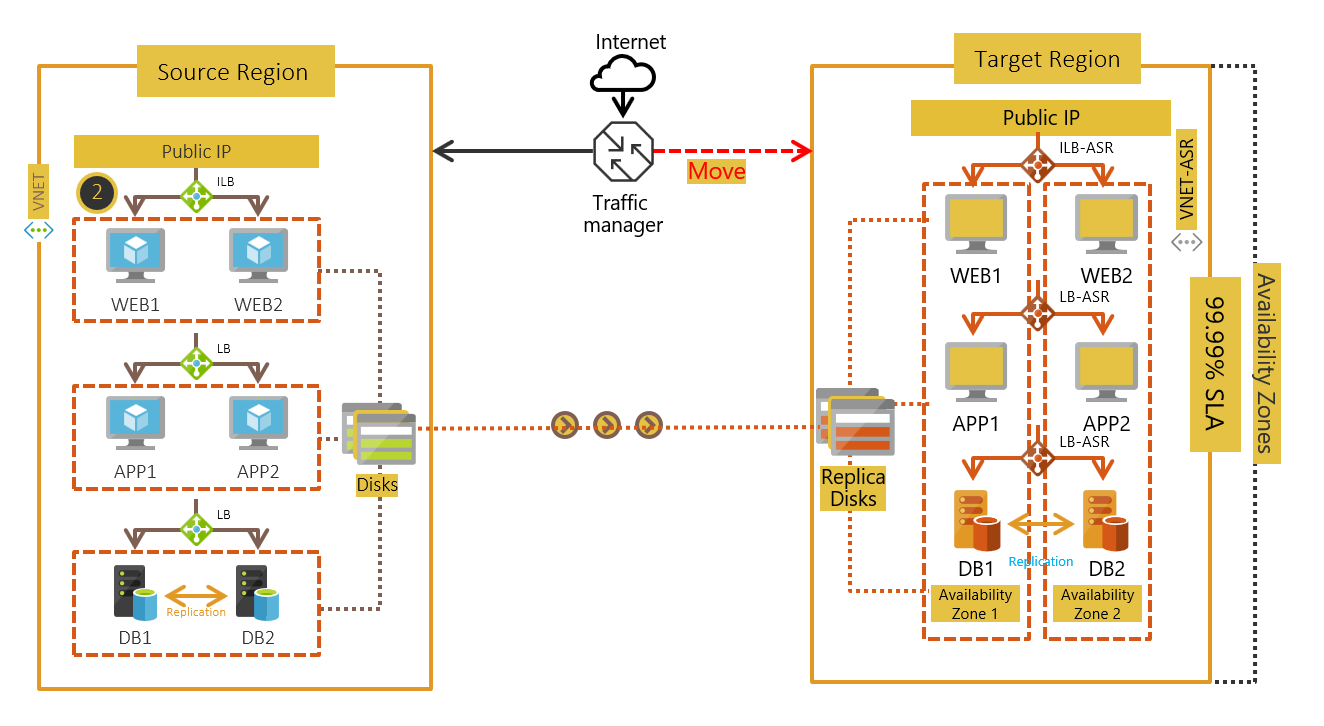
VMs in each tier deployed across availability sets: You can configure your VMs in an availability set into separate Availability Zones when you enable replication for your VM by using Azure Site Recovery. The SLA for availability is 99.99% after you complete the move operation.