Note
Access to this page requires authorization. You can try signing in or changing directories.
Access to this page requires authorization. You can try changing directories.
This article lists some examples of role assignment conditions for controlling access to Azure Queue Storage resources.
Important
Azure attribute-based access control (Azure ABAC) is generally available (GA) for controlling access to Azure Blob Storage, Azure Data Lake Storage Gen2, and Azure Queues using request, resource, environment, and principal attributes in both the standard and premium storage account performance tiers. Currently, the list blob include request attribute and snapshot request attribute for hierarchical namespace are in PREVIEW. For complete feature status information of ABAC for Azure Storage, see Status of condition features in Azure Storage.
See the Supplemental Terms of Use for Azure Previews for legal terms that apply to Azure features that are in beta, preview, or otherwise not yet released into general availability.
Prerequisites
For information about the prerequisites to add or edit role assignment conditions, see Conditions prerequisites.
Summary of examples in this article
Use the following table to quickly locate an example that fits your ABAC scenario. The table includes a brief description of the scenario, plus a list of attributes used in the example by source (environment, principal, request and resource).
| Example | Environment | Principal | Request | Resource |
|---|---|---|---|---|
| Peek or clear messages in a named queue | queue name | |||
| Allow peek access to messages after a specific date and time | UtcNow | queue name | ||
| Allow access to messages in specific queues from a specific subnet | Subnet | queue name | ||
| Principal attributes example | ID |
Queue names
This section includes examples showing how to restrict access to messages based on queue name.
Example: Peek or clear messages in a named queue
This condition allows users to peek or clear messages in a queue named sample-queue. This condition is useful for sharing specific queue data with other users in a subscription.
Important
For this condition to be effective for a security principal, you must add it to all role assignments for them that include the following actions: Microsoft.Storage/storageAccounts/queueServices/queues/messages/read and Microsoft.Storage/storageAccounts/queueServices/queues/messages/delete.
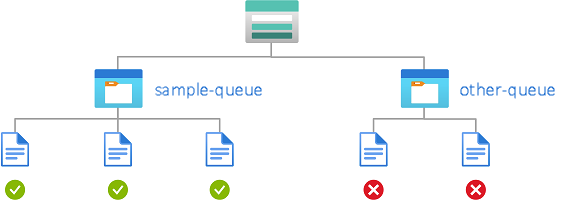
The condition can be added to a role assignment using either the Azure portal or Azure PowerShell. The portal has two tools for building ABAC conditions - the visual editor and the code editor. You can switch between the two editors in the Azure portal to see your conditions in different views. Switch between the Visual editor tab and the Code editor tabs in this article to view the examples for your preferred portal editor.
Add action
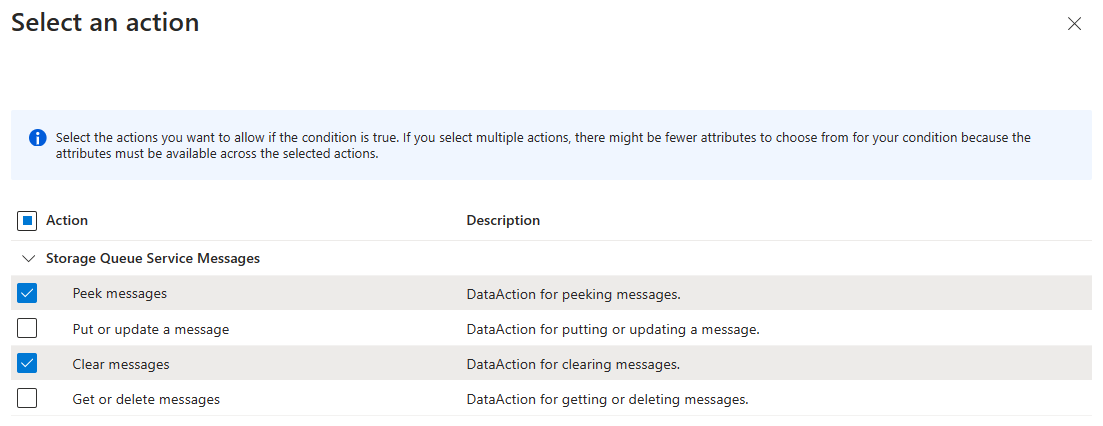
Select Add action, then select Peek messages and Clear messages:
Build expression
Use the values in the following table to build the expression portion of the condition:
| Setting | Value |
|---|---|
| Attribute source | Resource |
| Attribute | Queue name |
| Operator | StringEquals |
| Value | {queueName} |
The following image shows the condition after the settings are entered into the Azure portal. You must group expressions to ensure correct evaluation.

Environment attributes
This section includes examples showing how to restrict access to queue messages based on the network environment or the current date and time.
Example: Allow peek access to messages after a specific date and time
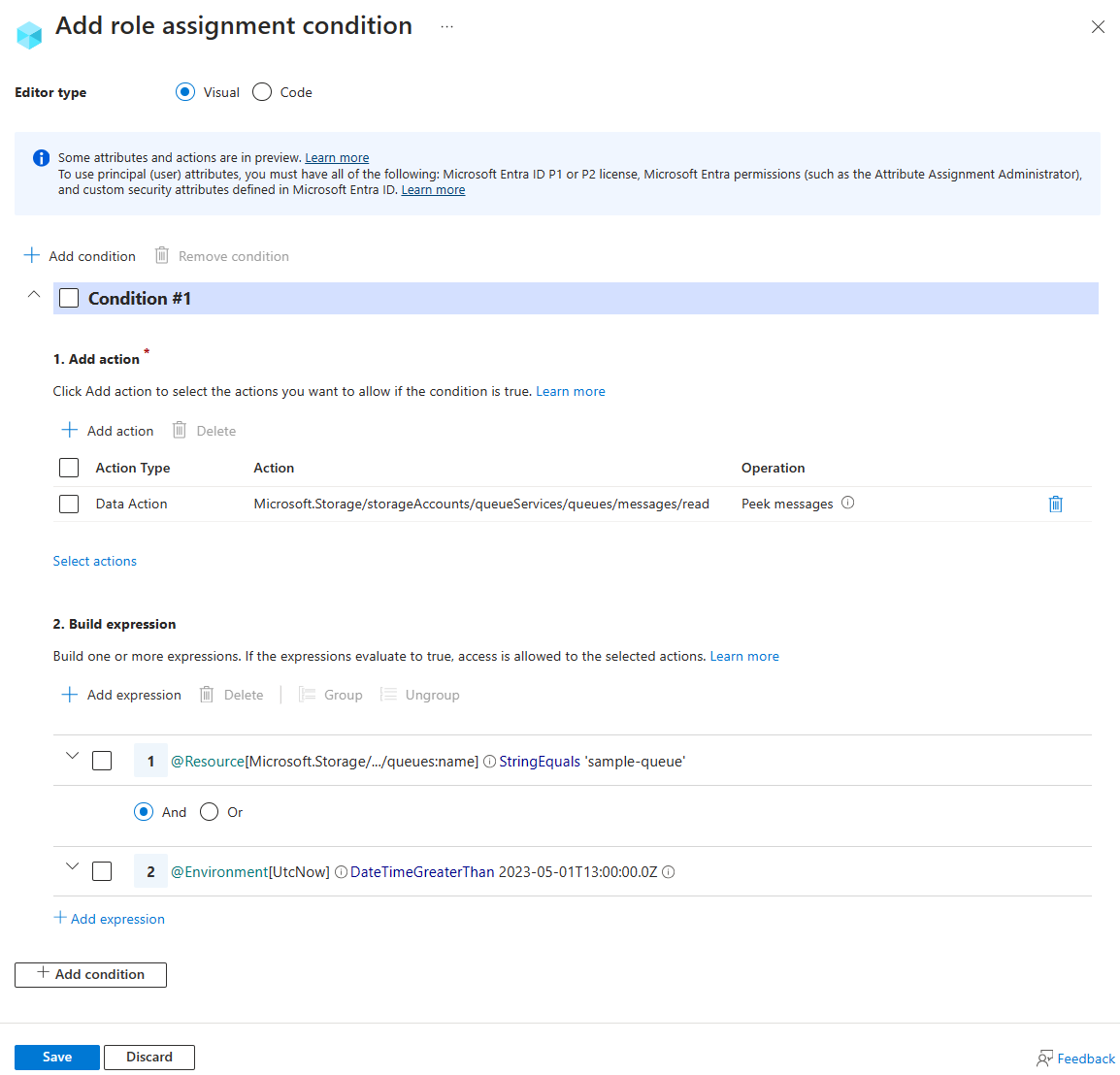
This condition allows peek access to the queue sample-queue only after 1:00pm on May 1, 2023 Universal Coordinated Time (UTC).
Important
To make this condition effective for principals that have multiple role assignments, you must add this condition to all role assignments that include the following action: Microsoft.Storage/storageAccounts/queueServices/queues/messages/read.
The condition can be added to a role assignment using either the Azure portal or Azure PowerShell. The portal has two tools for building ABAC conditions - the visual editor and the code editor. You can switch between the two editors in the Azure portal to see your conditions in different views. Switch between the Visual editor tab and the Code editor tabs below to view the examples for your preferred portal editor.
Add action
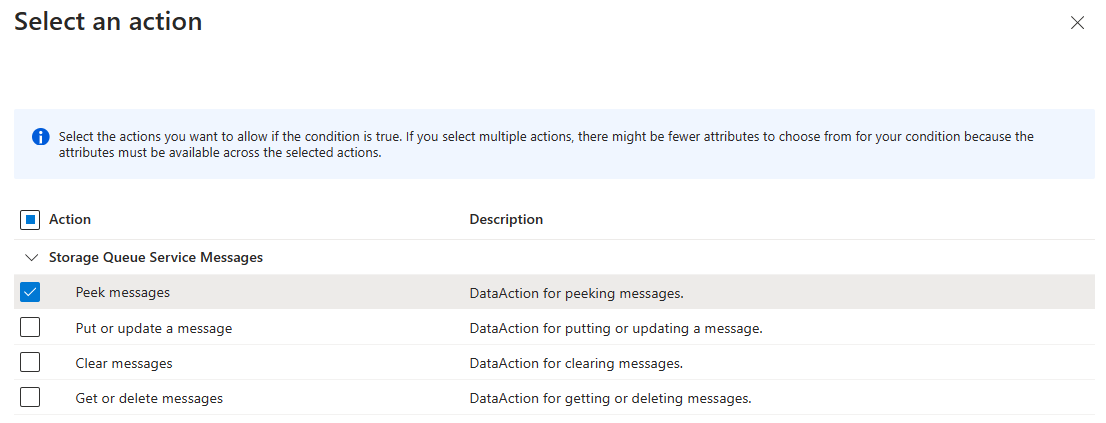
Select Add action, then select Peek messages:
Build expression
Use the values in the following table to build the expression portion of the condition:
| Setting | Value |
|---|---|
| Attribute source | Resource |
| Attribute | Queue name |
| Operator | StringEquals |
| Value | {queue-name} |
| Logical operator | 'AND' |
| Attribute source | Environment |
| Attribute | UtcNow |
| Operator | DateTimeGreaterThan |
| Value | 2023-05-01T13:00:00.000Z |
The following image shows the condition after the settings are entered into the Azure portal. You must group expressions to ensure correct evaluation.
Example: Allow access to messages in specific queues from a specific subnet
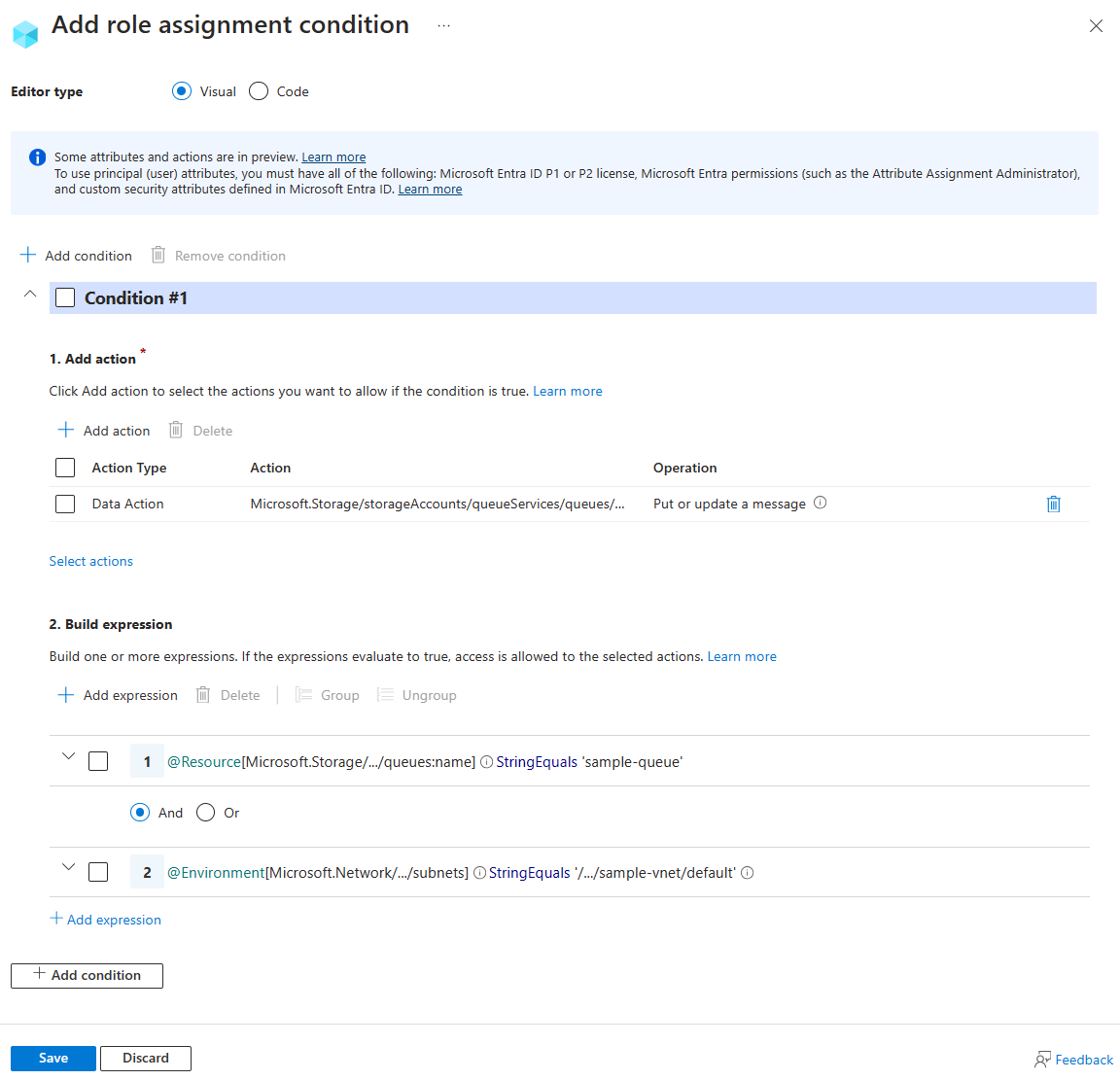
This condition allows put or update access to messages in sample-queue only from subnet default on virtual network sample-vnet.
Important
To make this condition effective for principals that have multiple role assignments, you must add this condition to all role assignments that include any of the following actions: Microsoft.Storage/storageAccounts/queueServices/queues/messages/write.
The condition can be added to a role assignment using either the Azure portal or Azure PowerShell. The portal has two tools for building ABAC conditions - the visual editor and the code editor. You can switch between the two editors in the Azure portal to see your conditions in different views. Switch between the Visual editor tab and the Code editor tabs below to view the examples for your preferred portal editor.
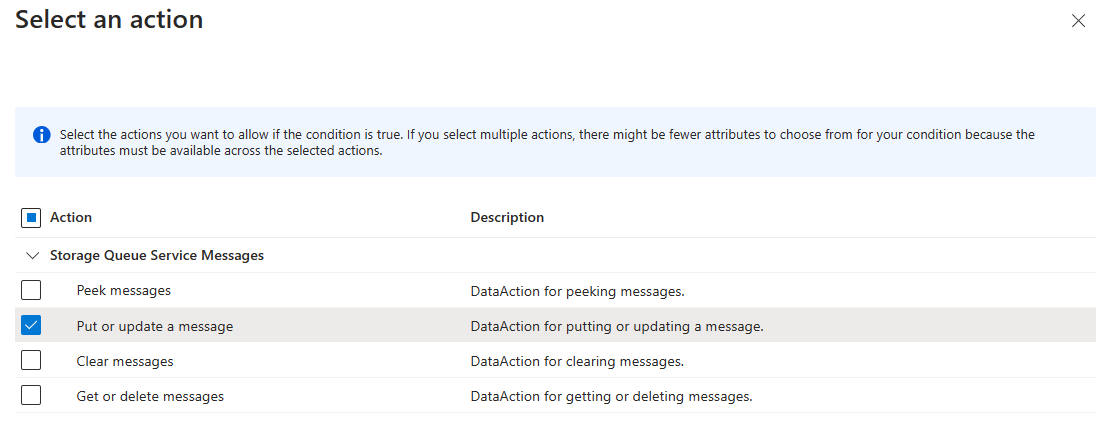
Select Add action, then select Put or update a message:
Build expression
Use the values in the following table to build the expression portion of the condition:
| Setting | Value |
|---|---|
| Attribute source | Resource |
| Attribute | Queue name |
| Operator | StringEquals |
| Value | container1 |
| Logical operator | 'AND' |
| Attribute source | Environment |
| Attribute | Subnet |
| Operator | StringEqualsIgnoreCase |
| Value | /subscriptions/<subscription-id>/resourceGroups/<resource-group-name>/providers/Microsoft.Network/virtualNetworks/sample-vnet/subnets/default |
The following image shows the condition after the settings are entered into the Azure portal. You must group expressions to ensure correct evaluation.
Principal attributes
To see a full example of how to use principal attributes to allow access to blob data, see Allow read access to blobs based on tags and custom security attributes.