Remarque
L’accès à cette page nécessite une autorisation. Vous pouvez essayer de vous connecter ou de modifier des répertoires.
L’accès à cette page nécessite une autorisation. Vous pouvez essayer de modifier des répertoires.
本文介绍如何从 Azure 公共 DNS 区域删除 域名系统安全扩展插件(DNSSEC )。
若要使用 DNSSEC 对区域进行签名,请参阅 如何使用 DNSSEC 对 Azure 公共 DNS 区域进行签名。
先决条件
- DNS 区域必须由 Azure 公共 DNS 托管。 有关详细信息,请参阅管理 DNS 区域。
- 必须具有从父 DNS 区域中删除 DS 记录的权限。 大多数顶级域(.com、.net、.org)都允许你使用注册机构执行此作。
取消区域签名
重要
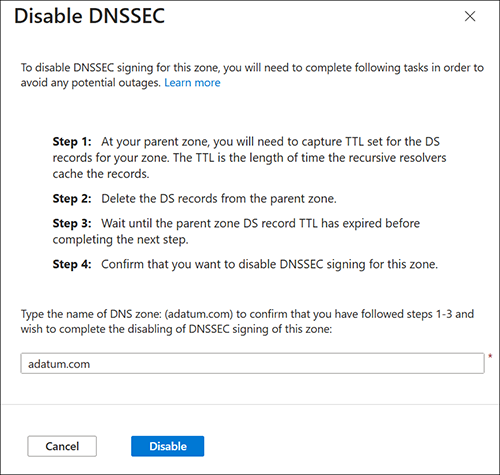
从 DNS 区域删除 DNSSEC 需要首先从父区域删除委派签名者(DS)记录,并等待 DS 记录的生存时间(TTL)过期。 DS 记录 TTL 过期后,可以安全地取消区域签名。
- Azure 门户
- Azure CLI
- PowerShell
若要使用 Azure 门户取消区域签名,请执行以下作:
在 Azure 门户主页上,搜索并选择“DNS 区域”。
选择你的 DNS 区域,然后从该区域的“概述”页中选择“DNSSEC”。 可从顶部菜单或“DNS 管理”下选择“DNSSEC”。
如果您已成功在域名注册商处删除此区域的 DS 记录,则会看到 DNSSEC 状态为 签名,但未委派。 在看到此状态之前不要继续。
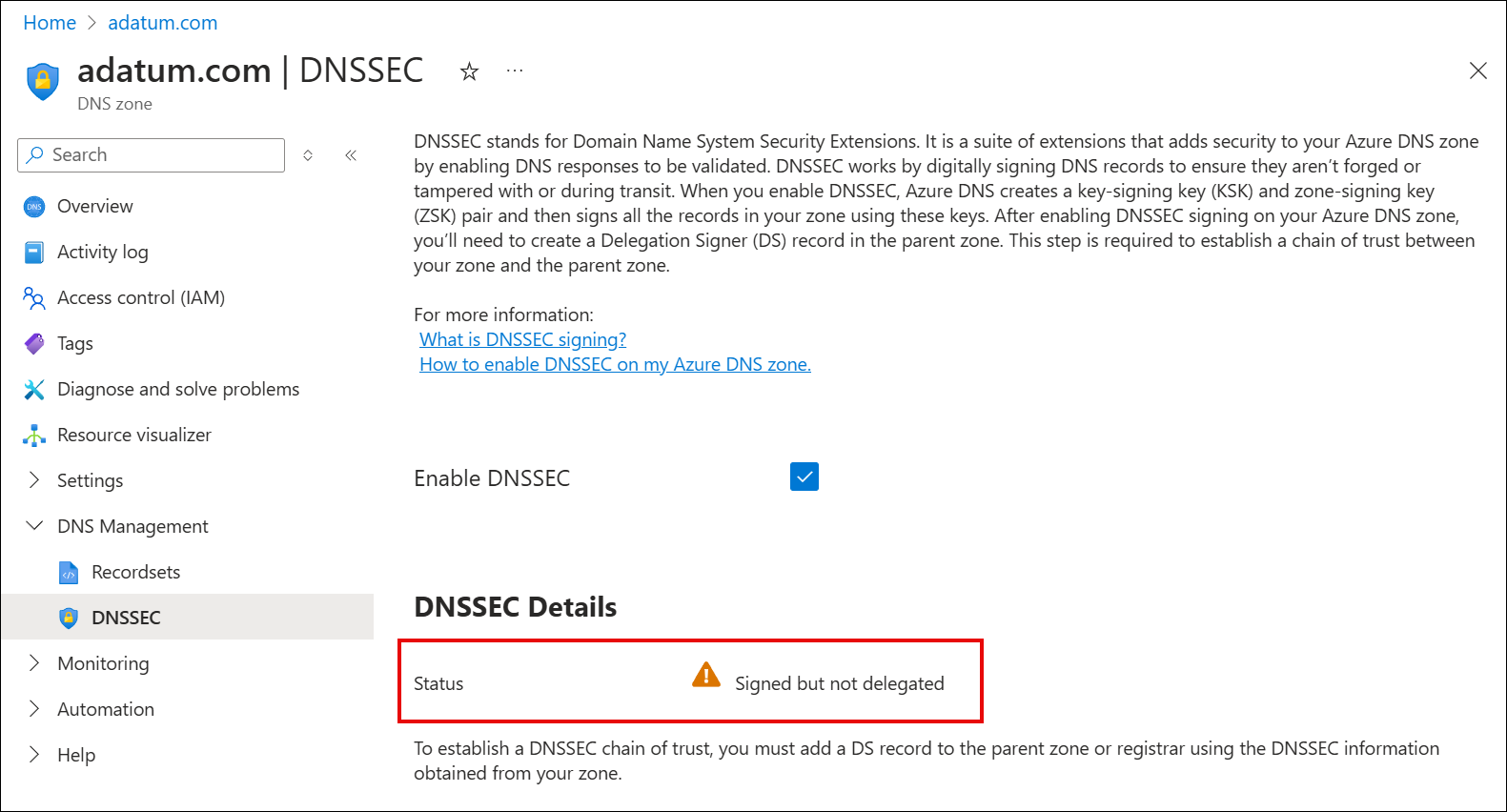
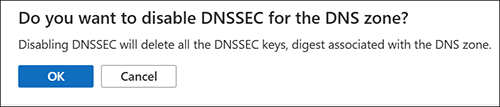
清除 “启用 DNSSEC ”复选框,然后在弹出对话框中选中“ 确定 ”,确认要禁用 DNSSEC。
在 “禁用 DNSSEC ”窗格中,键入域的名称,然后选择“ 禁用”。
区域目前无签名。