注释
由于 Windows 2016 托管运行器已于 2022 年 4 月 1 日完全移除,因此,在 Azure DevOps 中通过构建任务使用 Azure Cosmos DB 模拟器的这种方法已不再受支持。 替代解决方案正在开发中。 同时,你可以按照以下说明使用 Azure Cosmos DB 模拟器;使用 windows-2019 代理类型时,系统会预装该模拟器。
为方便进行开发,Azure Cosmos DB 模拟器提供了一个模拟 Azure Cosmos DB 服务的本地环境。 可以利用模拟器在本地开发和测试应用程序,无需创建 Azure 订阅且不会产生任何费用。
适用于模拟器的 PowerShell 任务
可以编写基于 PowerShell 的典型任务脚本,该任务启动Azure Cosmos DB模拟器,如下所示:
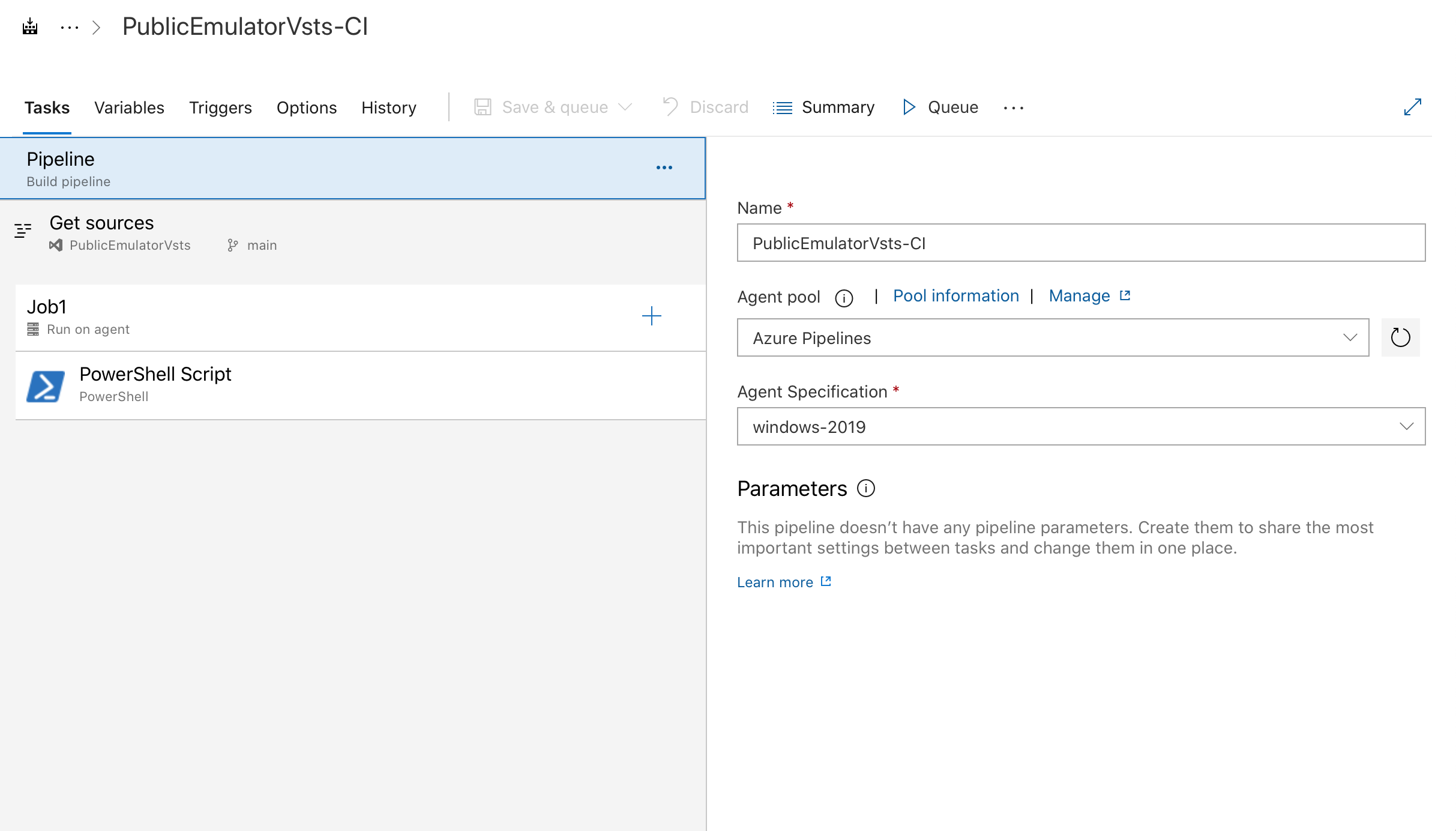
作业配置的示例,选择 windows-2019 代理类型。
执行启动模拟器所需的 PowerShell 脚本的任务示例:
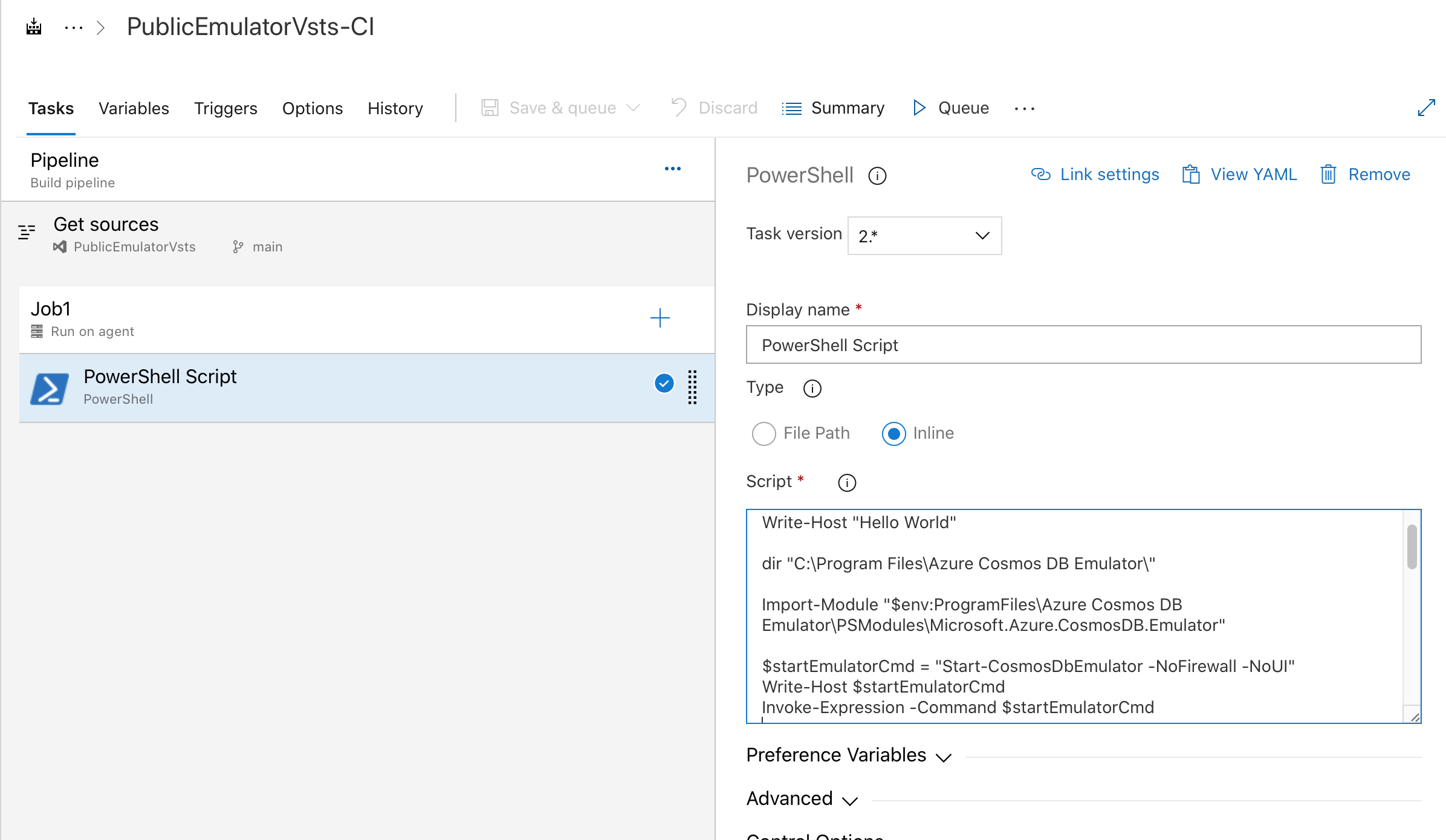
# Write your PowerShell commands here.

dir "$env:ProgramFiles\Azure Cosmos DB Emulator\"

Import-Module "$env:ProgramFiles\Azure Cosmos DB Emulator\PSModules\Microsoft.Azure.CosmosDB.Emulator"

$startEmulatorCmd = "Start-CosmosDbEmulator -NoFirewall -NoUI"
Write-Host $startEmulatorCmd
Invoke-Expression -Command $startEmulatorCmd

# Pipe an emulator info object to the output stream

$Emulator = Get-Item "$env:ProgramFiles\Azure Cosmos DB Emulator\Microsoft.Azure.Cosmos.Emulator.exe"
$IPAddress = Get-NetIPAddress -AddressFamily IPV4 -AddressState Preferred -PrefixOrigin Manual | Select-Object IPAddress

New-Object PSObject @{
Emulator = $Emulator.BaseName
Version = $Emulator.VersionInfo.ProductVersion
Endpoint = @($(hostname), $IPAddress.IPAddress) | ForEach-Object { "https://${_}:8081/" }
MongoDBEndpoint = @($(hostname), $IPAddress.IPAddress) | ForEach-Object { "mongodb://${_}:10255/" }
CassandraEndpoint = @($(hostname), $IPAddress.IPAddress) | ForEach-Object { "tcp://${_}:10350/" }
GremlinEndpoint = @($(hostname), $IPAddress.IPAddress) | ForEach-Object { "http://${_}:8901/" }
TableEndpoint = @($(hostname), $IPAddress.IPAddress) | ForEach-Object { "https://${_}:8902/" }
IPAddress = $IPAddress.IPAddress
}
如果你需要使用未预装 Azure Cosmos DB 模拟器的代理,也可以自行构建自己的自托管 Windows 代理。 在自托管代理上,可以使用curl或https://aka.ms/cosmosdb-emulator从wget下载最新模拟器的 MSI 安装包。 然后,使用 msiexec 静默安装它。 安装后,可以运行与本文前面的 PowerShell 脚本类似的 PowerShell 脚本来启动模拟器。
相关内容
若要详细了解如何将模拟器用于本地开发和测试,请参阅将 Azure Cosmos DB 模拟器用于本地开发和测试。
若要导出模拟器 TLS/SSL 证书,请参阅在 Azure DevOps 中使用 Azure Cosmos DB 模拟器生成任务设置 CI/CD 管道。