Observação
O acesso a essa página exige autorização. Você pode tentar entrar ou alterar diretórios.
O acesso a essa página exige autorização. Você pode tentar alterar os diretórios.
适用于: Azure CLI ml 扩展 v2 (当前版本)Python SDK azure-ai-ml v2 (当前版本)
使用 NVIDIA Triton Inference Server 将 ONNX 模型部署到 Azure Machine Learning 托管在线终结点,实现优化的无代码推理。 Triton 处理适用于常用框架(如 TensorFlow、ONNX 运行时、PyTorch 和 NVIDIA TensorRT)的模型,并可用于 CPU 或 GPU 工作负载。
有两种方法可将 Triton 模型部署到联机终结点:
- **无代码部署 - 仅引入 Triton 模型。 无需评分脚本或自定义环境。
- **完全代码部署(自带容器)- 完全控制 Triton 推理服务器配置。
对于这两个选项,Triton Inference Server 基于 NVIDIA 定义的 Triton 模型存储库结构执行推理。 可以将 合奏模型 用于更高级的方案。 Azure Machine Learning 对 Triton 的支持覆盖了 管理的联机终结点和 Kubernetes 联机终结点。
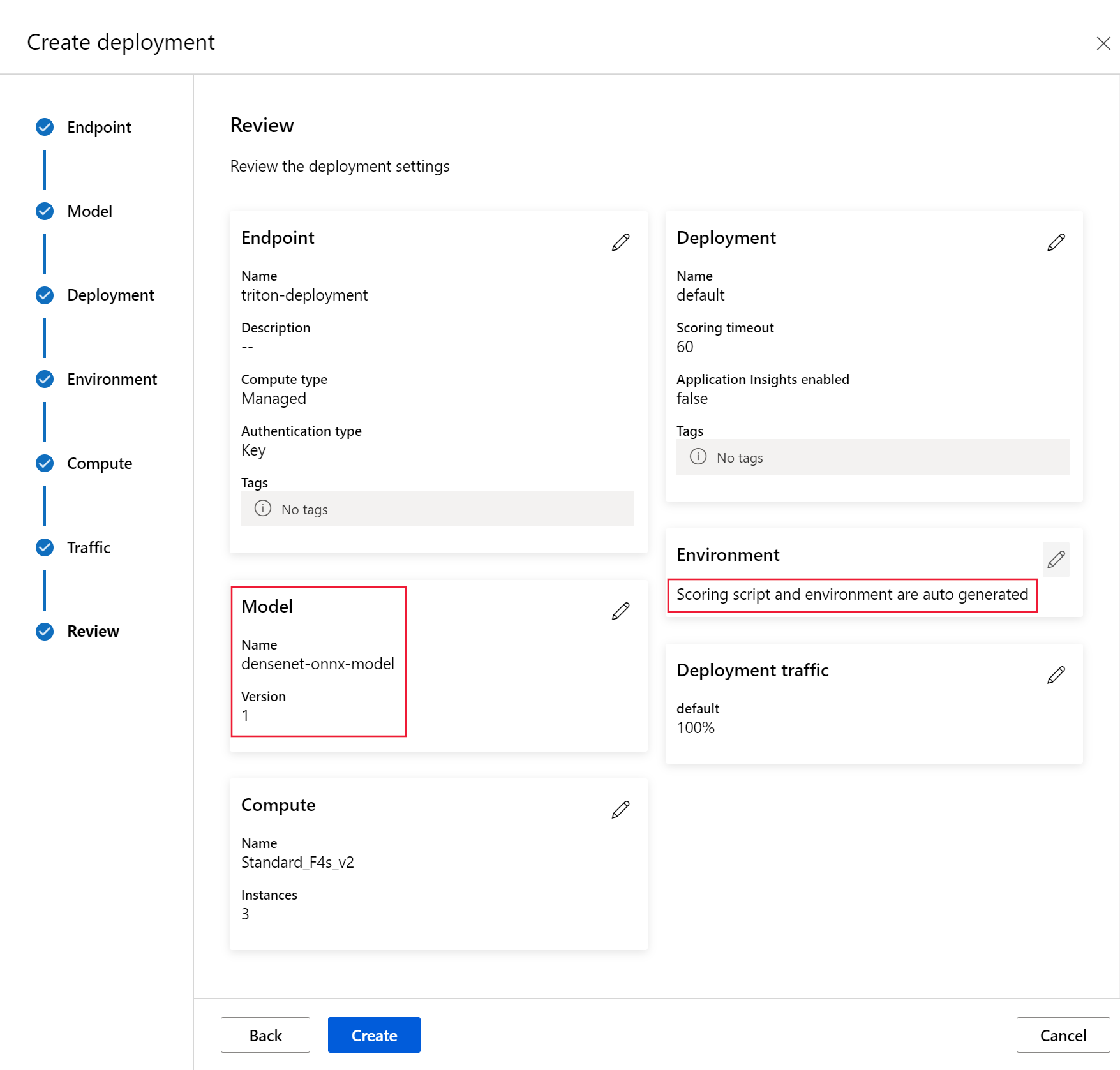
本文逐步讲解如何使用 Azure CLI、Python SDK v2 和 Azure Machine Learning studio 进行无代码部署。 有关使用自定义 Triton 容器进行全代码部署,请参阅使用自定义容器部署模型以及 Triton 的 BYOC 示例(部署定义和 end-to-end script)。
注意
NVIDIA Triton Inference Server 容器的使用受 NVIDIA AI Enterprise Software 许可协议 的约束,可以在没有企业产品订阅的情况下使用它 90 天。 有关详细信息,请参阅 NVIDIA AI Enterprise 在 Azure Machine Learning 上。
先决条件
安装并配置 Azure CLI 和其扩展
ml。 有关详细信息,请参阅安装和设置 CLI (v2)。Bash shell 或兼容的 shell,比如 Linux 系统上的 shell 或 Windows Subsystem for Linux。 本文中的Azure CLI示例假定你使用这种类型的 shell。
Azure Machine Learning工作区。 有关创建工作区的说明,请参阅 “设置”。
Azure帐户必须在Azure Machine Learning工作区上具有 Owner 或 Contributor 角色,或者允许
Microsoft.MachineLearningServices/workspaces/onlineEndpoints/*的自定义角色。 有关详细信息,请参阅 管理访问 Azure 机器学习工作区。一个可工作的Python 3.10或更高版本的环境。
必须安装其他Python包才能评分。 它们包括:
- NumPy。 数组和数值计算库。
- Triton 推理服务器客户端。 简化对 Triton 推理服务器的请求。
- 枕头。 用于图像操作的库。
- 格文特 用于连接到 Triton 服务器的网络库。
pip install numpy
pip install tritonclient[http]
pip install pillow
pip install gevent
访问Azure订阅的NCasT4_v3系列 VM。
重要
在您能够使用这一系列的虚拟机之前,您可能需要为您的订阅请求增加配额。 有关详细信息,请参阅 NCasT4_v3系列。
NVIDIA Triton 推理服务器要求特定的模型存储库结构,其中每个模型都有一个目录,以及用于模型版本的子目录。 每个模型版本子目录的内容由模型的类型以及支持模型的后端的要求决定。 有关所有模型的结构的信息,请参阅 模型文件。
本文中的示例使用以 ONNX 格式存储的模型。 模型存储库遵循以下结构:
models/
└── model_1/
    └── 1/
        └── model.onnx
对于无代码部署,Triton 自动生成模型配置(
config.pbtxt)。 如果需要自定义配置,请改 用包含自定义容器的全代码部署 。
本文中的信息基于 azureml-examples 存储库中包含的代码示例。 若要在不复制/粘贴 YAML 和其他文件的情况下在本地运行命令,请克隆存储库,然后将目录更改为存储库中的 cli 目录:
git clone https://github.com/Azure/azureml-examples --depth 1
cd azureml-examples
cd cli
如果尚未设置Azure CLI的默认值,请保存默认设置。 若要避免多次传入订阅、工作区和资源组的值,请使用以下命令。 将以下参数替换为特定配置的值:
- 将
<subscription>替换为Azure订阅 ID。 - 将
<workspace>替换为Azure Machine Learning工作区名称。 - 将
<resource-group>替换为包含工作区的Azure资源组。 - 将
<location>替换为包含工作区的Azure区域。
提示
可以使用 az configure -l 命令查看当前的默认值。
az account set --subscription <subscription>
az configure --defaults workspace=<workspace> group=<resource-group> location=<location>
定义部署配置
配置用于定义 Triton 如何为模型提供服务的终端节点和部署资源。 终结点指定名称和身份验证模式,而部署定义模型、VM 类型和实例计数。
提示
此示例使用基于密钥的身份验证来简单起见。 对于生产部署,Microsoft建议 Microsoft Entra使用基于令牌的身份验证(aad_token),通过基于标识的访问控制提供增强的安全性。 有关详细信息,请参阅对联机终结点的客户端进行身份验证。
重要
对于 Triton 无代码部署,目前不支持 通过本地终结点进行测试 。
BASE_PATH设置环境变量。 此变量指向模型和关联的 YAML 配置文件所在的目录:BASE_PATH=endpoints/online/triton/single-model设置终结点的名称。 在此示例中,将为终结点创建一个随机名称:
export ENDPOINT_NAME=triton-single-endpt-`echo $RANDOM`为终结点创建 YAML 配置文件。 以下示例配置终结点的名称和身份验证模式。 该文件位于之前克隆的 azureml-examples 示例存储库的
/cli/endpoints/online/triton/single-model/create-managed-endpoint.yaml中。create-managed-endpoint.yaml
$schema: https://azuremlschemas.azureedge.net/latest/managedOnlineEndpoint.schema.json
name: my-endpoint
auth_mode: aml_token
为部署创建 YAML 配置文件。 以下示例配置名为
blue的部署到终结点。 该文件位于/cli/endpoints/online/triton/single-model/create-managed-deployment.yamlazureml-examples 存储库中:重要
为了让 Triton 的零代码部署功能正常工作,请将
type设置为triton_model:type: triton_model。 有关详细信息,请参阅 CLI (v2) 模型 YAML 架构。此部署使用Standard_NC4as_T4_v3 VM。 您可能需要为您的订阅请求增加配额,才能使用此虚拟机。 有关详细信息,请参阅 NCasT4_v3系列。
$schema: https://azuremlschemas.azureedge.net/latest/managedOnlineDeployment.schema.json
name: blue
endpoint_name: my-endpoint
model:
  name: sample-densenet-onnx-model
  version: 1
  path: ./models
  type: triton_model
instance_count: 1
instance_type: Standard_NC6s_v3
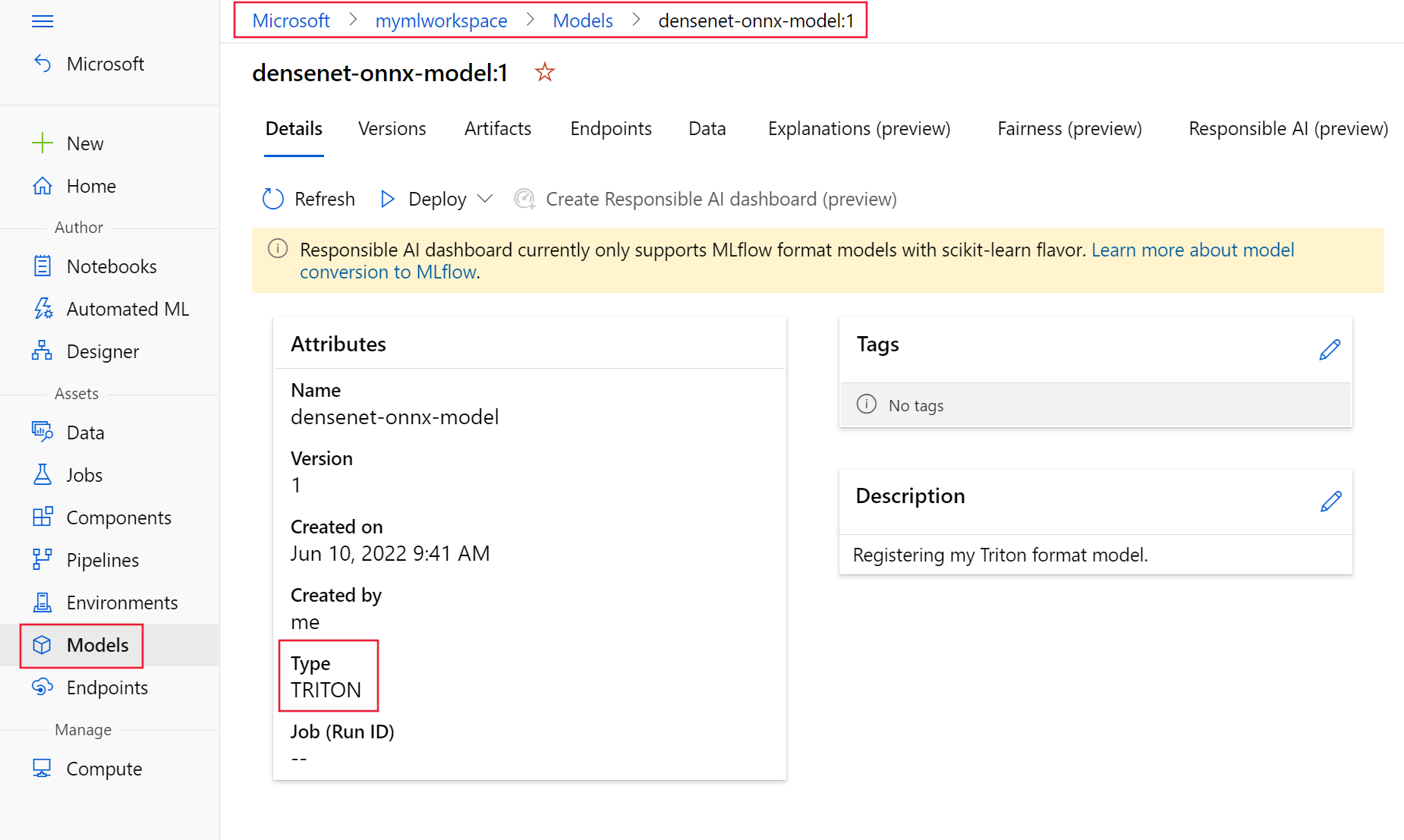
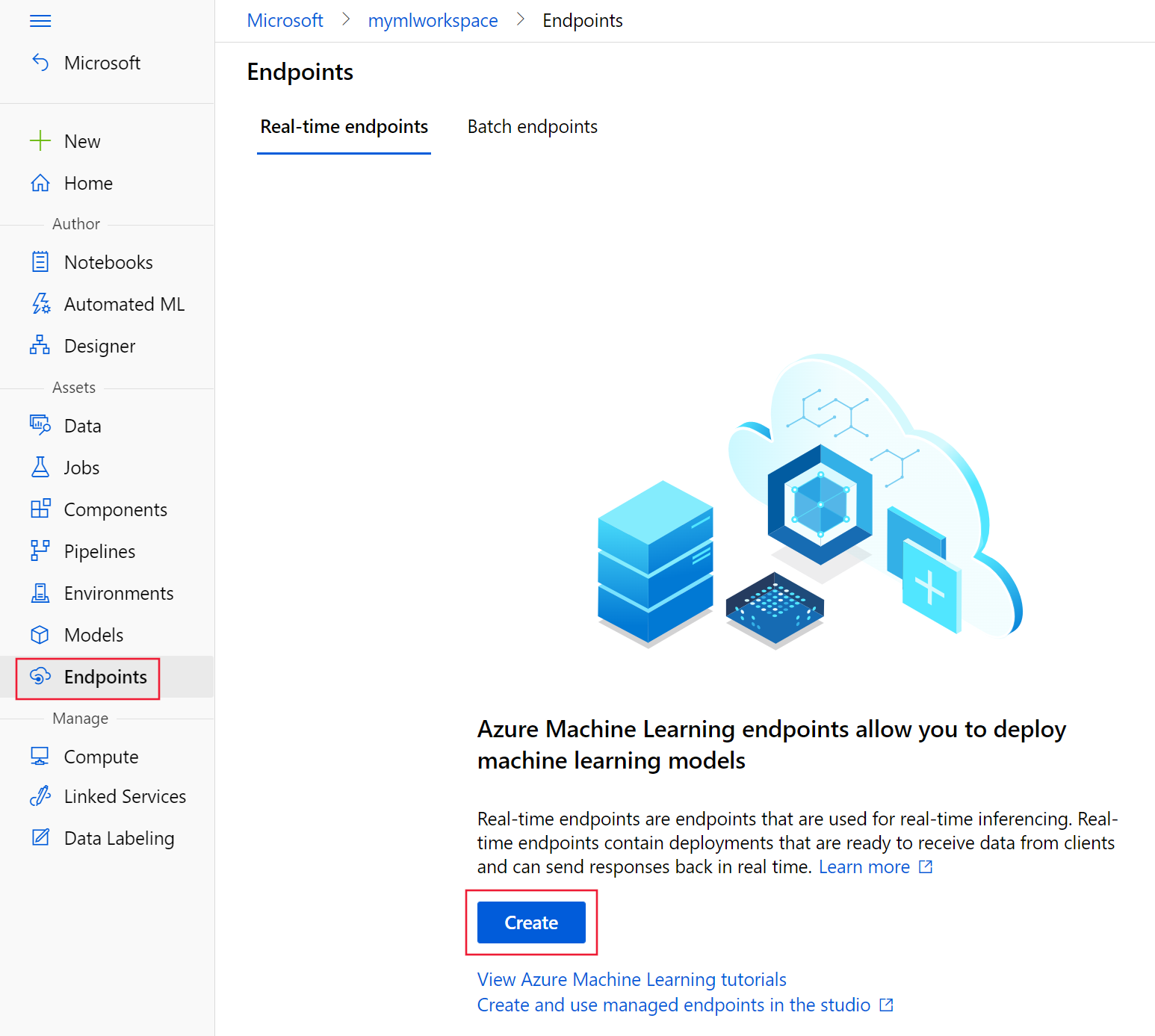
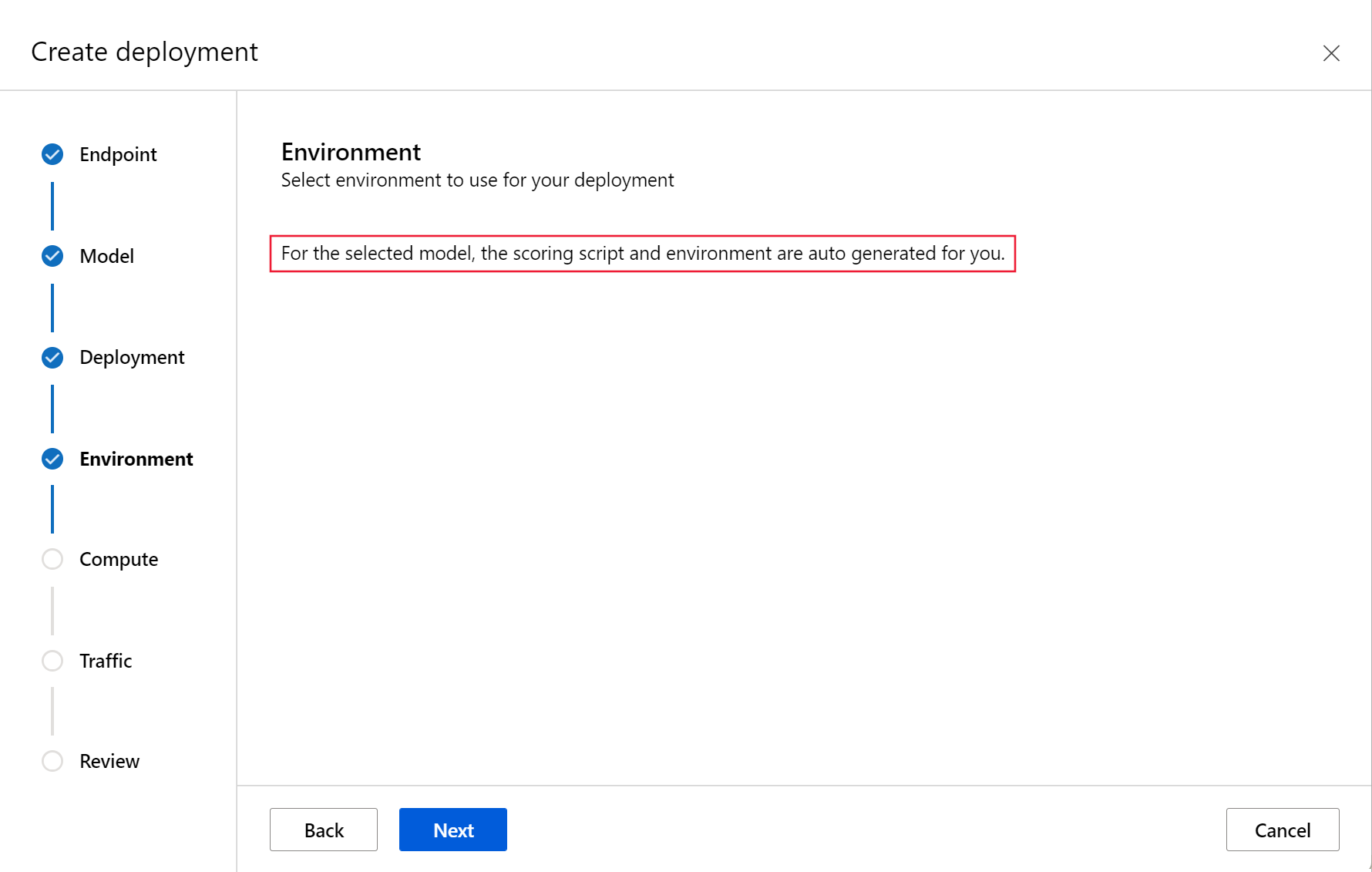
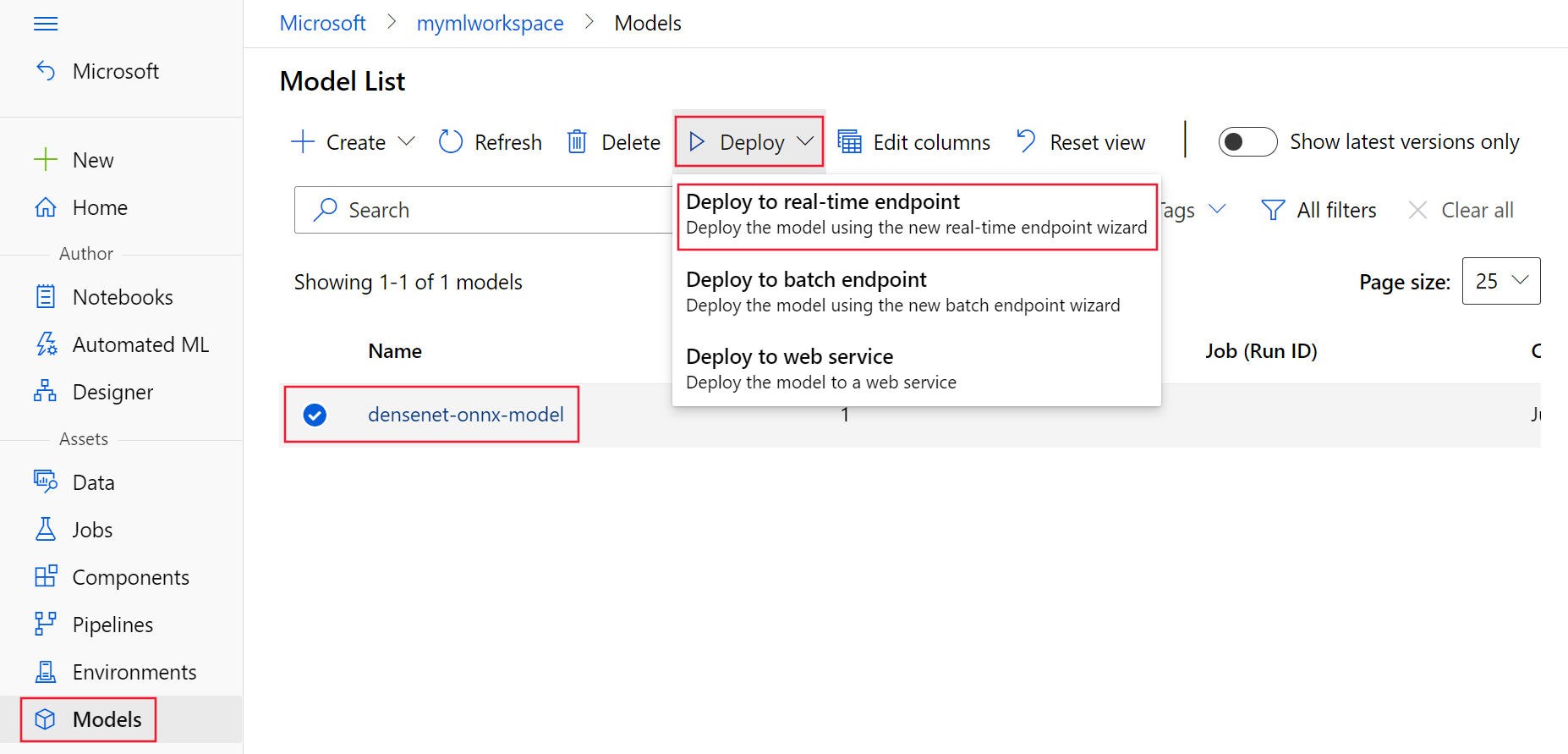
部署到Azure
使用上一部分中的配置在Azure中创建终结点和部署资源。
使用 YAML 配置创建终结点:
az ml online-endpoint create -n $ENDPOINT_NAME -f $BASE_PATH/create-managed-endpoint.yaml使用 YAML 配置创建部署:
az ml online-deployment create --name blue --endpoint $ENDPOINT_NAME -f $BASE_PATH/create-managed-deployment.yaml --all-traffic
测试终结点
部署完成后,发送评分请求以验证终结点返回预测。 Triton 使用 Triton 客户端协议而不是标准 REST JSON,因此可以在客户端使用 tritonclient 库进行评分。
提示
azureml-examples 存储库中的 /cli/endpoints/online/triton/single-model/triton_densenet_scoring.py 文件用于评分。 传递给终结点的图像需要预处理以满足大小、类型和格式要求,以及后期处理才能显示预测的标签。 该文件 triton_densenet_scoring.py 使用 tritonclient.http 库与 Triton 推理服务器通信。 此文件在客户端上运行。
获取终结点评分 URI:
scoring_uri=$(az ml online-endpoint show -n $ENDPOINT_NAME --query scoring_uri -o tsv)
scoring_uri=${scoring_uri%/*}
获取身份验证令牌:
auth_token=$(az ml online-endpoint get-credentials -n $ENDPOINT_NAME --query accessToken -o tsv)使用终结点对数据进行评分。 此命令将 孔雀 的图像提交到终结点:
python $BASE_PATH/triton_densenet_scoring.py --base_url=$scoring_uri --token=$auth_token --image_path $BASE_PATH/data/peacock.jpg来自脚本的响应类似于以下响应:
Is server ready - True
Is model ready - True
/azureml-examples/cli/endpoints/online/triton/single-model/densenet_labels.txt
84 : PEACOCK
删除终结点和模型
完成终结点后,请将其删除:
az ml online-endpoint delete -n $ENDPOINT_NAME --yes将模型归档:
az ml model archive --name sample-densenet-onnx-model --version 1