在本教程中,你将使用变体功能标志来管理示例应用程序中不同用户段的体验,今日名言。 利用在使用变体功能标志创建的变体功能标志。 在继续之前,请确保在 App Configuration 商店中创建名为 Greeting 的变体功能标志。
先决条件
- 具有版本 17 或更高版本的受支持的 Java 开发工具包(JDK)。
- Apache Maven 版本 3.0 或更高版本。
- 按照使用变体功能标志教程,并创建名为“Greeting 变体功能标志”。
设置 Spring Boot Web 应用
如果已有具有身份验证的 Spring Boot Web 应用,则可以跳到 “使用变体功能标志 ”部分。
浏览到 Spring Initializr,并使用以下选项创建新的项目:
- 使用 Java 生成 Maven 项目。
- 指定 3.0 或更高版本的 Spring Boot 版本。
- 将组设置为
com.example,并将项目设置为quoteoftheday。 - 添加 Spring Web 和 Thymeleaf 依赖项。
在指定选项后,选择生成以下载项目。 将文件解压缩到本地系统。
创建 Quote of the Day 应用
在文件夹中创建包含以下内容Quote.java
src/main/java/com/example/quoteoftheday的新文件。 它定义了一个用于引用的数据类。package com.example.quoteoftheday; public record Quote(String message, String author) { }创建包含以下内容 HomeController.java 的新文件。 它使用随机引号处理主页显示。
package com.example.quoteoftheday;

import java.util.List;
import java.util.Random;

import org.springframework.stereotype.Controller;
import org.springframework.ui.Model;
import org.springframework.web.bind.annotation.GetMapping;

@Controller
public class HomeController {

    private final List<Quote> quotes = List.of(
            new Quote("You cannot change what you are, only what you do.", "Philip Pullman"));

    private final Random random = new Random();

    @GetMapping("/")
    public String index(Model model) {
        String greetingMessage = "Hi";
        model.addAttribute("greetingMessage", greetingMessage);
        model.addAttribute("quote", quotes.get(random.nextInt(quotes.size())));

        return "index";
    }
}
在模板目录中创建 模板 目录
src/main/resources/templates,并添加包含以下内容 index.html 的新文件:<!DOCTYPE html> <html lang="en" xmlns:th="http://www.thymeleaf.org"> <head> <meta charset="utf-8" /> <meta name="viewport" content="width=device-width, initial-scale=1.0" /> <title>QuoteOfTheDay</title> <link href="https://cdn.jsdelivr.net/npm/bootstrap@5.3.3/dist/css/bootstrap.min.css" rel="stylesheet" integrity="sha384-QWTKZyjpPEjISv5WaRU9OFeRpok6YctnYmDr5pNlyT2bRjXh0JMhjY6hW+ALEwIH" crossorigin="anonymous"> <link rel="stylesheet" th:href="@{/css/site.css}"> <link rel="stylesheet" href="https://cdnjs.cloudflare.com/ajax/libs/font-awesome/5.15.3/css/all.min.css"> </head> <body> <header> <nav class="navbar navbar-expand-sm navbar-toggleable-sm navbar-light bg-white border-bottom box-shadow mb-3"> <div class="container"> <a class="navbar-brand" href="/">QuoteOfTheDay</a> <button class="navbar-toggler" type="button" data-bs-toggle="collapse" data-bs-target=".navbar-collapse" aria-controls="navbarSupportedContent" aria-expanded="false" aria-label="Toggle navigation"> <span class="navbar-toggler-icon"></span> </button> </div> </nav> </header> <div class="container"> <main role="main" class="pb-3"> <div class="quote-container"> <div class="quote-content"> <h3 class="greeting-content" th:if="${greetingMessage}" th:text="${greetingMessage}"></h3> <br /> <p class="quote">"<span th:text="${quote.message}"></span>"</p> <p>- <b th:text="${quote.author}"></b></p> </div> <div class="vote-container"> <button class="btn btn-primary" onclick="heartClicked(this)"> <i class="far fa-heart"></i> </button> </div> </div> </main> </div> <footer class="border-top footer text-muted"> <div class="container"> © 2024 - QuoteOfTheDay </div> </footer> <script src="https://code.jquery.com/jquery-3.7.1.min.js" integrity="sha256-/JqT3SQfawRcv/BIHPThkBvs0OEvtFFmqPF/lYI/Cxo=" crossorigin="anonymous"></script> <script src="https://cdn.jsdelivr.net/npm/bootstrap@5.3.3/dist/js/bootstrap.bundle.min.js" integrity="sha384-YvpcrYf0tY3lHB60NNkmXc5s9fDVZLESaAA55NDzOxhy9GkcIdslK1eN7N6jIeHz" crossorigin="anonymous"></script> <script> function heartClicked(button) { var icon = button.querySelector('i'); icon.classList.toggle('far'); icon.classList.toggle('fas'); } </script> </body> </html>在 处
src/main/resources/static/css创建静态/css 目录,并添加一个名为site.css的新文件,其中包含以下内容:html { font-size: 14px; } @media (min-width: 768px) { html { font-size: 16px; } } .btn:focus, .btn:active:focus, .btn-link.nav-link:focus, .form-control:focus, .form-check-input:focus { box-shadow: 0 0 0 0.1rem white, 0 0 0 0.25rem #258cfb; } html { position: relative; min-height: 100%; } body { margin-bottom: 60px; } body { font-family: Arial, sans-serif; background-color: #f4f4f4; color: #333; } .quote-container { background-color: #fff; margin: 2em auto; padding: 2em; border-radius: 8px; max-width: 750px; box-shadow: 0px 4px 8px rgba(0, 0, 0, 0.2); display: flex; justify-content: space-between; align-items: start; position: relative; } .vote-container { position: absolute; top: 10px; right: 10px; display: flex; gap: 0em; } .vote-container .btn { background-color: #ffffff; border-color: #ffffff; color: #333 } .vote-container .btn:focus { outline: none; box-shadow: none; } .vote-container .btn:hover { background-color: #F0F0F0; } .greeting-content { font-family: 'Georgia', serif; } .quote-content p.quote { font-size: 2em; font-family: 'Georgia', serif; font-style: italic; color: #4EC2F7; }使用以下内容更新 application.properties 文件
src/main/resources/application.properties:spring.application.name=quoteoftheday
使用变体功能标志
打开 pom.xml 文件,并为Azure App Configuration和功能管理添加以下依赖项:
<dependency> <groupId>com.azure.spring</groupId> <artifactId>spring-cloud-azure-starter-appconfiguration-config</artifactId> </dependency> <dependencyManagement> <dependencies> <dependency> <groupId>com.azure.spring</groupId> <artifactId>spring-cloud-azure-dependencies</artifactId> <version>7.0.0</version> <type>pom</type> <scope>import</scope> </dependency> </dependencies> </dependencyManagement>在文件路径更新
src/main/resources/application.properties文件,以添加 Azure App Configuration 设置。可以使用 Microsoft Entra ID(建议)或连接字符串连接到 App Configuration 存储。
spring.config.import=azureAppConfiguration
spring.cloud.azure.appconfiguration.stores[0].endpoint=${APP_CONFIGURATION_ENDPOINT}
spring.cloud.azure.appconfiguration.stores[0].feature-flags.enabled=true
使用
DefaultAzureCredential对应用配置存储进行身份验证。 按照说明为凭据分配应用程序配置数据读取者角色。 运行应用程序前,请务必留出足够的时间让权限生效。创建名为 QueryStringTargetingContextAccessor.java 的新文件,为当前用户提供目标上下文:
package com.example.quoteoftheday;

import org.springframework.stereotype.Component;
import org.springframework.web.context.request.RequestContextHolder;
import org.springframework.web.context.request.ServletRequestAttributes;

import com.azure.spring.cloud.feature.management.targeting.TargetingContext;
import com.azure.spring.cloud.feature.management.targeting.TargetingContextAccessor;

@Component
public class QueryStringTargetingContextAccessor implements TargetingContextAccessor {

    @Override
    public void configureTargetingContext(TargetingContext context) {
        ServletRequestAttributes attributes = (ServletRequestAttributes) RequestContextHolder
                .getRequestAttributes();
        if (attributes != null) {
            String userId = attributes.getRequest().getParameter("userId");
            if (userId != null) {
                context.setUserId(userId);
            }
        }
    }
}
更新 HomeController.java 以使用变体功能标志:
package com.example.quoteoftheday;

import java.util.List;
import java.util.Random;

import org.slf4j.Logger;
import org.slf4j.LoggerFactory;
import org.springframework.stereotype.Controller;
import org.springframework.ui.Model;
import org.springframework.web.bind.annotation.GetMapping;

import com.azure.spring.cloud.feature.management.FeatureManager;
import com.azure.spring.cloud.feature.management.models.Variant;

@Controller
public class HomeController {

    private static final Logger LOGGER = LoggerFactory.getLogger(HomeController.class);

    private final FeatureManager featureManager;

    private final List<Quote> quotes = List.of(
            new Quote("You cannot change what you are, only what you do.", "Philip Pullman"));

    private final Random random = new Random();

    public HomeController(FeatureManager featureManager) {
        this.featureManager = featureManager;
    }

    @GetMapping("/")
    public String index(Model model) {
        // Get the variant for the Greeting feature flag
        String greetingMessage = "";
        Variant variant = featureManager.getVariant("Greeting");
        if (variant != null) {
            Object value = variant.getValue();
            if (value != null) {
                greetingMessage = value.toString();
            }
        } else {
            LOGGER.warn(
                    "No variant given. Either the feature flag named 'Greeting' is not defined or the variants are not defined properly.");
        }

        model.addAttribute("greetingMessage", greetingMessage);
        model.addAttribute("quote", quotes.get(random.nextInt(quotes.size())));

        return "index";
        }
}
生成并运行应用
设置环境变量。
将名为 APP_CONFIGURATION_ENDPOINT 的环境变量设置为在 Azure portal 中,在应用程序配置存储的 Overview 页找到的终结点。
如果使用 Windows 命令提示符,则请运行以下命令并重启命令提示符,这样更改才会生效:
setx APP_CONFIGURATION_ENDPOINT "<AppConfigurationEndpoint>"如果使用 PowerShell,请运行以下命令:
$Env:APP_CONFIGURATION_ENDPOINT = "<AppConfigurationEndpoint>"如果使用 macOS 或 Linux,则请运行以下命令:
export APP_CONFIGURATION_ENDPOINT='<AppConfigurationEndpoint>'使用 Maven 生成并运行 Spring Boot 应用程序:
mvn clean package
mvn spring-boot:run
等待应用启动,然后打开浏览器并导航到
http://localhost:8080/。 应会看到没有任何问候消息的应用的默认视图。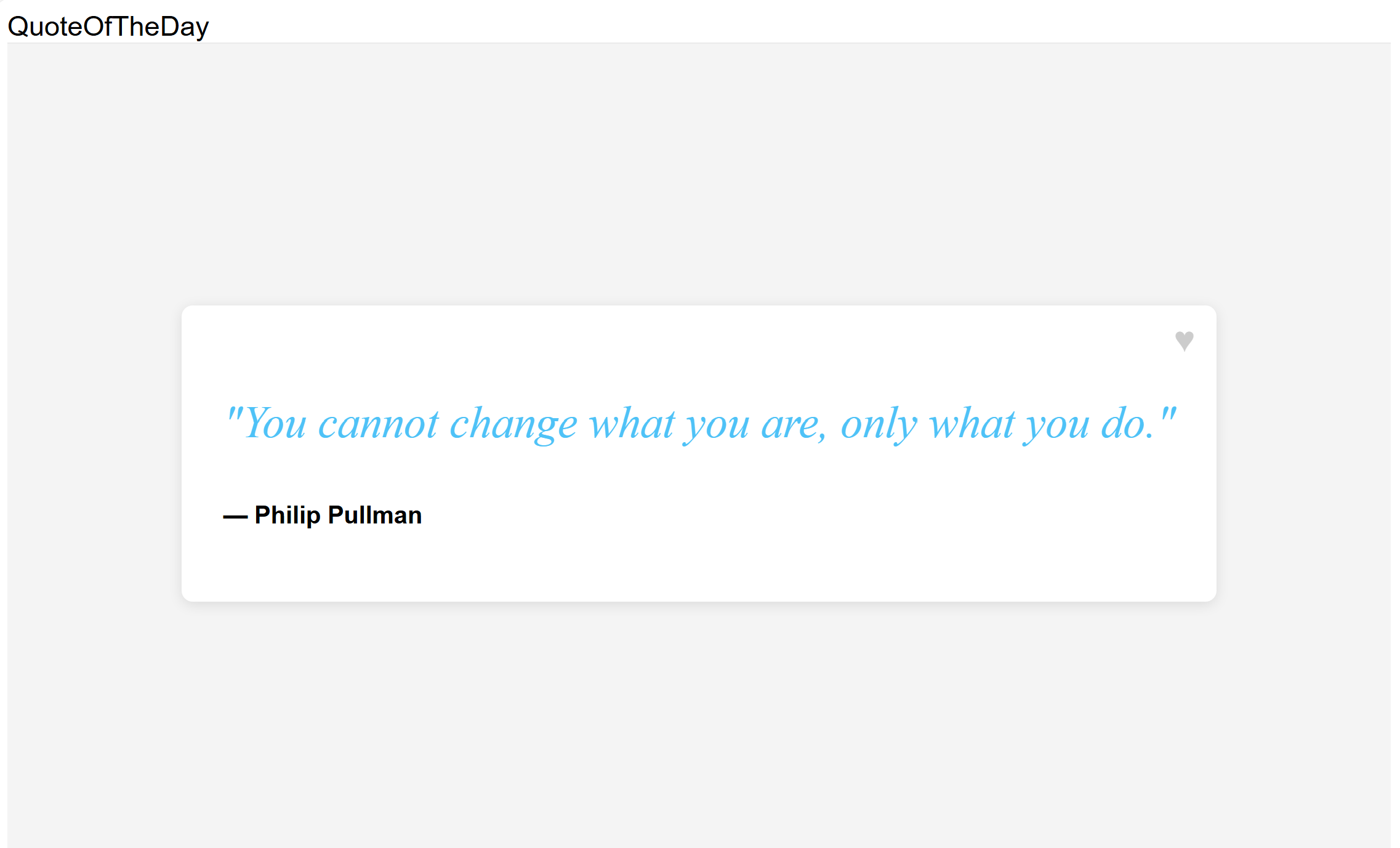
可以使用
userIdURL 中的查询参数来指定用户 ID。 访问localhost:8080/?userId=UserA并看到一条长问候语。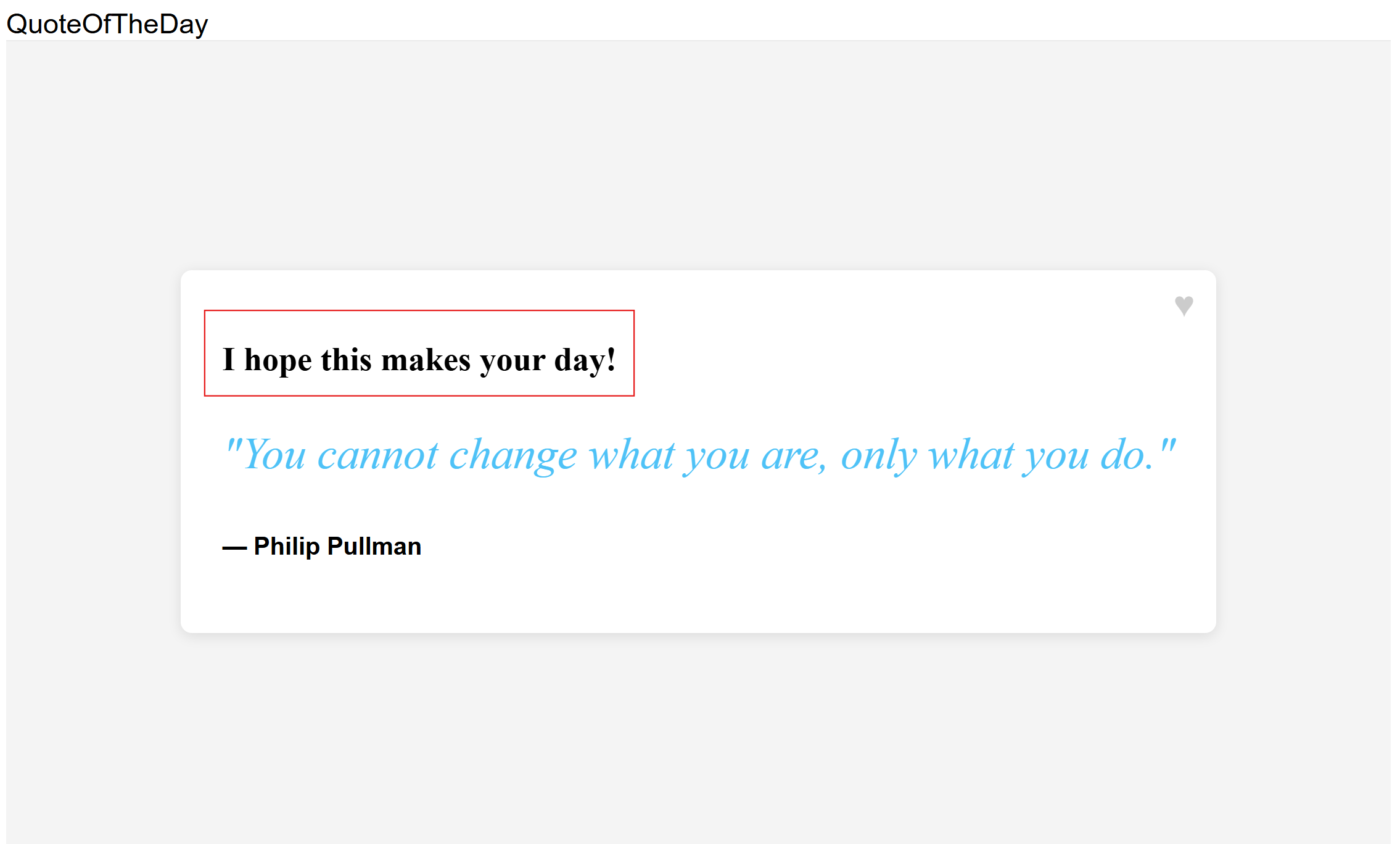
请尝试不同的用户 ID,了解变体功能标志如何更改不同用户段的问候消息。 访问
localhost:8080/?userId=UserB并看到较短的问候消息。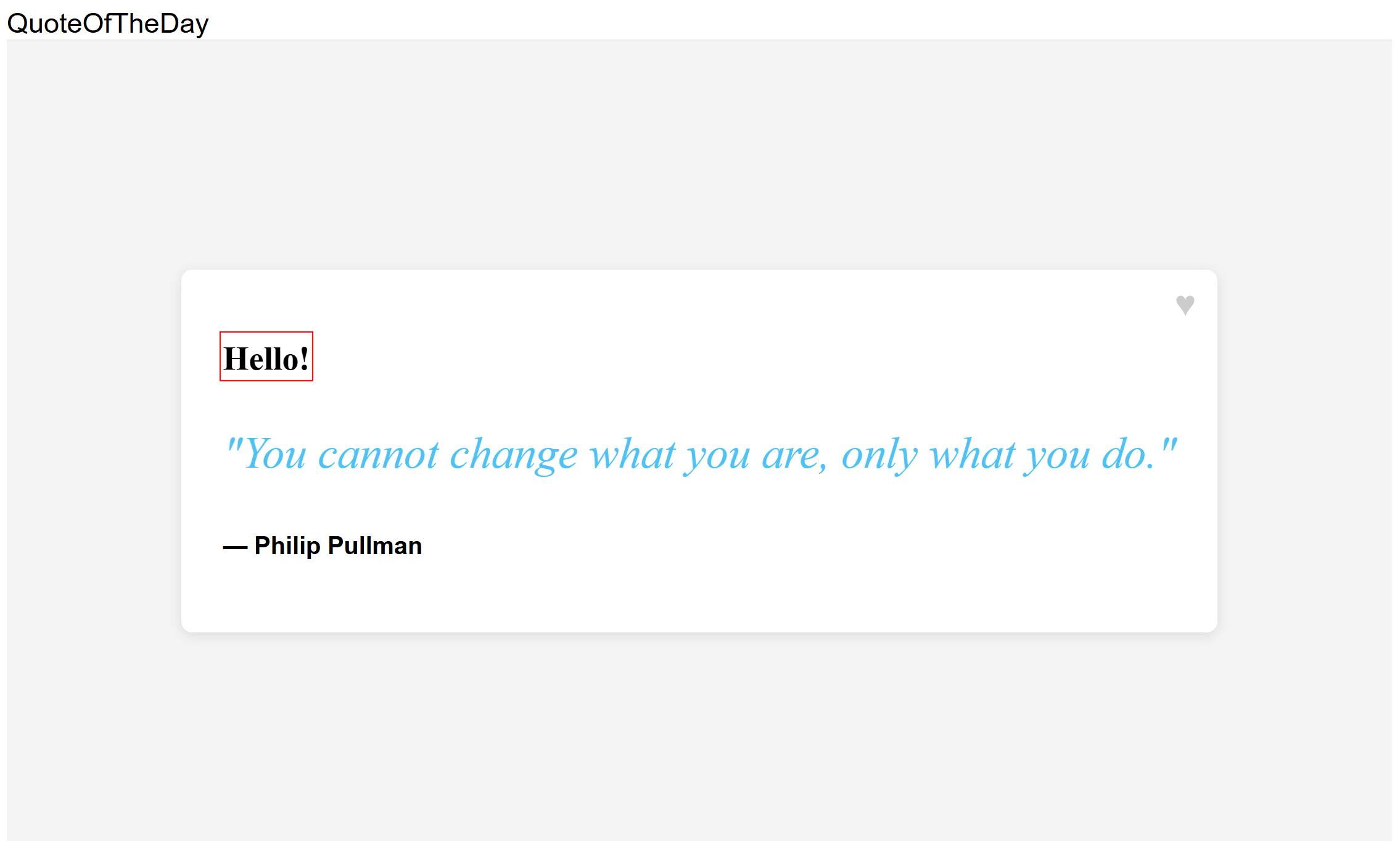
后续步骤
有关 Spring Boot 功能管理库的完整功能概述,请参阅以下文档。