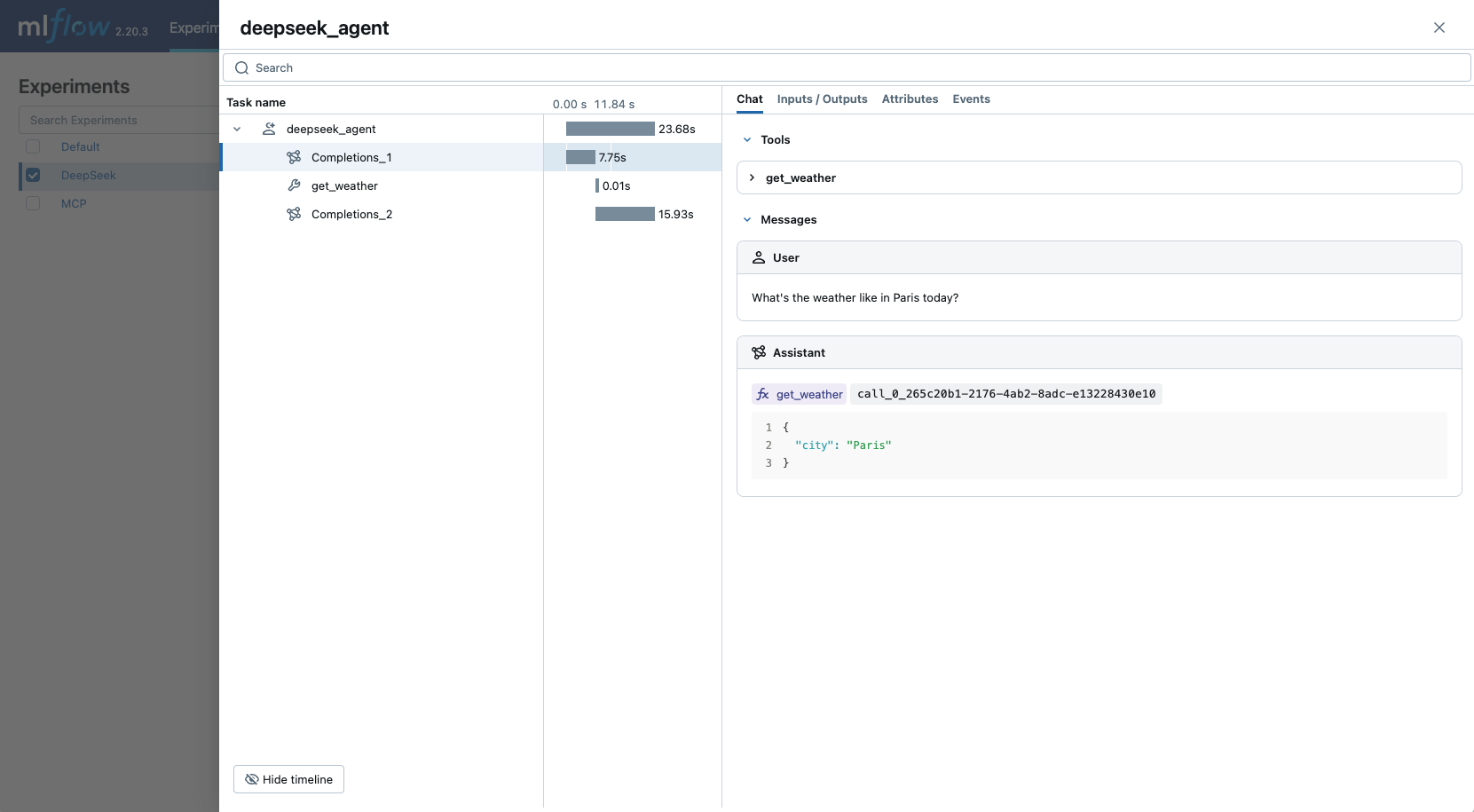
借由与 OpenAI SDK 的集成,MLflow 跟踪为 Deepseek 模型提供了自动化的跟踪能力。 由于 DeepSeek 使用与 OpenAI 兼容的 API 格式,因此 mlflow.openai.autolog() 可用于跟踪与 DeepSeek 模型的交互。
import mlflow

mlflow.openai.autolog()
MLflow 跟踪自动捕获有关 DeepSeek 调用的以下信息:
提示和完成响应
潜伏期
模型名称
其他元数据(例如
temperature,max_tokens如果指定)。在响应中返回时进行函数调用
引发的任何异常
注释
在无服务器计算群集上,不会自动启用自动记录。 必须显式调用 mlflow.openai.autolog() 才能为此集成启用自动跟踪。
先决条件
若要将 MLflow 跟踪与 DeepSeek 配合使用(使用与 OpenAI 兼容的 API),需要安装 MLflow 和 OpenAI SDK。
开发
对于开发环境,请安装包含 Databricks 附加程序和 openai 的完整 MLflow 软件包:
pip install --upgrade "mlflow[databricks]>=3.14.0" openai
完整 mlflow[databricks] 包包括用于 Databricks 的本地开发和试验的所有功能。
生产
对于生产部署,请安装 mlflow-tracing 和 openai:
pip install --upgrade mlflow-tracing openai
包 mlflow-tracing 已针对生产用途进行优化。
注释
强烈建议使用 MLflow 3 来获得最佳跟踪体验。
在运行示例之前,需要配置环境:
对于不使用 Databricks 笔记本的用户:设置 Databricks 环境变量:
export DATABRICKS_HOST="https://your-workspace.cloud.databricks.com"
export DATABRICKS_TOKEN="your-personal-access-token"
对于 Databricks 笔记本中的用户:这些凭据会自动为您设置。
API 密钥:确保已配置 DeepSeek API 密钥。 对于生产用途,请使用 AI 网关或 Databricks 机密 ,而不是硬编码的值:
export DEEPSEEK_API_KEY="your-deepseek-api-key"
受支持的 API
MLflow 通过 OpenAI 集成支持以下 DeepSeek API 的自动跟踪:
| 聊天补全 | 函数调用 | 流媒体 | 异步 |
|---|---|---|---|
| ✅ | ✅ | ✅ (*1) | ✅ (*2) |
(*1) 流式处理支持需要 MLflow 2.15.0 或更高版本。 (*2)异步支持需要 MLflow 2.21.0 或更高版本。
若要请求对其他 API 的支持,请在 GitHub 上打开 功能请求 。
基本示例
import openai
import mlflow
from mlflow.entities.trace_location import UnityCatalog
import os

# Ensure your DEEPSEEK_API_KEY is set in your environment
# os.environ["DEEPSEEK_API_KEY"] = "your-deepseek-api-key" # Uncomment and set if not globally configured

# Enable auto-tracing for OpenAI (works with DeepSeek)
mlflow.openai.autolog()

# Set up MLflow tracking to Databricks
mlflow.set_tracking_uri("databricks")
mlflow.set_experiment(
    experiment_name="/Shared/deepseek-demo",
    trace_location=UnityCatalog(
        catalog_name="<UC_CATALOG_NAME>",
        schema_name="<UC_SCHEMA_NAME>",
        table_prefix="<UC_TABLE_PREFIX>",
    ),
)

# Initialize the OpenAI client with DeepSeek API endpoint and your key
client = openai.OpenAI(
    base_url="https://api.deepseek.com",
    api_key=os.environ.get("DEEPSEEK_API_KEY") # Or directly pass your key string
)

messages = [
    {"role": "system", "content": "You are a helpful assistant."},
    {"role": "user", "content": "What is the capital of France?"},
]

response = client.chat.completions.create(
    model="deepseek-chat",
    messages=messages,
    temperature=0.1,
    max_tokens=100,
)
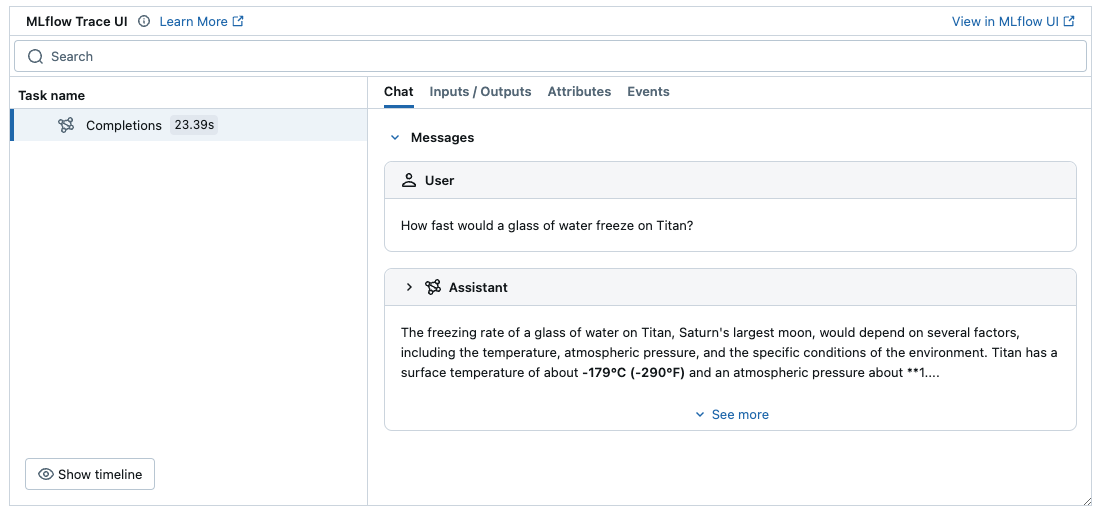
上面的示例应在 MLflow UI 的实验中生成记录。
警告
对于生产环境,请使用 AI Gateway 或 Databricks 密钥,而不要使用硬编码的值,以安全地管理 API 密钥。
流式处理和异步支持
MLflow 支持对流媒体和异步 DeepSeek API 进行跟踪。 请访问 OpenAI 跟踪文档 ,获取通过 OpenAI SDK 跟踪流式处理和异步调用的示例代码片段。
高级示例:函数调用代理
MLflow 追踪通过 OpenAI SDK 自动捕获来自 DeepSeek 模型的函数调用响应。 响应中的函数指令将在跟踪 UI 中突出显示。 此外,可以使用@mlflow.trace修饰器为工具函数添加批注,以便为工具执行创建跨度。
以下示例使用 DeepSeek 函数调用和 MLflow 跟踪实现简单的函数调用代理。
import json
from openai import OpenAI
import mlflow
from mlflow.entities import SpanType
import os

# Ensure your DEEPSEEK_API_KEY is set in your environment
# os.environ["DEEPSEEK_API_KEY"] = "your-deepseek-api-key" # Uncomment and set if not globally configured

# Initialize the OpenAI client with DeepSeek API endpoint and your key
client = OpenAI(
    base_url="https://api.deepseek.com",
    api_key=os.environ.get("DEEPSEEK_API_KEY") # Or directly pass your key string
)

# Set up MLflow tracking to Databricks if not already configured
# mlflow.set_tracking_uri("databricks")
# mlflow.set_experiment("/Shared/deepseek-agent-demo")

# Assuming autolog is enabled globally or called earlier
# mlflow.openai.autolog()

# Define the tool function. Decorate it with `@mlflow.trace` to create a span for its execution.
@mlflow.trace(span_type=SpanType.TOOL)
def get_weather(city: str) -> str:
    if city == "Tokyo":
        return "sunny"
    elif city == "Paris":
        return "rainy"
    return "unknown"

tools = [
    {
        "type": "function",
        "function": {
            "name": "get_weather",
            "parameters": {
                "type": "object",
                "properties": {"city": {"type": "string"}},
            },
        },
    }
]

_tool_functions = {"get_weather": get_weather}

# Define a simple tool calling agent
@mlflow.trace(span_type=SpanType.AGENT)
def run_tool_agent(question: str):
    messages = [{"role": "user", "content": question}]

    # Invoke the model with the given question and available tools
    response = client.chat.completions.create(
        model="deepseek-chat",
        messages=messages,
        tools=tools,
    )

    ai_msg = response.choices[0].message
    messages.append(ai_msg)

    # If the model request tool call(s), invoke the function with the specified arguments
    if tool_calls := ai_msg.tool_calls:
        for tool_call in tool_calls:
            function_name = tool_call.function.name
            if tool_func := _tool_functions.get(function_name):
                args = json.loads(tool_call.function.arguments)
                tool_result = tool_func(**args)
            else:
                raise RuntimeError("An invalid tool is returned from the assistant!")

            messages.append(
                {
                    "role": "tool",
                    "tool_call_id": tool_call.id,
                    "content": tool_result,
                }
            )

        # Sent the tool results to the model and get a new response
        response = client.chat.completions.create(
            model="deepseek-chat", messages=messages
        )

    return response.choices[0].message.content

# Run the tool calling agent
question = "What's the weather like in Paris today?"
answer = run_tool_agent(question)
禁用自动跟踪
通过调用mlflow.openai.autolog(disable=True) 或 mlflow.autolog(disable=True) 可以全局禁用通过 OpenAI SDK 的 DeepSeek 自动追踪。