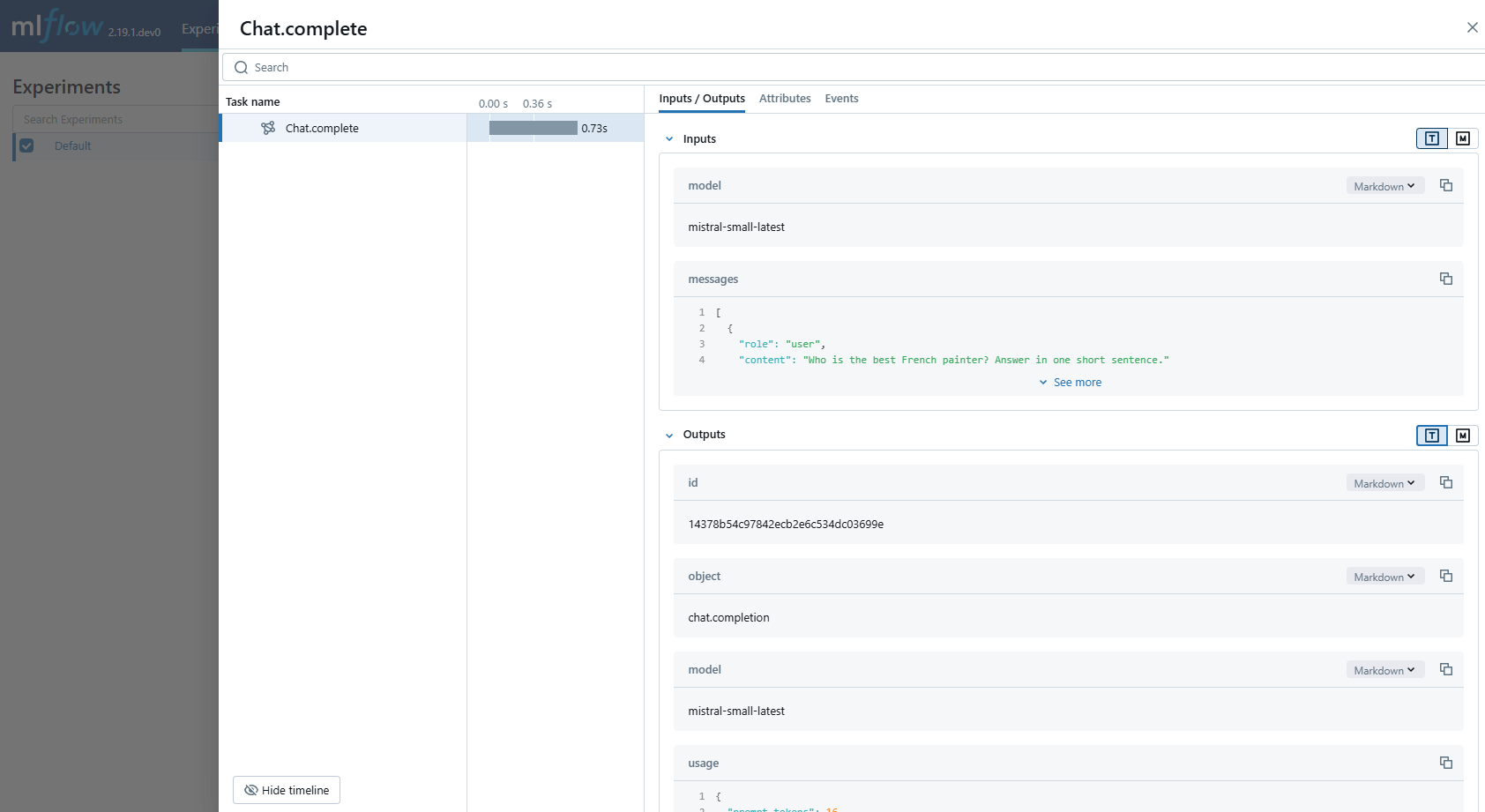
MLflow 跟踪可确保与 Mistral AI 模型的交互的可观测性。
通过调用 mlflow.mistral.autolog 函数启用 Mistral 自动跟踪时,在交互式开发期间,Mistral SDK 的使用将自动记录生成的跟踪。
请注意,仅支持对文本生成 API 的同步调用,并且不会跟踪异步 API 和流式处理方法。
先决条件
在运行以下示例之前,请确保具备:
Databricks 凭据已配置:如果您在 Databricks 环境外运行,请设置环境变量:
export DATABRICKS_HOST="https://your-workspace.cloud.databricks.com"
export DATABRICKS_TOKEN="your-personal-access-token"
小窍门
如果在 Databricks 笔记本中运行,系统会自动设置这些内容。
Mistral API 密钥:确保已配置 API 密钥。 对于生产环境,请使用 AI Gateway 或 Databricks 密钥 来安全地管理 API 密钥,而不要使用硬编码的值:
export MISTRAL_API_KEY="your-mistral-api-key"
示例用法
注释
在无服务器计算群集上,不会自动启用 genAI 跟踪框架的自动记录。 必须通过为要跟踪的特定集成调用适当的 mlflow.<library>.autolog() 函数来显式启用自动记录。
import os

from mistralai import Mistral

import mlflow

# Turn on auto tracing for Mistral AI by calling mlflow.mistral.autolog()
mlflow.mistral.autolog()

# Set up MLflow tracking on Databricks
mlflow.set_tracking_uri("databricks")
mlflow.set_experiment("/Shared/mistral-demo")

# Configure your API key.
client = Mistral(api_key=os.environ["MISTRAL_API_KEY"])

# Use the chat complete method to create new chat.
chat_response = client.chat.complete(
    model="mistral-small-latest",
    messages=[
        {
            "role": "user",
            "content": "Who is the best French painter? Answer in one short sentence.",
        },
    ],
)
print(chat_response.choices[0].message)
警告
对于生产环境,请使用 AI Gateway 或 Databricks 密钥,而不要使用硬编码的值,以安全地管理 API 密钥。
禁用自动跟踪
可以通过调用 mlflow.mistral.autolog(disable=True) 或 mlflow.autolog(disable=True)调用来全局禁用 Mistral 的自动跟踪。