适用于: ✔️ Front Door 标准版 ✔️ Front Door 高级版
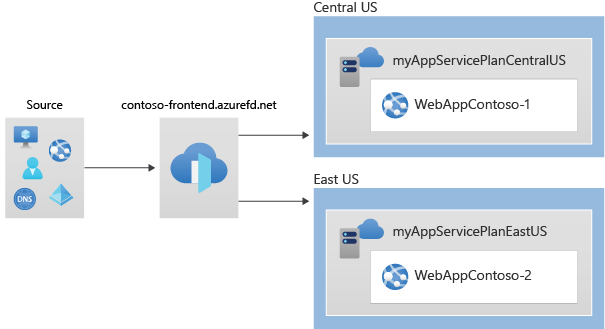
本快速入门介绍如何使用 Azure PowerShell 创建 Azure Front Door 配置文件。 你使用两个 Web 应用作为源站,并通过 Azure Front Door 终结点的主机名验证连接。
Note
对于 Web 工作负载,强烈建议使用 Azure DDoS 防护和 Web 应用程序防护墙来抵御新兴的 DDoS 攻击。 另一种选择是将 Azure Front Door 与 Web 应用程序防火墙一起使用。 Azure Front Door 提供针对网络级别 DDoS 攻击 的平台级保护 。 有关详细信息,请参阅 Azure 服务的安全基线。
Prerequisites
- 拥有有效订阅的 Azure 帐户。 创建账户。
- 在本地安装了 Azure PowerShell。
Note
建议使用 Azure Az PowerShell 模块与 Azure 交互。 若要开始,请参阅安装 Azure PowerShell。 若要了解如何迁移到 Az PowerShell 模块,请参阅 将 Azure PowerShell 从 AzureRM 迁移到 Az。
创建资源组
使用 New-AzResourceGroup 创建资源组:
New-AzResourceGroup -Name myRGFD -Location chinanorth2
创建两个 Web 应用实例
使用 New-AzWebApp 在不同的 Azure 区域中创建两个 Web 应用实例:
# Create first web app in China North 3 region.
$webapp1 = New-AzWebApp `
    -Name "WebAppContoso-01" `
    -Location chinanorth3 `
    -ResourceGroupName myRGFD `
    -AppServicePlan myAppServicePlanchinanorth3

# Create second web app in China East 2 region.
$webapp2 = New-AzWebApp `
    -Name "WebAppContoso-02" `
    -Location ChinaEast2 `
    -ResourceGroupName myRGFD `
    -AppServicePlan myAppServicePlanChinaEast2
创建 Azure Front Door
创建 Azure Front Door 配置文件
运行 New-AzFrontDoorCdnProfile 以创建 Azure Front Door 配置文件:
$fdprofile = New-AzFrontDoorCdnProfile `
    -ResourceGroupName myRGFD `
    -Name contosoAFD `
    -SkuName Premium_AzureFrontDoor `
    -Location Global
添加终结点
运行 New-AzFrontDoorCdnEndpoint ,在配置文件中创建终结点:
$FDendpoint = New-AzFrontDoorCdnEndpoint `
    -EndpointName contosofrontend `
    -ProfileName contosoAFD `
    -ResourceGroupName myRGFD `
    -Location Global
创建源组
创建运行状况探测和负载均衡设置,然后使用 New-AzFrontDoorCdnOriginGroup 创建源组:
# Create health probe settings
$HealthProbeSetting = New-AzFrontDoorCdnOriginGroupHealthProbeSettingObject `
    -ProbeIntervalInSecond 60 `
    -ProbePath "/" `
    -ProbeRequestType GET `
    -ProbeProtocol Http

# Create load balancing settings
$LoadBalancingSetting = New-AzFrontDoorCdnOriginGroupLoadBalancingSettingObject `
    -AdditionalLatencyInMillisecond 50 `
    -SampleSize 4 `
    -SuccessfulSamplesRequired 3

# Create origin group
$originpool = New-AzFrontDoorCdnOriginGroup `
    -OriginGroupName og `
    -ProfileName contosoAFD `
    -ResourceGroupName myRGFD `
    -HealthProbeSetting $HealthProbeSetting `
    -LoadBalancingSetting $LoadBalancingSetting
将源添加到组中
使用 New-AzFrontDoorCdnOrigin 将你的 Web 应用程序原点添加到源组:
# Add first web app origin to origin group.
$origin1 = New-AzFrontDoorCdnOrigin `
    -OriginGroupName og `
    -OriginName contoso1 `
    -ProfileName contosoAFD `
    -ResourceGroupName myRGFD `
    -HostName webappcontoso-01.chinacloudsites.cn `
    -OriginHostHeader webappcontoso-01.chinacloudsites.cn `
    -HttpPort 80 `
    -HttpsPort 443 `
    -Priority 1 `
    -Weight 1000

# Add second web app origin to origin group.
$origin2 = New-AzFrontDoorCdnOrigin `
    -OriginGroupName og `
    -OriginName contoso2 `
    -ProfileName contosoAFD `
    -ResourceGroupName myRGFD `
    -HostName webappcontoso-02.chinacloudsites.cn `
    -OriginHostHeader webappcontoso-02.chinacloudsites.cn `
    -HttpPort 80 `
    -HttpsPort 443 `
    -Priority 1 `
    -Weight 1000
添加路由
使用 New-AzFrontDoorCdnRoute 将终结点映射到源组:
$Route = New-AzFrontDoorCdnRoute `
    -EndpointName contosofrontend `
    -Name defaultroute `
    -ProfileName contosoAFD `
    -ResourceGroupName myRGFD `
    -ForwardingProtocol MatchRequest `
    -HttpsRedirect Enabled `
    -LinkToDefaultDomain Enabled `
    -OriginGroupId $originpool.Id `
    -SupportedProtocol Http,Https
测试 Azure Front Door
创建 Azure Front Door 配置文件后,配置需要几分钟时间才能完成全局部署。 完成后,访问你创建的前端主机。
运行 Get-AzFrontDoorCdnEndpoint 以获取 Azure Front Door 终结点的主机名:
$fd = Get-AzFrontDoorCdnEndpoint `
    -EndpointName contosofrontend `
    -ProfileName contosoafd `
    -ResourceGroupName myRGFD

$fd.hostname
在浏览器中,转到终结点主机名:contosofrontend-<hash>.z01.azurefd.net。 你的请求将路由到源组中延迟最低的 Web 应用。
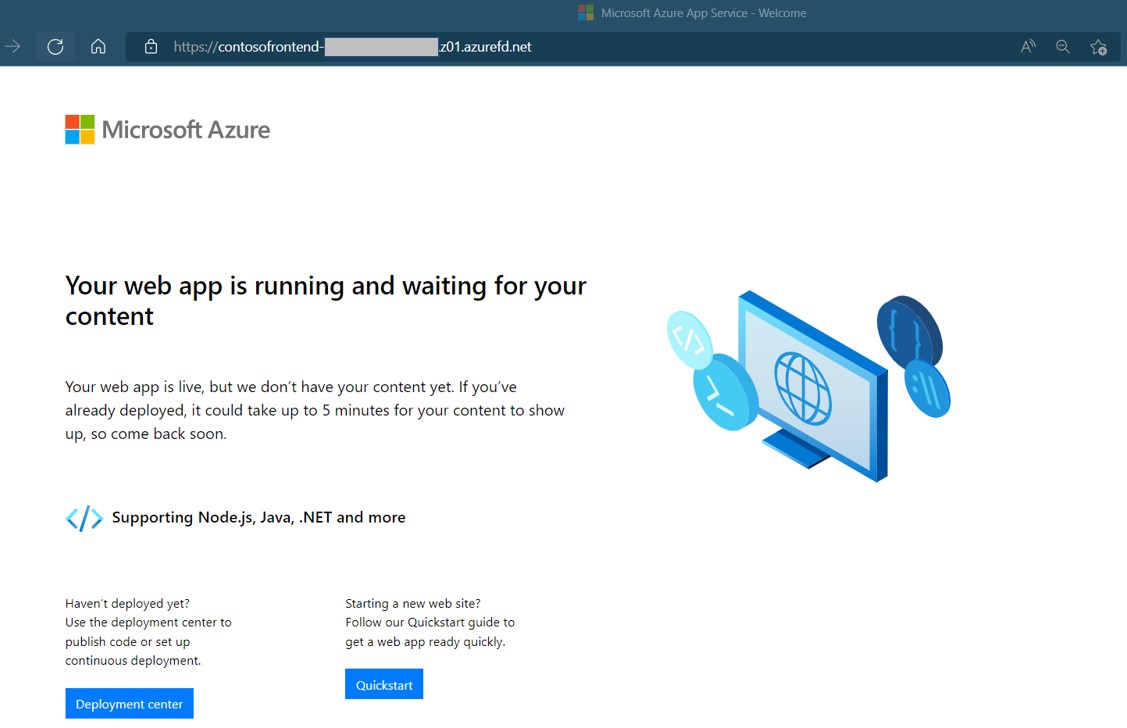
若要测试即时全局故障转移,请执行以下操作:
打开浏览器并转到终结点主机名:
contosofrontend-<hash>.z01.azurefd.net。通过运行 Stop-AzWebApp 来停止其中一个 Web 应用:
Stop-AzWebApp -ResourceGroupName myRGFD -Name "WebAppContoso-01"刷新浏览器。 您应该会看到相同的信息页面。
停止其他 Web 应用:
Stop-AzWebApp -ResourceGroupName myRGFD -Name "WebAppContoso-02"刷新浏览器。 此时,应会看到一条错误消息。
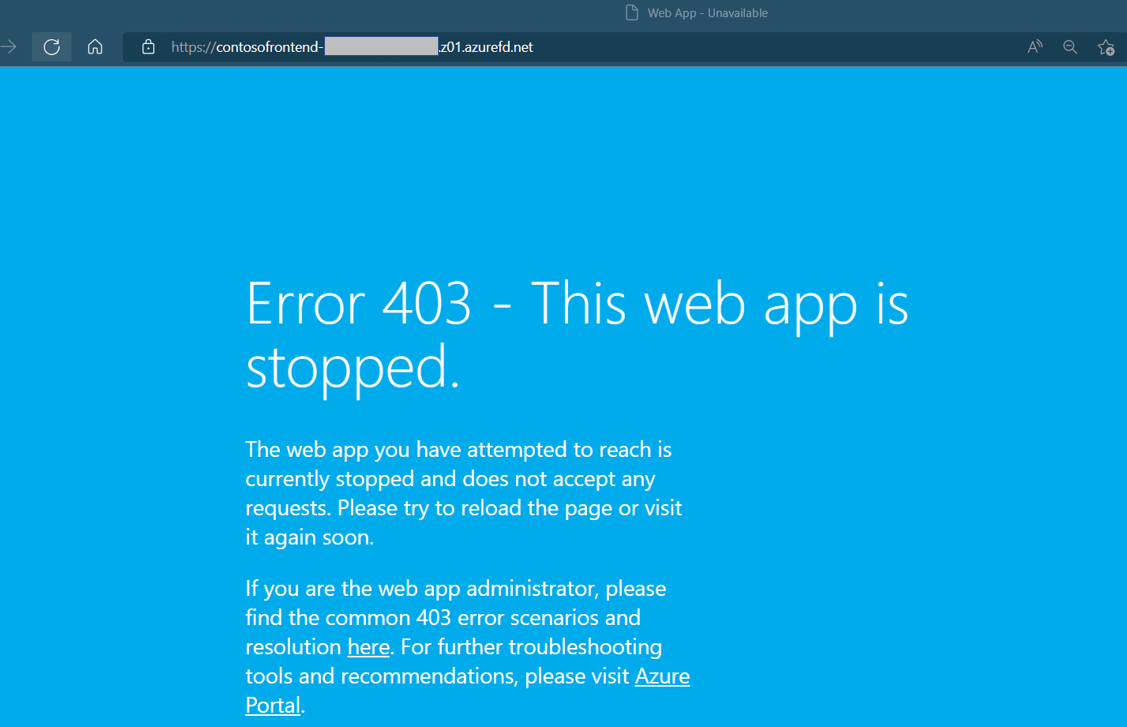
通过运行 Start-AzWebApp 重启其中一个 Web 应用。 刷新浏览器,页面将恢复正常:
Start-AzWebApp -ResourceGroupName myRGFD -Name "WebAppContoso-01"
清理资源
当不再需要使用 Azure Front Door 创建的资源时,请删除相应资源组。 此操作将删除 Azure Front Door 及其所有相关资源。 运行 Remove-AzResourceGroup:
Remove-AzResourceGroup -Name myRGFD