Note
Access to this page requires authorization. You can try signing in or changing directories.
Access to this page requires authorization. You can try changing directories.
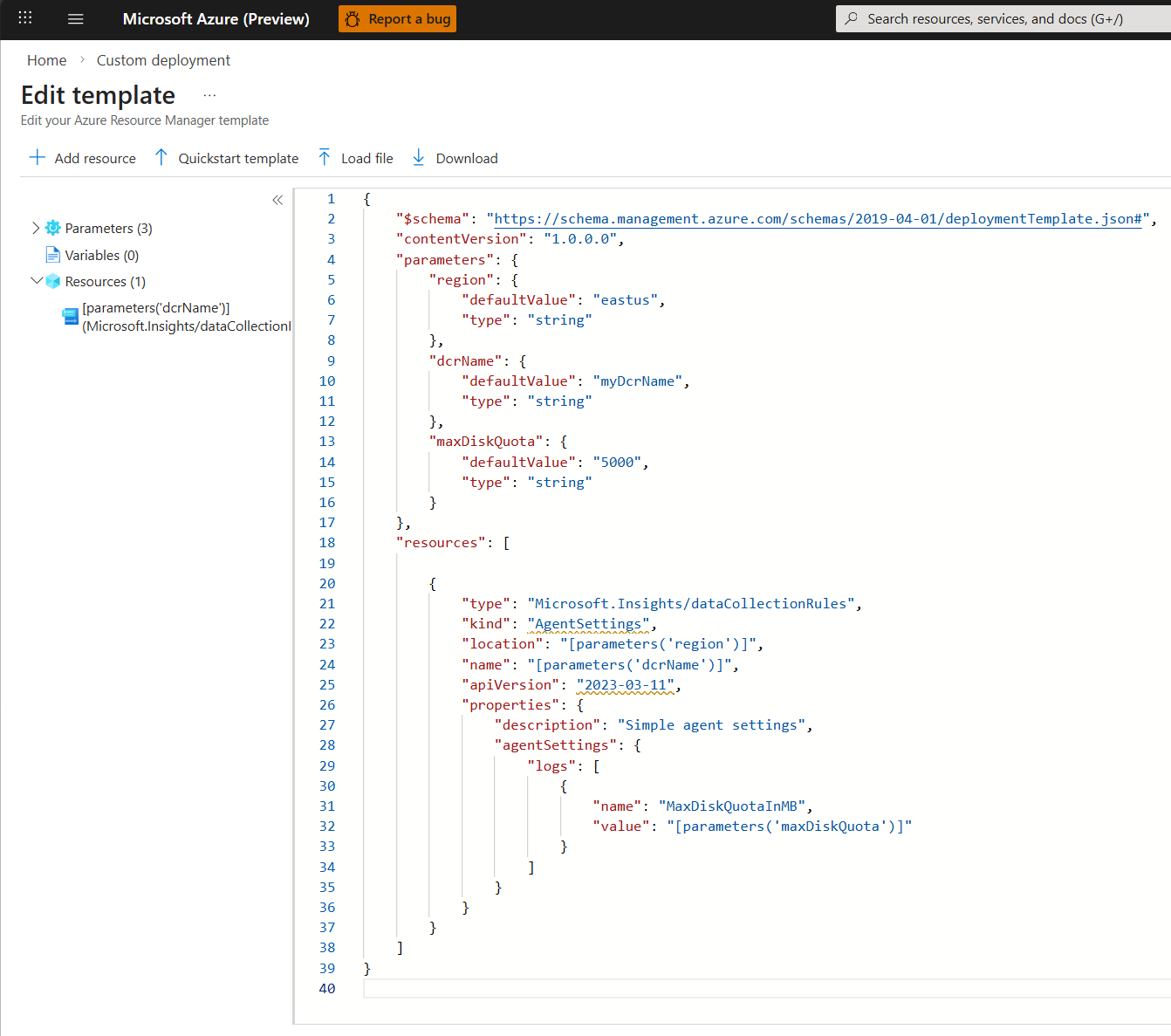
This article describes how to configure the Azure Monitor Agent on Azure Virtual Machines (VMs), Virtual Machine Scale Sets, and Azure Arc-enabled servers. Many applications and services log telemetry by using the Azure Monitor Agent. You can configure Azure Monitor Agents by using the central control plane and creating the Agent Settings Data Collection Rule (DCR).
Prerequisites
Prerequisites are listed in Collect data from virtual machine client with Azure Monitor.
Considerations
When you work with the Agent Settings DCR:
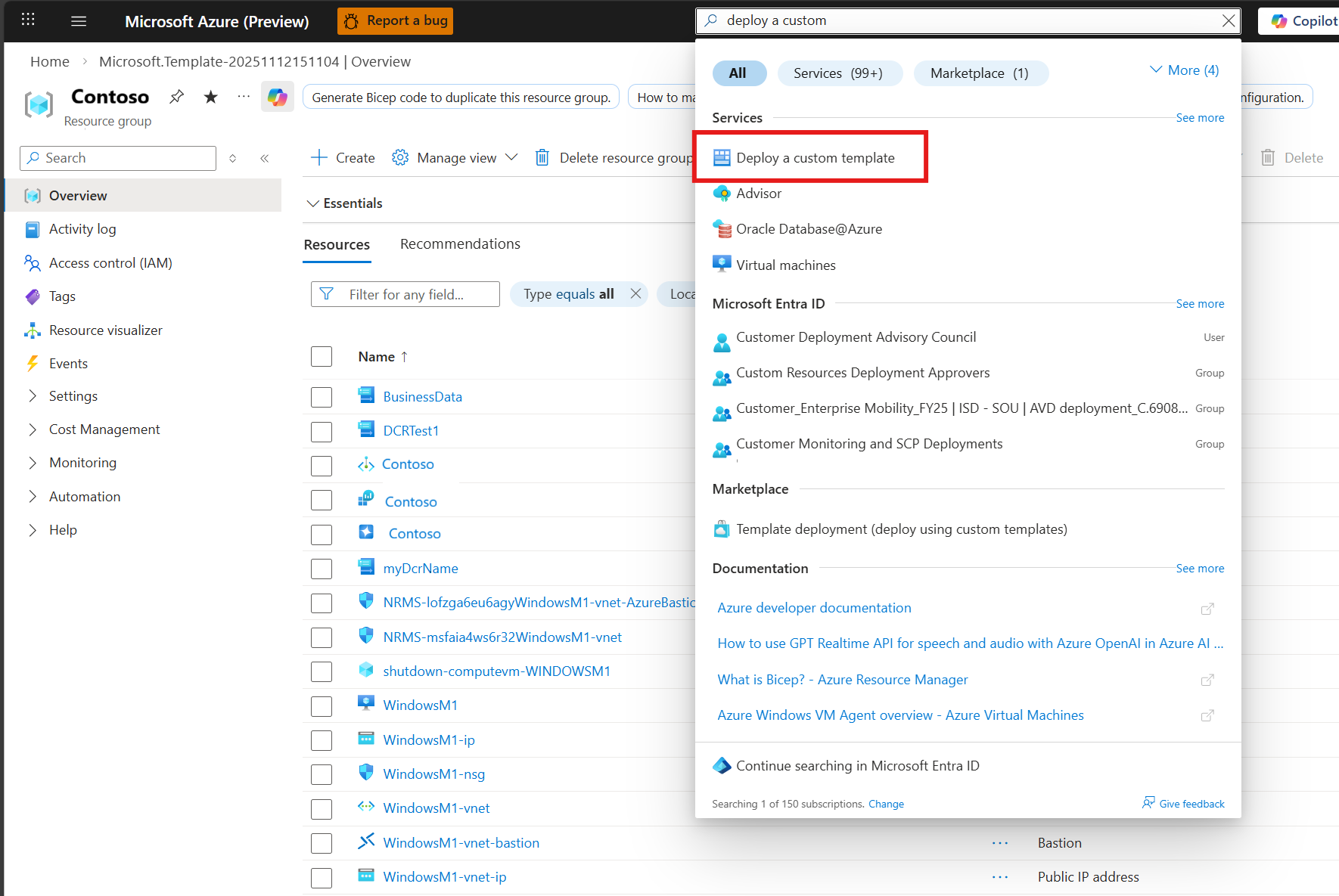
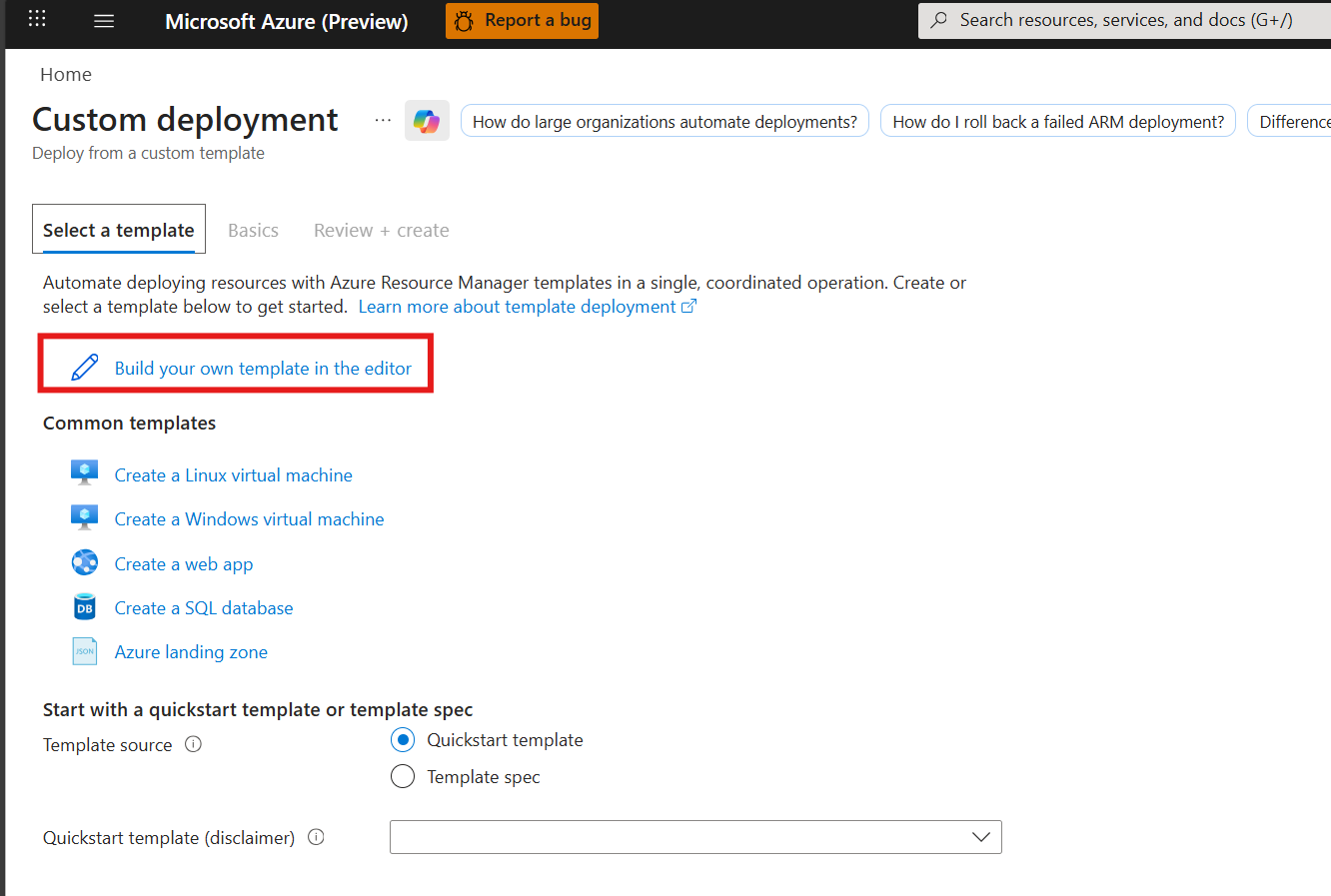
- Currently, an Azure Resource Manager template is the only way to create Agent Settings.
- Agent Settings is a standalone DCR with no other collection sources.
- The most recent Agent Settings DCR applied to the VM overrides all other Agent Settings DCRs.
Supported parameters
The Agent Settings DCR supports the following parameters:
These settings configure the Azure Monitor Agent and are organized by telemetry type. In the DCR JSON, add each setting to either the properties.agentSettings.logs or properties.agentSettings.metrics collection, as indicated in the following table.
| Telemetry type | Agent Settings collection | Setting name | Supported values and validation | Description |
|---|---|---|---|---|
| General | logs |
MaxDiskQuotaInMB |
Integer from 4,000 through 1,000,000. Default is 10,000 MB. | Maximum disk space used by the Azure Monitor Agent local cache. The cache grows if cloud connectivity is lost, and the agent sends data after connectivity is restored. The agent loses data that exceeds the cache limit. |
| Logs | logs |
UseTimeReceivedForForwardedEvents |
0 or 1. 0 uses TimeGenerated; 1 uses TimeReceived. |
Controls the timestamp behavior for Microsoft Sentinel Windows Event Forwarding (WEF) data. |
| General | logs |
Tags |
Any non-empty string. The service doesn't validate the format or delimiter. | User-defined tags associated with the agent configuration. |
| General | logs |
DiskQuotaUsageInPercent |
Integer from 50 through 100. | Percentage of the configured disk quota at which the agent's quota behavior is controlled. |
| Logs and traces | logs |
OtlpGrpcLogsTracesPort |
Integer TCP port from 1,024 through 65,535. Must be unique across all OTLP port settings in the DCR. | Overrides the OTLP gRPC listener port for logs and traces. |
| Logs and traces | logs |
OtlpHttpProtobufLogsTracesPort |
Integer TCP port from 1,024 through 65,535. Must be unique across all OTLP port settings in the DCR. | Overrides the OTLP HTTP/Protobuf listener port for logs and traces. |
| Metrics | metrics |
OtlpGrpcMetricsPort |
Integer TCP port from 1,024 through 65,535. Must be unique across all OTLP port settings in the DCR. | Overrides the OTLP gRPC listener port for metrics. |
| Metrics | metrics |
OtlpHttpProtobufMetricsPort |
Integer TCP port from 1,024 through 65,535. Must be unique across all OTLP port settings in the DCR. | Overrides the OTLP HTTP/Protobuf listener port for metrics. |
| Metrics | metrics |
OtlpGrpcPrometheusMetricsPort |
Integer TCP port from 1,024 through 65,535. Must be unique across all OTLP port settings in the DCR. | Overrides the OTLP gRPC listener port for Prometheus metrics. |
Note
OTLP port settings require DCR API version 2025-05-11 or later. OTLP metrics port settings require Azure Monitor Agent Linux 1.44, Windows 1.45, or later.
Create an Agent Settings DCR
Currently not supported.
Related content
Create a data collection rule to collect data from the agent and send it to Azure Monitor.