Note
Access to this page requires authorization. You can try signing in or changing directories.
Access to this page requires authorization. You can try changing directories.
Microsoft Entra ID Governance now supports including access packages in catalog access reviews (preview). When a user has access to Microsoft Entra applications or Microsoft Entra groups through an access package, reviewers see the access package instead of separate entries for each resource it contains.
This article explains how to enable access packages in a catalog access review, who reviews them, and what happens when a reviewer denies an access package.
Prerequisites
- A Microsoft Entra ID Governance or Microsoft Entra Suite subscription. For more information, see Microsoft Entra ID Governance licensing fundamentals.
- At least the Identity Governance Administrator role to create the catalog access review.
- A catalog that contains the access packages you want to review.
Include access packages in a review
Enable the access package preview option when you create the catalog access review.
Sign in to the Microsoft Entra admin center.
Browse to ID Governance > Access reviews > New access review.
Select Review users access across multiple resource types within a catalog.
Enter the basic information for the review, and then select Next.
On the Resources tab, use Select Catalog to select the catalog that contains the access packages you want to review.
Select Include access packages (Preview).
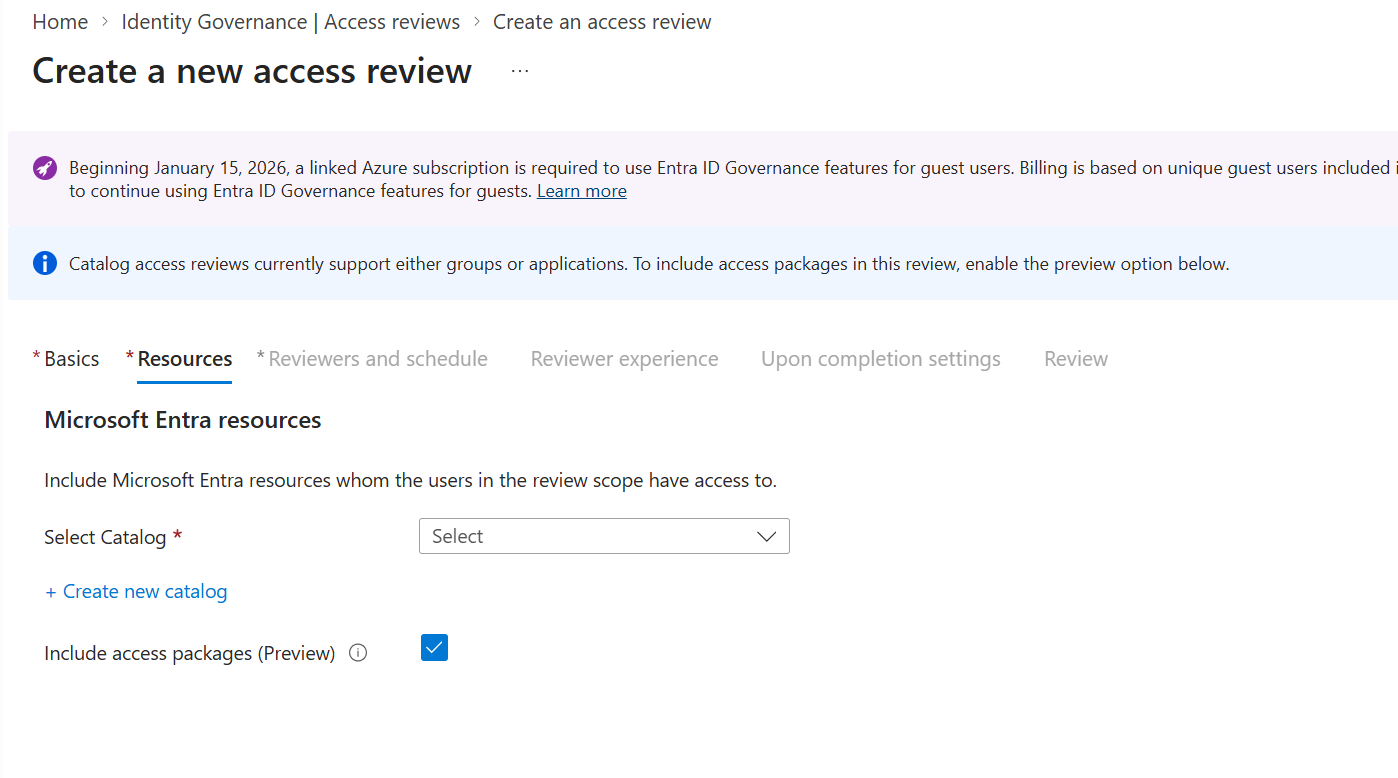
Select Next. On the Reviewers and schedule tab, choose the reviewers and configure the schedule.
If you choose resource owners as reviewers, the access package assignment manager for each specific access package reviews that package.
Configure the reviewer experience and completion settings, and then select Create.
For more information about the review settings, see Create a catalog access review.
Review access package assignments
Reviewers review an access package as a single item, rather than deciding separately on each Microsoft Entra group or application granted through that package.
Note
Only Microsoft Entra applications and Microsoft Entra groups delivered through access packages are consolidated under the access package in the review.
- Sign in to the My Access portal as a reviewer.
- Select Access reviews, and then select the Multi-resource tab.
- Open the catalog access review.
- For each access package, select Approve or Deny, and provide a justification if required.
- Select Submit to record your decisions.
When a reviewer denies an access package, the user's access package assignment is removed on the review end date. Removing the assignment removes the user's access to all resources granted through that package, not just the Microsoft Entra applications and Microsoft Entra groups consolidated in the review.