Note
Access to this page requires authorization. You can try signing in or changing directories.
Access to this page requires authorization. You can try changing directories.
Applies to: Azure Logic Apps (Standard)
If your organization uses integration platforms like BizTalk Server, MuleSoft Anypoint, or other middleware, migrating these workloads to Azure Logic Apps can feel complex and challenging. A typical migration involves the following tasks:
- Discover and catalog integration artifacts in the source platform.
- Analyze complexity and plan a migration roadmap.
- Convert source artifacts into Standard workflows for Azure Logic Apps.
- Validate generated workflows against source specifications.
- Deploy the migrated solution to Azure.
To guide you through the migration process, use Visual Studio Code and the Azure Logic Apps Migration Agent extension. This AI-powered extension helps you analyze, plan, convert, validate, and deploy enterprise integrations as Standard workflows in Azure Logic Apps.
The migration agent walks you through a structured five-stage migration workflow. Built on GitHub Copilot and the Visual Studio Code Language Model API, the extension works with specialized GitHub Copilot agents and built-in parsers, while you stay in control at every step.
This article introduces the migration agent, the extension's key capabilities, supported source platforms, and the guided five-stage migration workflow.
Supported source platforms and deployment environments
Azure Logic Apps Migration Agent version 1.12.1 registers the following source integration platforms and built-in parsers. Parser support means that the extension can discover and represent the listed source artifacts. Generated analysis, plans, workflows, connections, configuration, and code still require review and validation.
| Source platform | Versions | Parser coverage and limitations |
|---|---|---|
| BizTalk Server | 2016, 2020 | Built-in parsers for the artifact types listed in the following BizTalk Server section. |
| MuleSoft Anypoint | Mule 4; Mule 3 with limitations | Built-in project, flow, and DataWeave parsers. Mule 3 project structures can be detected, but migration might require additional transformations that the standard parser doesn't cover. RAML parsing isn't implemented. |
| TIBCO BusinessWorks | BW5, BW6 | Basic built-in project and process parsers. |
The Azure Logic Apps Migration Agent is an open-source, extensible project. To add support for a new platform, contribute a built-in parser or create an external parser extension. For more information, see Extend the migration agent by creating and adding custom parsers for new platforms.
Supported BizTalk Server artifact types
The migration agent currently supports the following BizTalk Server artifact types:
| Artifact type | File extension or pattern | Description |
|---|---|---|
| Project | .btproj |
BizTalk project file |
| Orchestration | .odx |
BizTalk orchestration definition |
| Schema | .xsd |
XML schema definition |
| Map | .btm |
BizTalk map (XSLT transformation) |
| Pipeline | .btp |
BizTalk pipeline definition |
| Bindings | BindingInfo.xml, Binding*.xml, or binding XML detected by name or content |
Port bindings and endpoint configuration |
| Host data layout | .hidx |
Host Integration Designer XML program or data layout |
| Business rules policies | .xml |
Business Rules Engine export |
| Web service | .asmx |
Legacy ASP.NET web service metadata |
Supported MuleSoft Anypoint artifact types
The migration agent currently supports the following MuleSoft Anypoint artifact types:
| Artifact type | File pattern | Description |
|---|---|---|
| Project | pom.xml |
Project dependencies and configuration |
| Flow | src/main/mule/*.xml for Mule 4; src/main/app/*.xml for Mule 3 |
Mule flow and subflow definitions. Mule 3 migration has the limitations described in the source platform table. |
| DataWeave | *.dwl |
DataWeave transformation definitions |
Version 1.12.1 doesn't implement RAML parsing.
Supported TIBCO BusinessWorks artifact types
The migration agent provides basic parsing support for the following TIBCO BusinessWorks artifact types:
| Artifact type | File pattern | Description |
|---|---|---|
| Project | tibco.xml, TIBCO.xml, or module.bwm |
BusinessWorks project or module definition |
| Process | *.process or *.bwp |
BusinessWorks process definition |
Supported target deployment environments
Version 1.12.1 generates Azure Logic Apps Standard project artifacts. The optional automated deployment task supports the following target environment and hosting option:
| Target environment | Hosting option |
|---|---|
| Single-tenant Azure Logic Apps (Standard) | Workflow Service Plan, App Service Environment v3 |
For more information, see Differences between Standard and Consumption logic apps.
Key capabilities in Azure Logic Apps Migration Agent
The migration agent includes the following core capabilities:
| Capability | Features |
|---|---|
| Multi-platform support | Built-in BizTalk Server, MuleSoft, and TIBCO BusinessWorks parsers, plus an extensible parser plug-in system for other platforms. |
| Five-stage guided workflow | Follows a structured migration process from discovery to deployment with progress tracking and visualization at each stage. |
| AI-powered analysis and conversion | Specialized GitHub Copilot agents that analyze, plan, and convert your integration artifacts: - @migration-analyser - @migration-planner - @migration-converter |
| Built-in parsers | TypeScript-based parsers that convert supported source artifacts to a common intermediate representation. |
| Flow visualization | Interactive architecture diagrams, message flows, gap analysis, and dependency tracking. |
| Azure deployment | Optional deployment to Workflow Service Plan from Visual Studio Code by using generated deployment templates and Azure CLI, followed by workflow content upload to Azure Files. |
Migration stages for integration projects
The migration agent guides you through the following five-stage migration workflow:
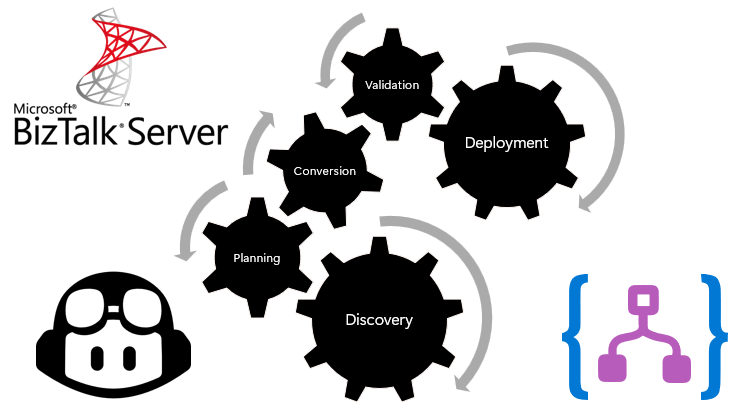
| Order | Stage | Purpose |
|---|---|---|
| 1 | Discovery | Scan, detect, and catalog integration artifacts on the source platform. The agent automatically detects the platform, scans files, and builds a dependency graph and artifact inventory. |
| 2 | Planning | Analyze complexity, plan the migration roadmap, and map source patterns to Logic Apps patterns. The agent generates target architecture, workflow definitions, Azure component requirements, action mappings, artifact dispositions, gap analysis, and integration patterns for each flow. |
| 3 | Conversion | Transform source artifacts into Standard workflows, connections, and supporting files for Azure Logic Apps. The agent creates an ordered task plan from the approved planning results and executes the required conversion and local validation tasks. |
| 4 | Validation | Test generated workflows and validate behavior against source specifications. |
| 5 | Deployment | Deploy generated artifacts for Azure Logic Apps to Azure. |
GitHub Copilot agents used in migration
In your Visual Studio Code project workspace, the migration agent sets up and works with the following GitHub Copilot agents to help you through the migration automation process:
| GitHub Copilot agent | Task |
|---|---|
@migration-analyser |
Analyze discovered artifacts, detect flow groups, and generate architecture visualizations. |
@migration-planner |
Create migration plans for each flow with action mappings and gap analysis. |
@migration-converter |
Run conversion tasks that generate Standard workflows and connections for Azure Logic Apps. |
These agents work with registered language model tools in Visual Studio Code to read artifacts, store results, and manage the migration workflow.
Related content
- Migration agent stage 1 - Discovery
- Migration agent stage 2 - Planning
- Migration agent stage 3 - Conversion
- Migration agent stage 4 - Validation
- Migration agent stage 5 - Deployment
- Extend the migration agent by creating custom parsers for unsupported integration platforms