Note
Access to this page requires authorization. You can try signing in or changing directories.
Access to this page requires authorization. You can try changing directories.
Azure Database for PostgreSQL flexible server is an Azure Private Link service. This feature enables you to create private endpoints so your client applications can connect privately and securely to your Azure Database for PostgreSQL flexible server.
A private endpoint for your Azure Database for PostgreSQL flexible server is a network interface that you add to a subnet of an Azure virtual network. Any host or service that can route network traffic to that subnet can communicate with your flexible server. The network traffic doesn't have to traverse the internet. All traffic is sent privately over the Microsoft backbone.
For more information about Azure Private Link and Azure Private Endpoint, see Azure Private Link frequently asked questions.
In many enterprises, networking and database operation duties are clearly separated.
In such organizations, network administrators create the cloud networking infrastructure, such as Azure Private Link services, and database administrators create and manage the database servers, such as Azure Database for PostgreSQL flexible server.
Therefore, network administrators don't have permissions to approve and reject private endpoint connections on Azure Database for PostgreSQL flexible server. Likewise, database administrators don't have permissions to deploy private endpoints, integrate them with private DNS zones, or link the private DNS zones to virtual networks.
In these scenarios, after network administrators create a private endpoint, the database administrators are responsible for approving or rejecting the connections that are created from those private endpoints.
Use the Azure portal:
Select your Azure Database for PostgreSQL flexible server.
In the resource menu, under the Settings section, select Networking.
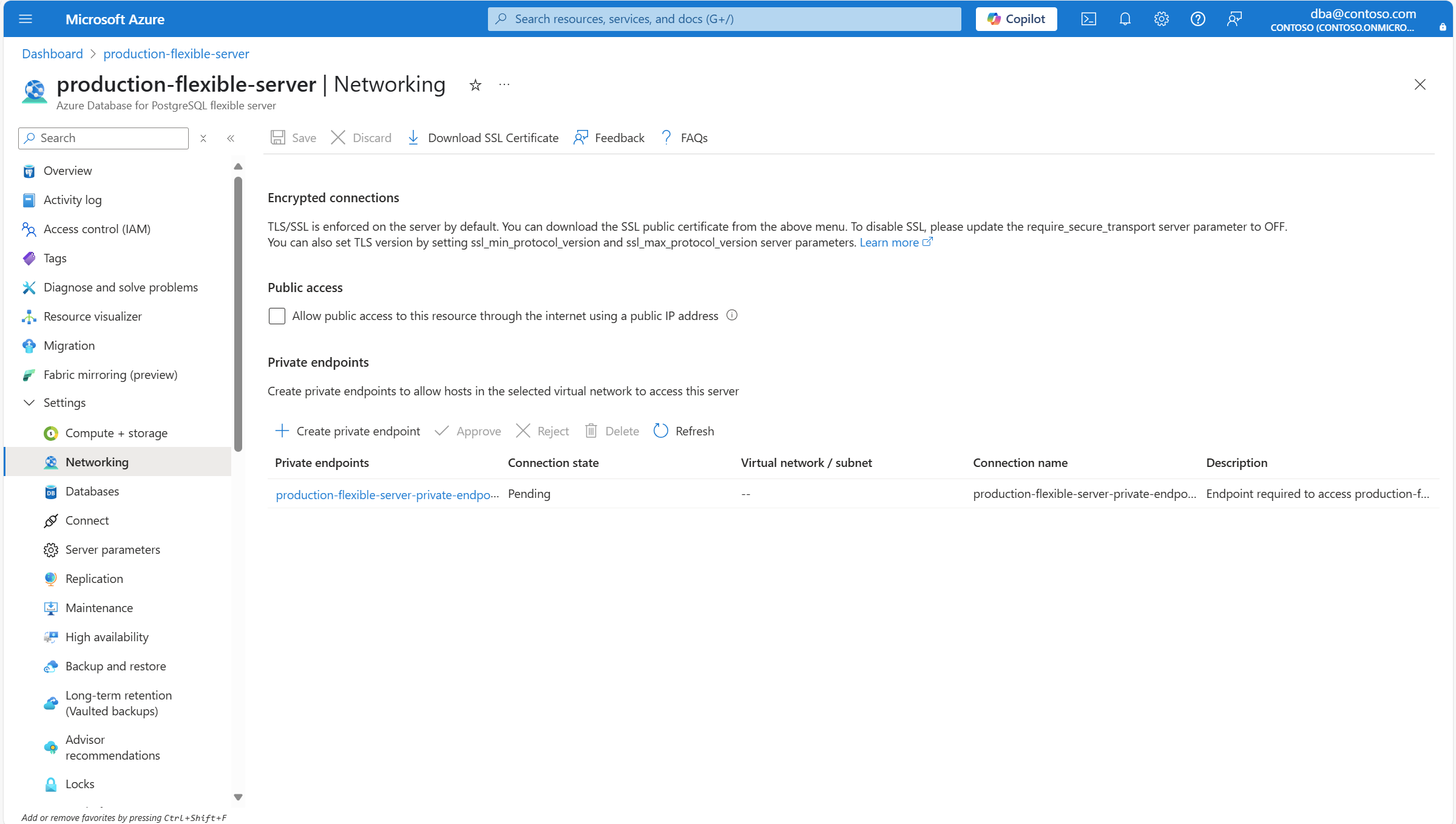
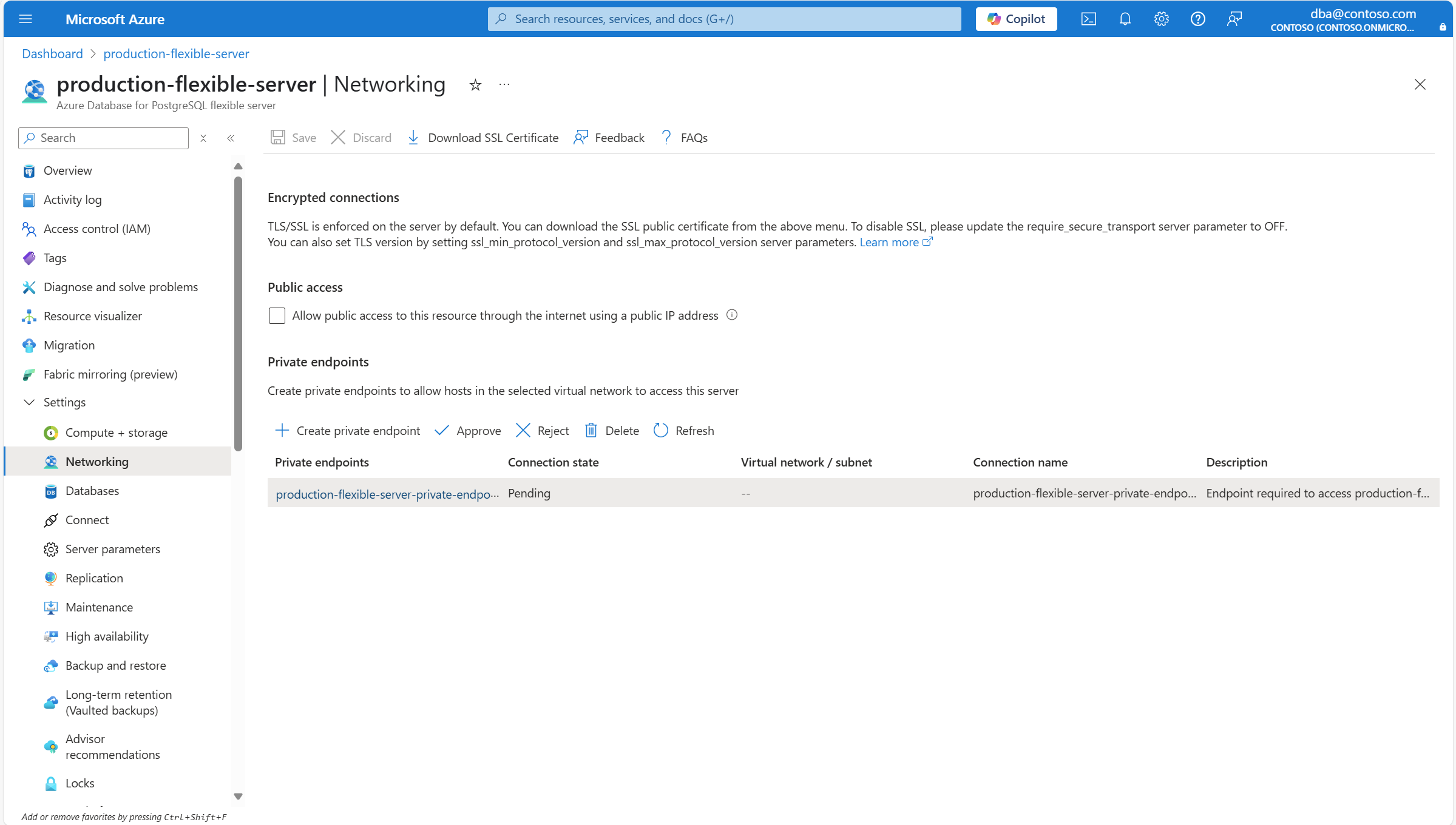
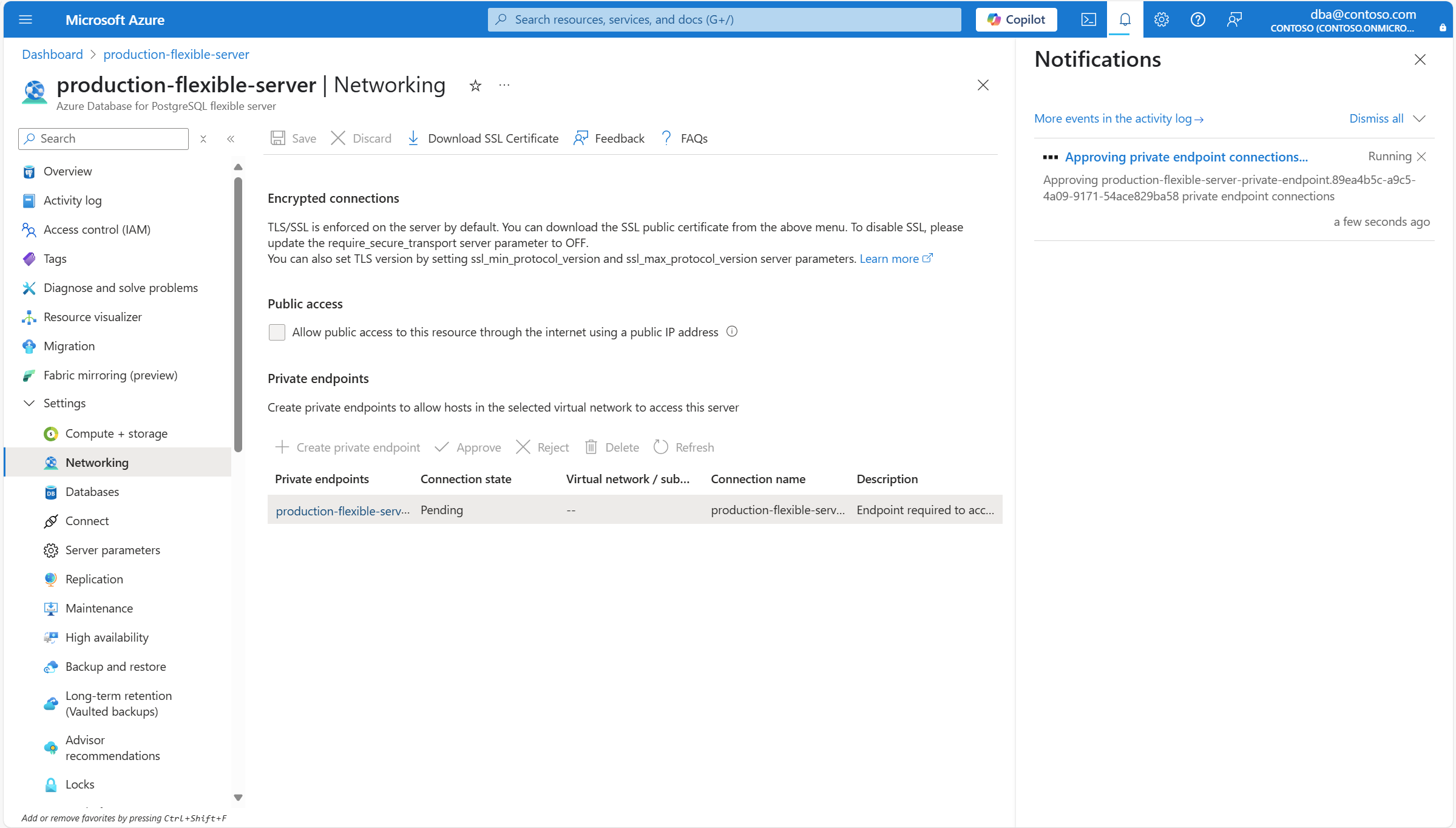
Select the private endpoint connection whose state is Pending that you want to approve. Select Approve to start the approval process for the private endpoint connection.
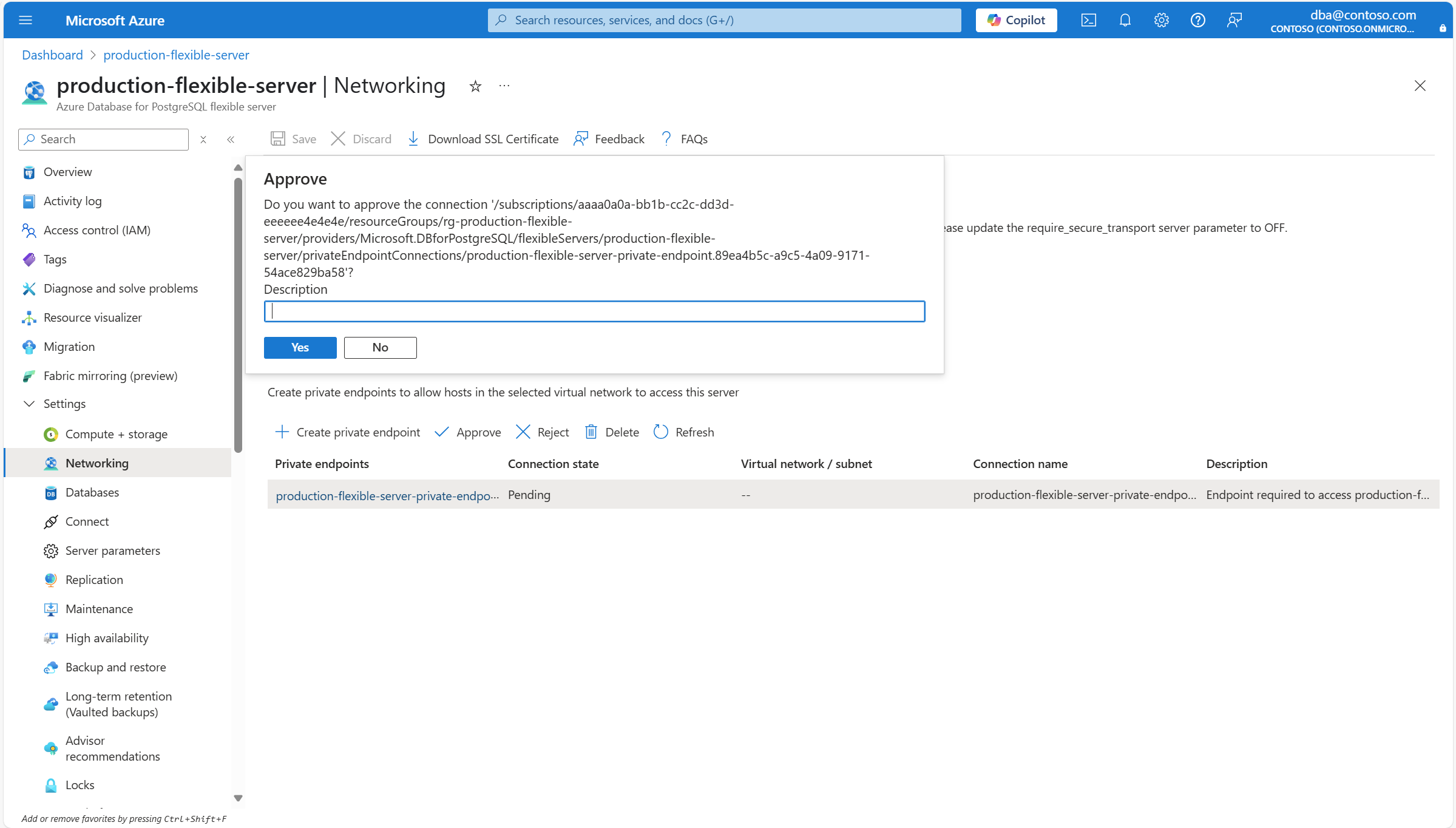
If necessary, in the Description box of the Approve dialog, type the reason why you're approving this private endpoint connection, and select Yes.
A notification informs you that the private endpoint connection is being approved.
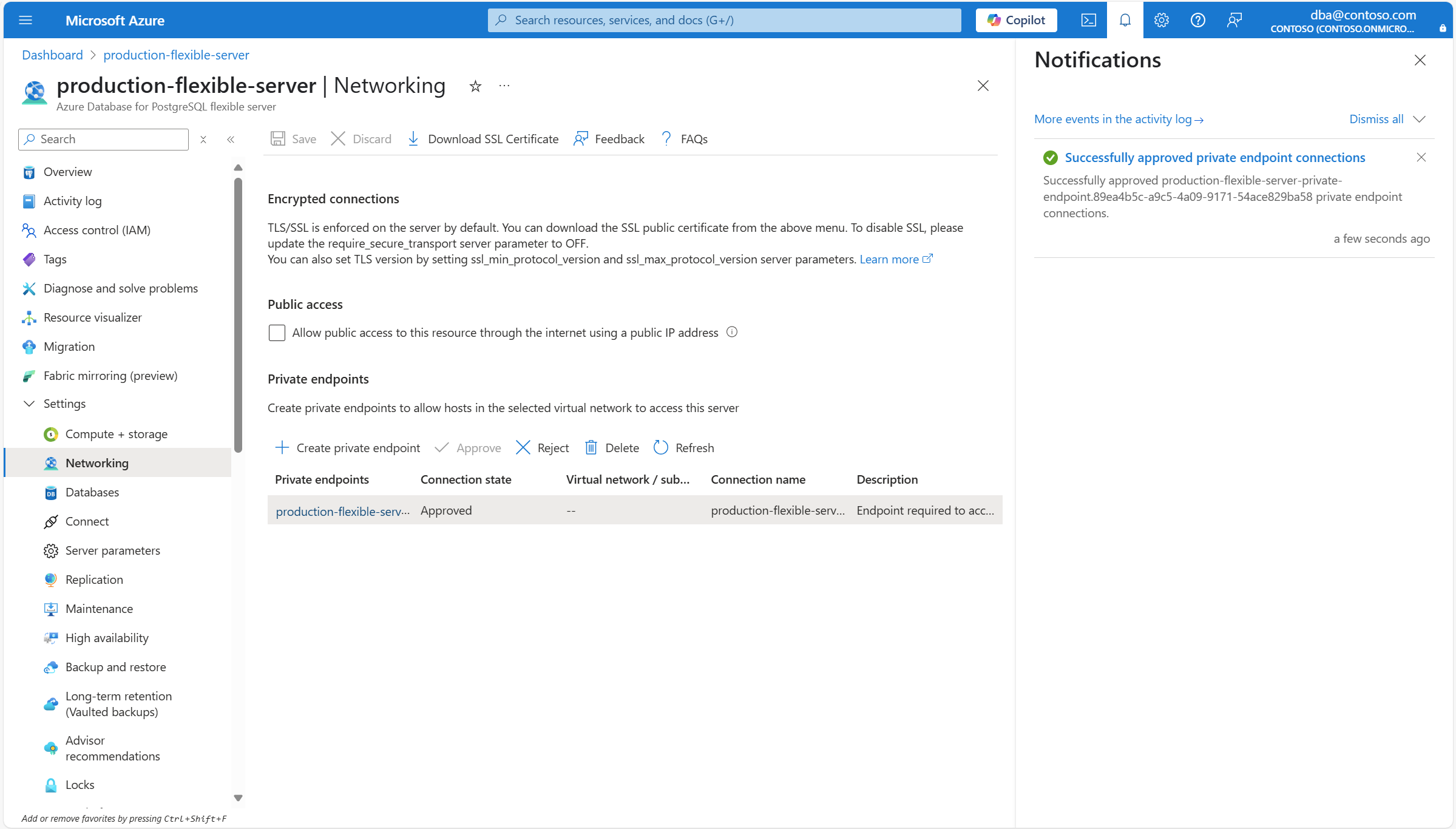
When the operation finishes, a notification informs you that the private endpoint connection was successfully approved.