重要
注意:根据世纪互联发布的公告,Azure 中国区将于2026年10月1日正式停止提供所有 Microsoft Defender for Cloud 功能。
Microsoft Defender for Cloud 的 SQL Server 计算机安全计划为托管在 Azure 和本地计算机上的 SQL Server 实例提供数据库安全保护。 随着 Microsoft 监视代理 (MMA) 于 2024 年 8 月 1 日停用,适用于计算机的 Defender for SQL Server 计划要求先满足先决条件,并在所有非 Azure SQL Server 实例上部署 Azure Arc。 有关先决条件,请参阅 SQL 先决条件Defender。
部署 Azure Arc 后,并在 更新后的代理发布后,你的 SQL Server 实例会自动迁移到更新后的代理。 若要确保 SQL 服务器受到正确保护,请安装Azure Arc。
注释
迁移到更新后的代理可能会影响你的定价。 有关计划定价的信息,请查看 Microsoft Defender for Cloud 定价。
确定哪些 SQL Server 受旧 MMA 保护
可以识别与 Defender for SQL Server on Machines 计划相关的 SQL 服务器,这些服务器在您的环境中载入了遗留 MMA,且未安装 Azure Arc。
登录到 Azure 门户。
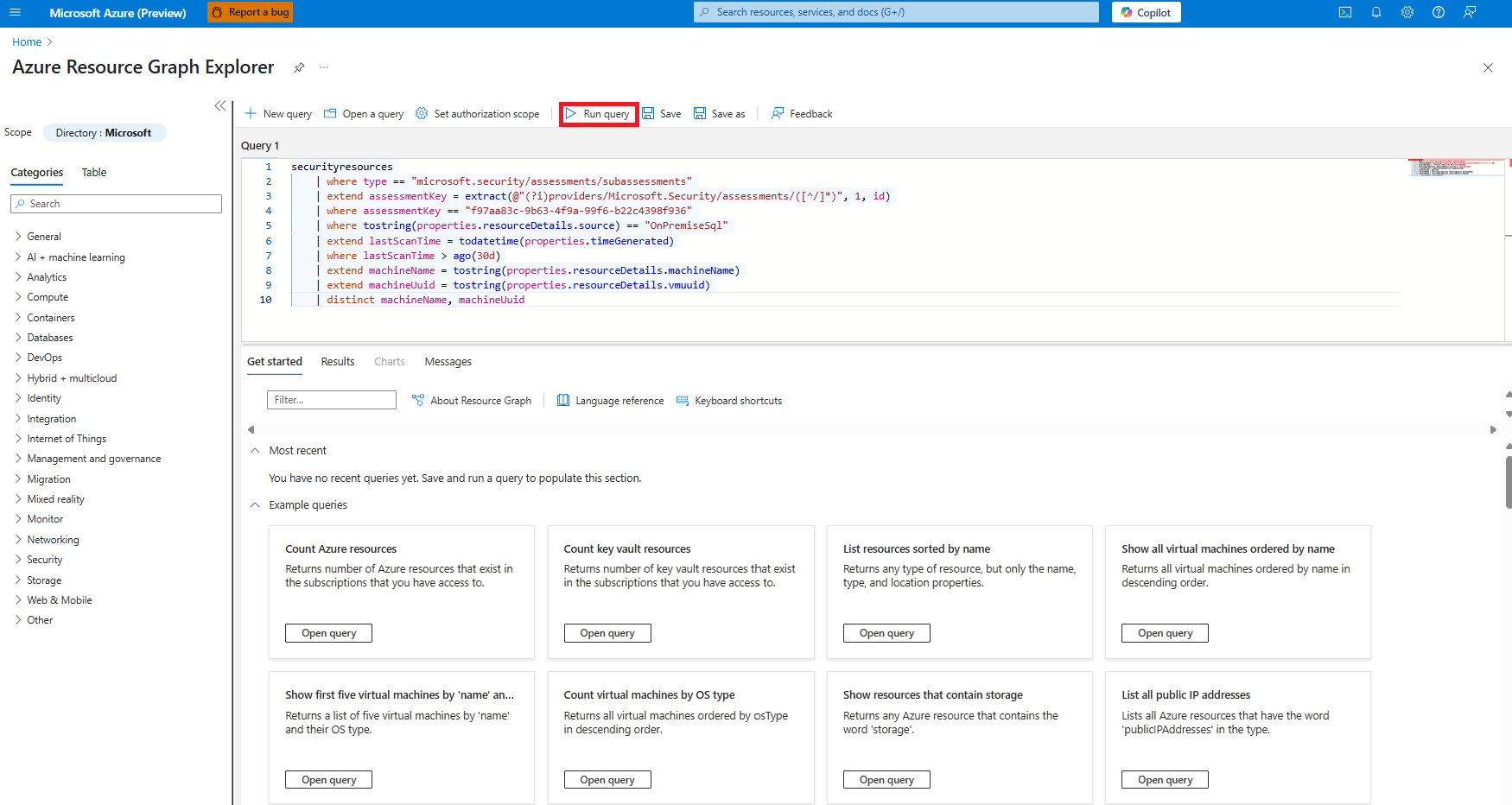
搜索并选择Azure Resource Graph Explorer。
将以下查询复制并粘贴到查询窗口中:
securityresources
| where type == "microsoft.security/assessments/subassessments"
| extend assessmentKey = extract(@"(?i)providers/Microsoft.Security/assessments/([^/]*)", 1, id)
| where assessmentKey == "f97aa83c-9b63-4f9a-99f6-b22c4398f936"
| where tostring(properties.resourceDetails.source) == "OnPremiseSql"
| extend lastScanTime = todatetime(properties.timeGenerated)
| where lastScanTime > ago(30d)
| extend machineName = tostring(properties.resourceDetails.machineName)
| extend machineUuid = tostring(properties.resourceDetails.vmuuid)
| distinct machineName, machineUuid
选择 运行查询。
对于返回的任何结果,将混合机器连接到启用 Azure Arc 的服务器。
