本文介绍如何在 Azure 数据工厂中创建脚本活动以运行自定义 PostgreSQL 查询。 使用脚本活动,可以直接在管道中执行各种类型的 PostgreSQL 命令,例如数据作语言(DML)和数据定义语言(DDL)命令。
DML 语句:INSERT、 UPDATE、 DELETE和 SELECT
DDL 语句:CREATE、 ALTER和 DROP
先决条件
- Azure Database for PostgreSQL 灵活服务器实例。 若要了解详细信息,请参阅 创建 Azure Database for PostgreSQL。
- (可选)在 托管虚拟网络中创建的 Azure 集成运行时。
- 连接到 Azure Database for PostgreSQL 的 Azure 数据工厂的链接服务。
创建脚本活动
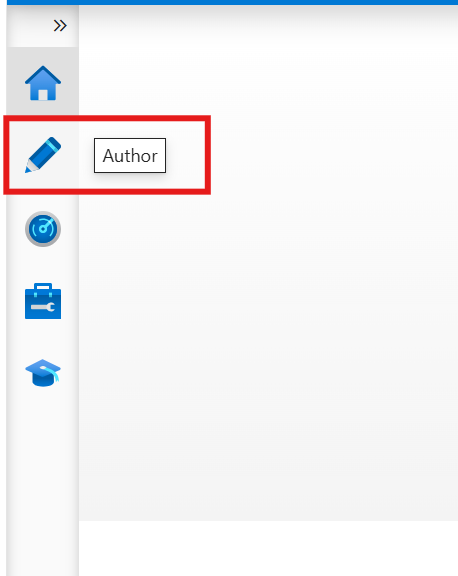
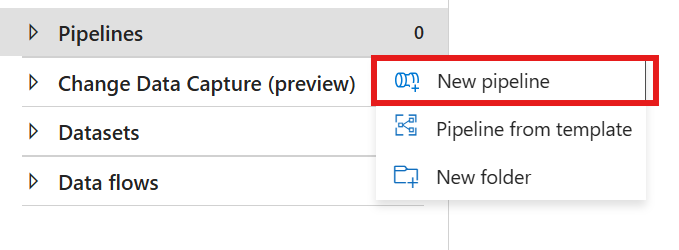
在 Azure 数据工厂工作室中,选择 作者中心。 将鼠标悬停在 “管道” 部分 ,选择左侧 的...,然后选择“ 新建管道 ”以创建新管道。
在 “常规” 下,将 脚本 活动拖放到管道中。
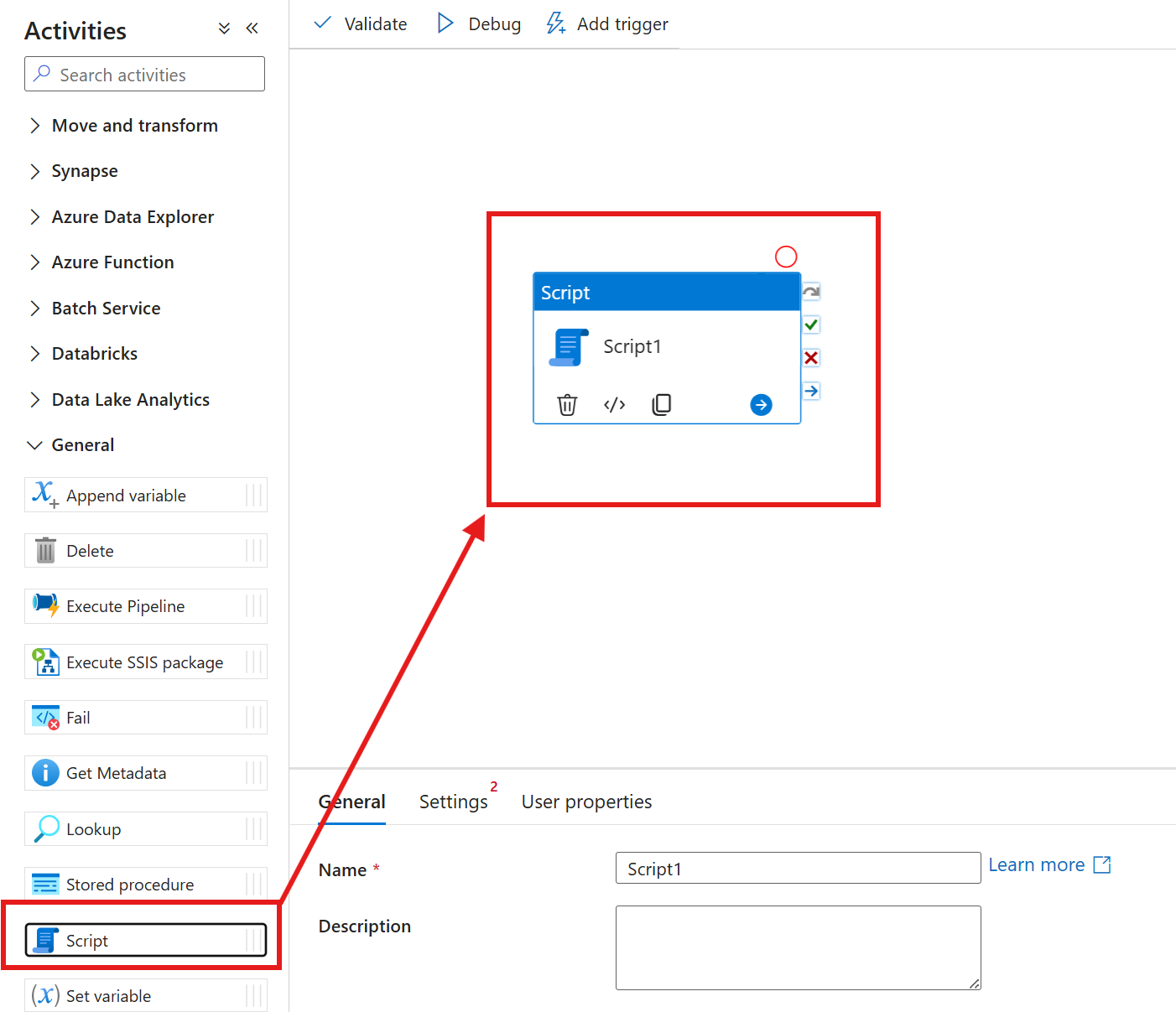
- 在“ 常规 ”选项卡上,为脚本活动命名。

切换到 “设置” 选项卡并选择 Azure Database for PostgreSQL 链接服务,或创建新的服务。 添加后,选择“ 测试连接 ”以验证连接是否有效。
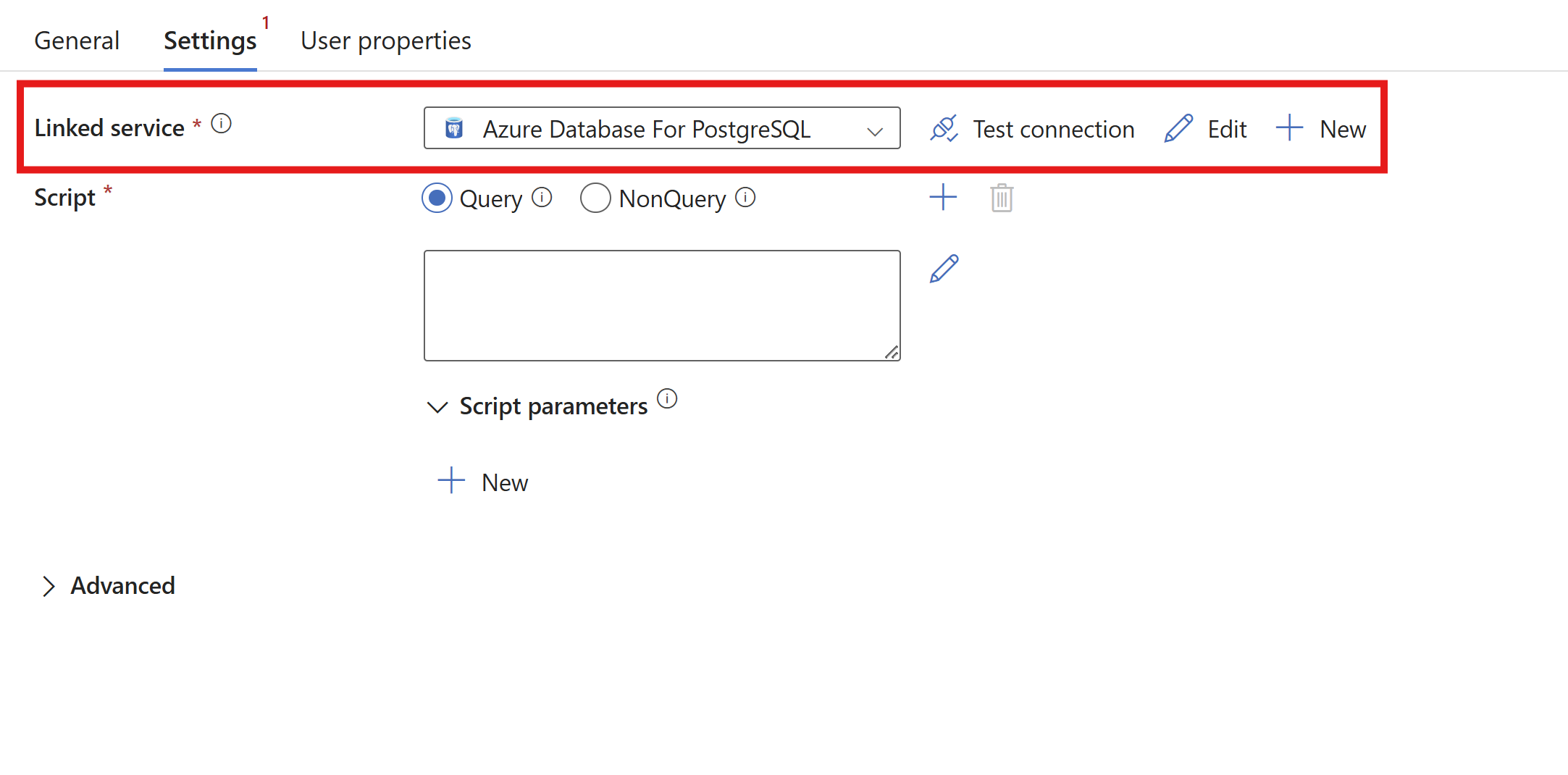
根据脚本选择 “查询 ”或 “NonQuery ”选项。
脚本活动同时支持查询语句和非查询语句。
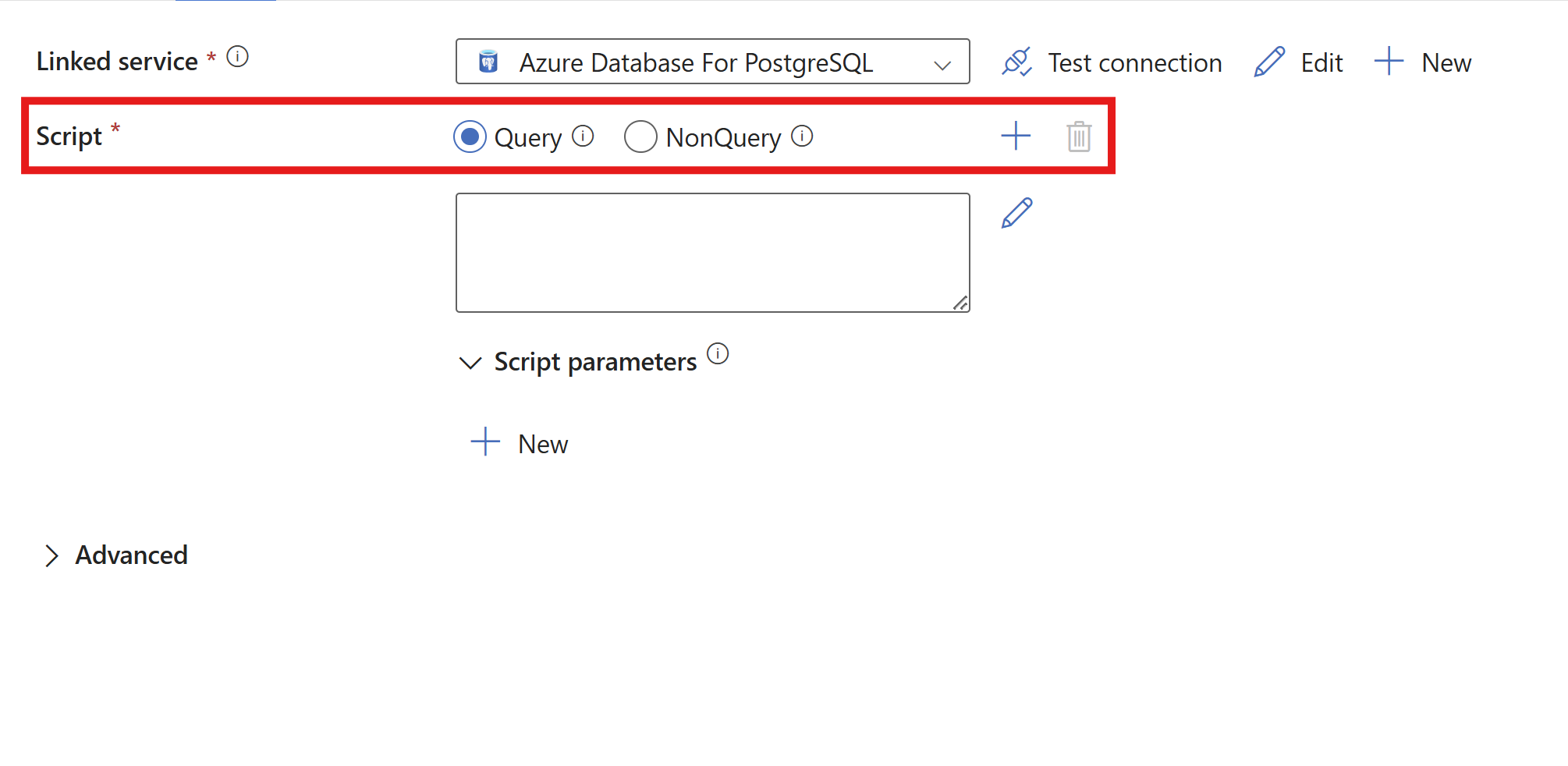
查询语句执行返回结果的 PostgreSQL 语句。 通常情况下,
SELECT表示语句。 查询语句返回记录数据。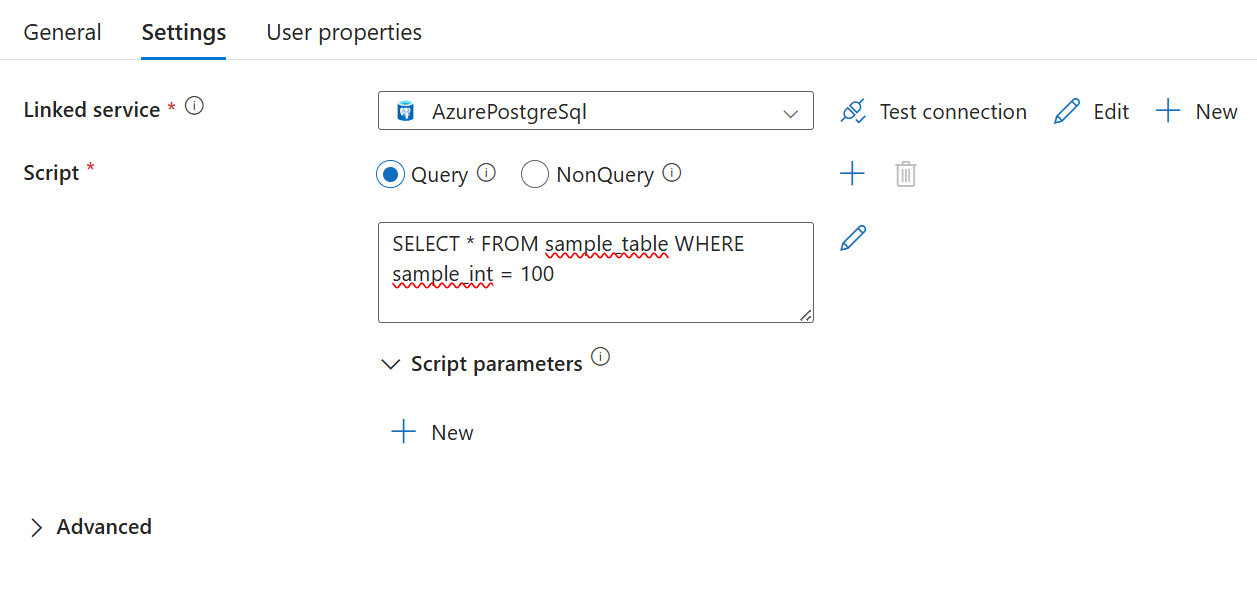
包含查询的有效负载的示例。
{
    "name": "Sample of select statement",
    "type": "Script",
    "dependsOn": [],
    "policy": {
        "timeout": "1.12:00:00",
        "retry": 0,
        "retryIntervalInSeconds": 30,
        "secureOutput": false,
        "secureInput": false
    },
    "userProperties": [],
    "linkedServiceName": {
        "referenceName": "AzurePostgreSQL",
        "type": "LinkedServiceReference"
    },
    "typeProperties": {
        "scripts": [
            {
                "type": "Query",
                "text": "SELECT * FROM sample_table WHERE sample_int = 100; "
            }
        ],
        "scriptBlockExecutionTimeout": "02:00:00"
    }
}

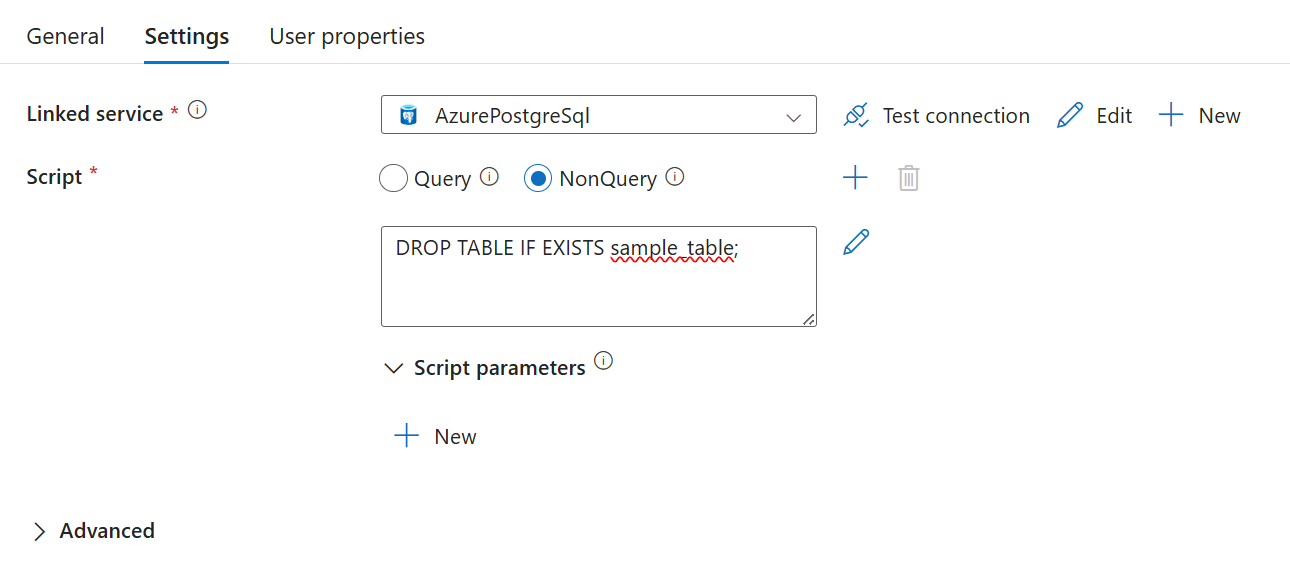
在一个脚本活动中创建多个脚本
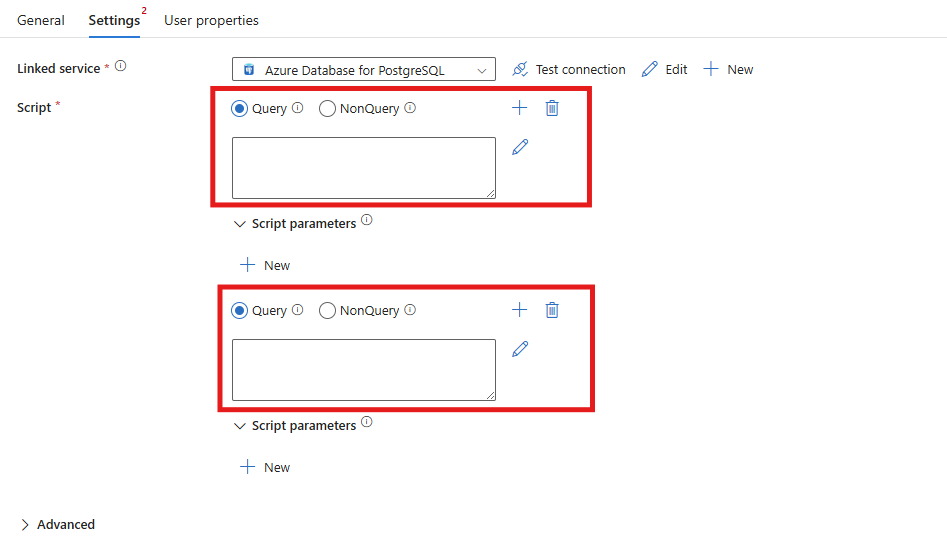
可以在一个脚本活动中,通过选择+旁边的符号,添加一个新的脚本输入,从而包含多个查询。
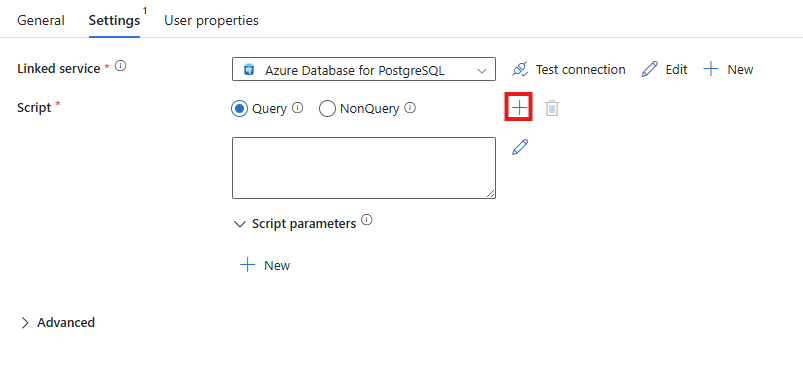
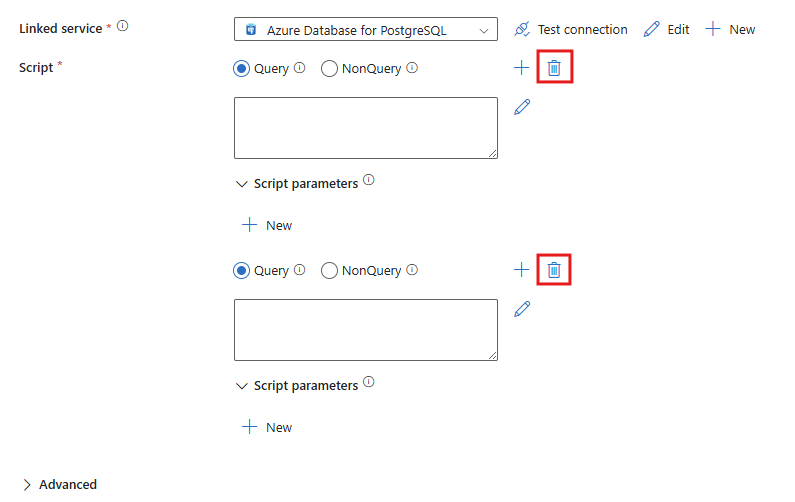
可以使用脚本旁边的删除图标删除查询输入框。
下面是包含两个单独查询的数据负载示例。
{
      "name": "Sample of multiple select statements",
      "type": "Script",
      "dependsOn": [],
      "policy": {
         "timeout": "1.12:00:00",
         "retry": 0,
         "retryIntervalInSeconds": 30,
         "secureOutput": false,
         "secureInput": false
      },
      "userProperties": [],
      "linkedServiceName": {
         "referenceName": "AzurePostgreSQL1",
         "type": "LinkedServiceReference"
      },
      "typeProperties": {
         "scripts": [
            {
                  "type": "Query",
                  "text": "SELECT * FROM sample_table WHERE sample_int = 100; "
            },
            {
                  "type": "Query",
                  "text": "SELECT * FROM sample_table WHERE sample_int > 250; "
            }
         ],
         "scriptBlockExecutionTimeout": "02:00:00"
      }
}
脚本参数
重要
不支持使用输出参数的多查询语句。 将任何输出查询拆分为相同或不同脚本活动中的单独脚本块。
脚本活动支持两种类型的脚本参数:位置参数和命名参数。 命名参数使用参数的名称,并在查询中指定 @<name> 。 位置参数使用参数的索引,并按照顺序在查询中指定,起始索引为 1 的是 $<position number>。
命名参数(建议)
命名参数使用 @ 参数名称的前缀。
通过将值设置为 null,在 UI 中选中“ 被视为 null ”框,并将有效负载留空或为 null,从而将命名参数设置为输出参数。 文本中的值应为 null。

输出过程中设置的名称是在 resultSets 数据输出中使用的名称。 UI 输出行中设置的名称用于 outputParameters 的名称。
UI 执行的示例结果
"resultSetCount": 1,
"recordsAffected": 0,
"resultSets": [
   {
      "rowCount": 1,
      "rows": [
         {
            "output1": 10,
            "output2": "\"Hello World\""
         }
      ]
   }
],
"outputParameters": {
   "output10": 10,
   "output20": "\"Hello World\""
}
输出参数的载荷示例。
"scripts": [
  {
    "text": "CREATE OR REPLACE PROCEDURE swap_proc (input1 IN TEXT, input2 IN BIGINT, output1 OUT BIGINT, output2 OUT TEXT) LANGUAGE plpgsql AS $$ DECLARE BEGIN output2 := input1; output1 := input2; END $$",
    "type": "NonQuery"
  },
  {
    "text": "CALL swap_proc(@input1, @input2, null, null)",
    "type": "Query",
    "parameters": [
      {
        "name": "input1",
        "type": "String",
        "value": "Hello world",
        "direction": "Input",
        "size": 100
      },
      {
        "name": "input2",
        "type": "INT32",
        "value": 1234,
        "direction": "Input"
      },
      {
        "name": "output1",
        "type": "INT32",
        "direction": "Output"
      },
      {
        "name": "output2",
        "type": "String",
        "direction": "Output",
        "size": 100
      }
    ]
  }
]
位置参数
重要
不支持使用位置参数的多查询语句。 确保具有位置参数的任何查询都位于相同或不同的脚本活动的单独脚本块中。
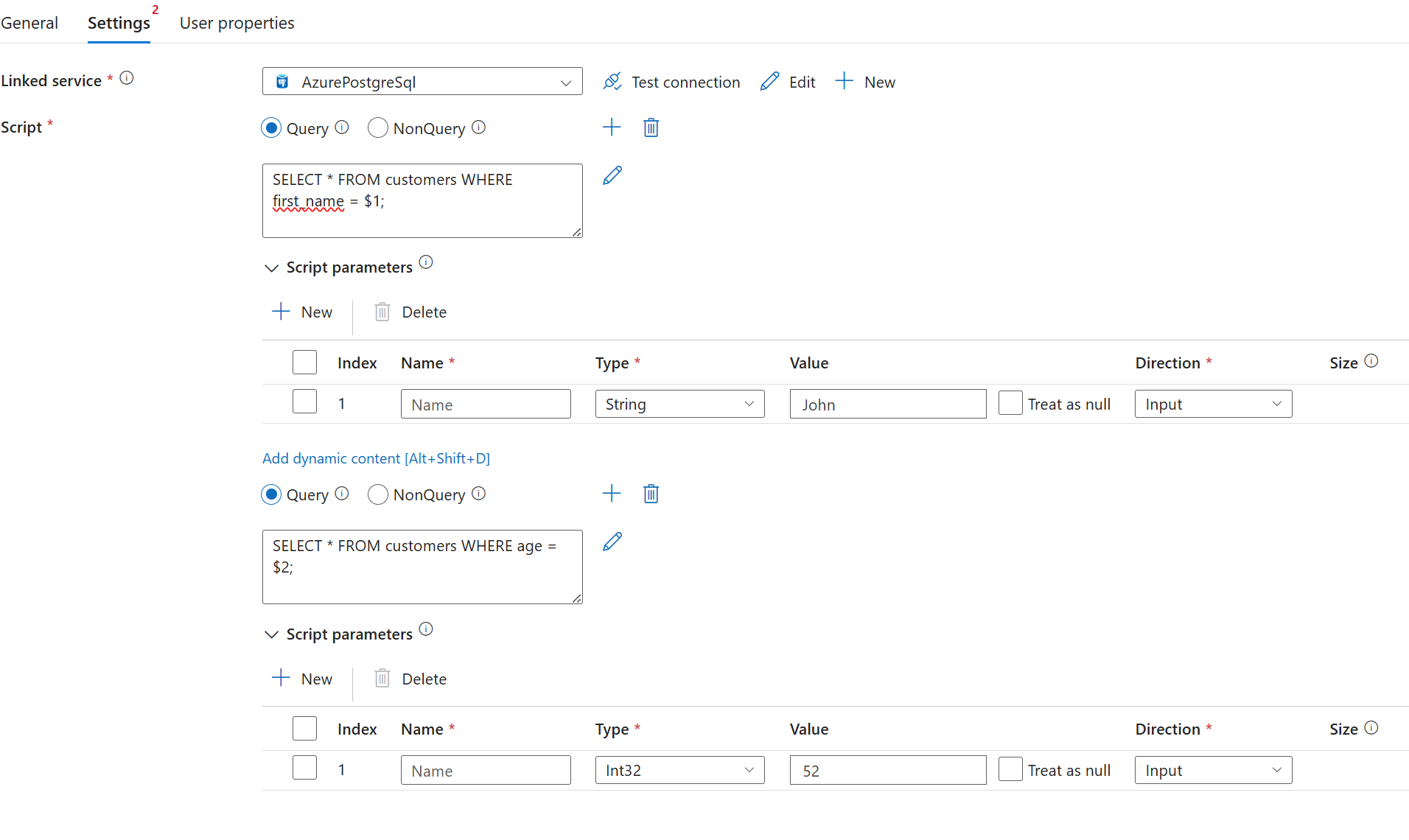
若要使用位置参数,请在查询中使用占位符 $<positional number> 。 在参数下, name 字段必须在 UI 中留空,并在有效负载中指定 null 。
"scripts": [
   {
      "text": "SELECT * FROM customers WHERE first_name = $1 AND age = $2;",
      "type": "Query",
      "parameters": [
        {
          "name": null,
          "type": "String",
          "value": "John",
          "direction": "Input",
          "size": 256
        },
        {
          "name": null,
          "type": "INT32",
          "value": 52,
          "direction": "Input"
        }
      ]
   }
]
有效位置参数示例
"scripts": [
   {
      "text": "SELECT * FROM customers WHERE first_name = $1;",
      "type": "Query",
      "parameters": [
        {
          "name": null,
          "type": "String",
          "value": "John",
          "direction": "Input",
          "size": 256
        }
      ]
   },
   {
      "text": "SELECT * FROM customers WHERE age = $2;",
      "type": "Query",
      "parameters": [
        {
          "name": null,
          "type": "INT32",
          "value": 52,
          "direction": "Input"
        }
      ]
   }
]
无效位置参数的示例
"scripts": [
   {
      "text": "SELECT * FROM customers WHERE first_name = $1; SELECT * FROM customers WHERE age = $2;",
      "type": "Query",
      "parameters": [
        {
          "name": null,
          "type": "String",
          "value": "John",
          "direction": "Input",
          "size": 256
        },
        {
          "name": null,
          "type": "INT32",
          "value": 52,
          "direction": "Input"
        }
      ]
   }
]
高级设置
使用 Azure 数据工厂的 PostgreSQL 脚本活动中的高级设置可以微调数据工作流的执行和日志记录选项。 可以设置脚本块超时,以阻止长时间运行的查询影响管道可靠性,并启用详细的日志记录来跟踪 PostgreSQL 通知和活动输出。 这些功能帮助保持数据操作的稳定性,并让你在 Azure 中的管道执行方面获得更多可见性。
脚本块执行超时
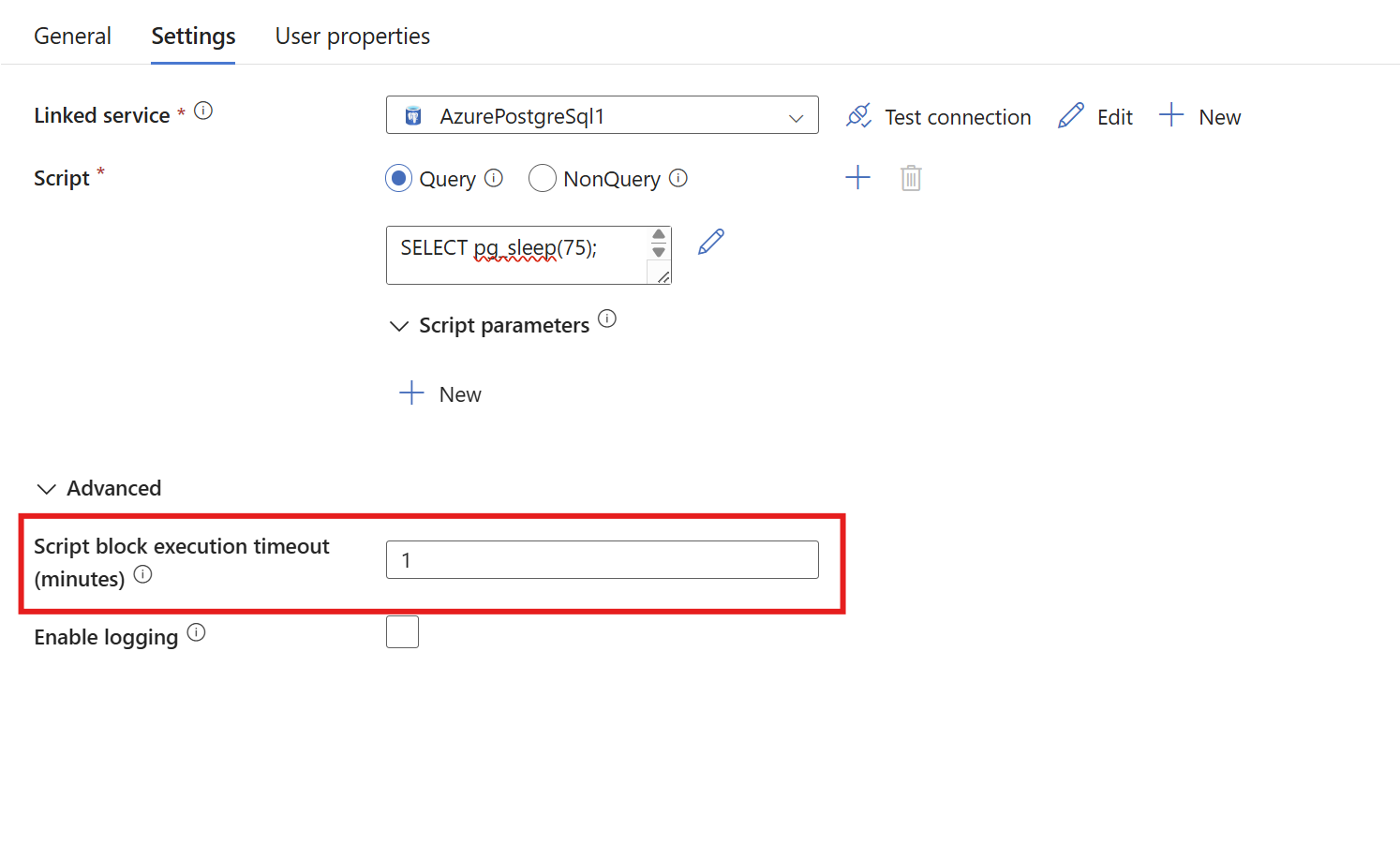
为每个脚本块运行设置超时(以分钟为单位)。 如果脚本活动中的任何脚本块超过了设定的超时时间,整个活动将失败。
   "typeProperties": {
      "scripts": [
         {
               "type": "Query",
               "text": "SELECT pg_sleep(40);"
         },
         {
               "type": "Query",
               "text": "SELECT pg_sleep(40);"
         },
         {
               "type": "Query",
               "text": "SELECT pg_sleep(40);"
         }
      ],
      "scriptBlockExecutionTimeout": "00:01:00"
   }
伐木业
使用日志记录将 PostgreSQL 通知发送到外部 Blob 存储或内部存储。
外部存储
对于外部日志记录,请打开“ 高级 ”选项卡,然后选择“ 启用日志记录 ”和 “外部存储”。 通过为 Blob 存储账户创建新的链接服务来添加 Blob 存储账户。 可以选择输入文件夹路径。 如果将其留空,日志将转到 scriptactivity-logs 文件夹下。

"typeProperties": {
   "scripts": [
      {
         "type": "Query",
         "text": "DO $$ BEGIN RAISE Notice 'Hello'; RAISE Notice 'World!'; END $$;"
      }
   ],
   "scriptBlockExecutionTimeout": "02:00:00",
   "logSettings": {
      "logDestination": "ExternalStore",
      "logLocationSettings": {
         "linkedServiceName": {
            "referenceName": "<Azure Blob Storage linked service name>",
            "type": "LinkedServiceReference"
         },
         "path": "<Azure Blob Storage folder path>"
      }
   }
}
活动输出
对于活动输出日志记录,展开“ 高级 ”部分,然后选择“ 启用日志记录 ”和活动 输出。 这些选项在活动输出中启用日志记录。
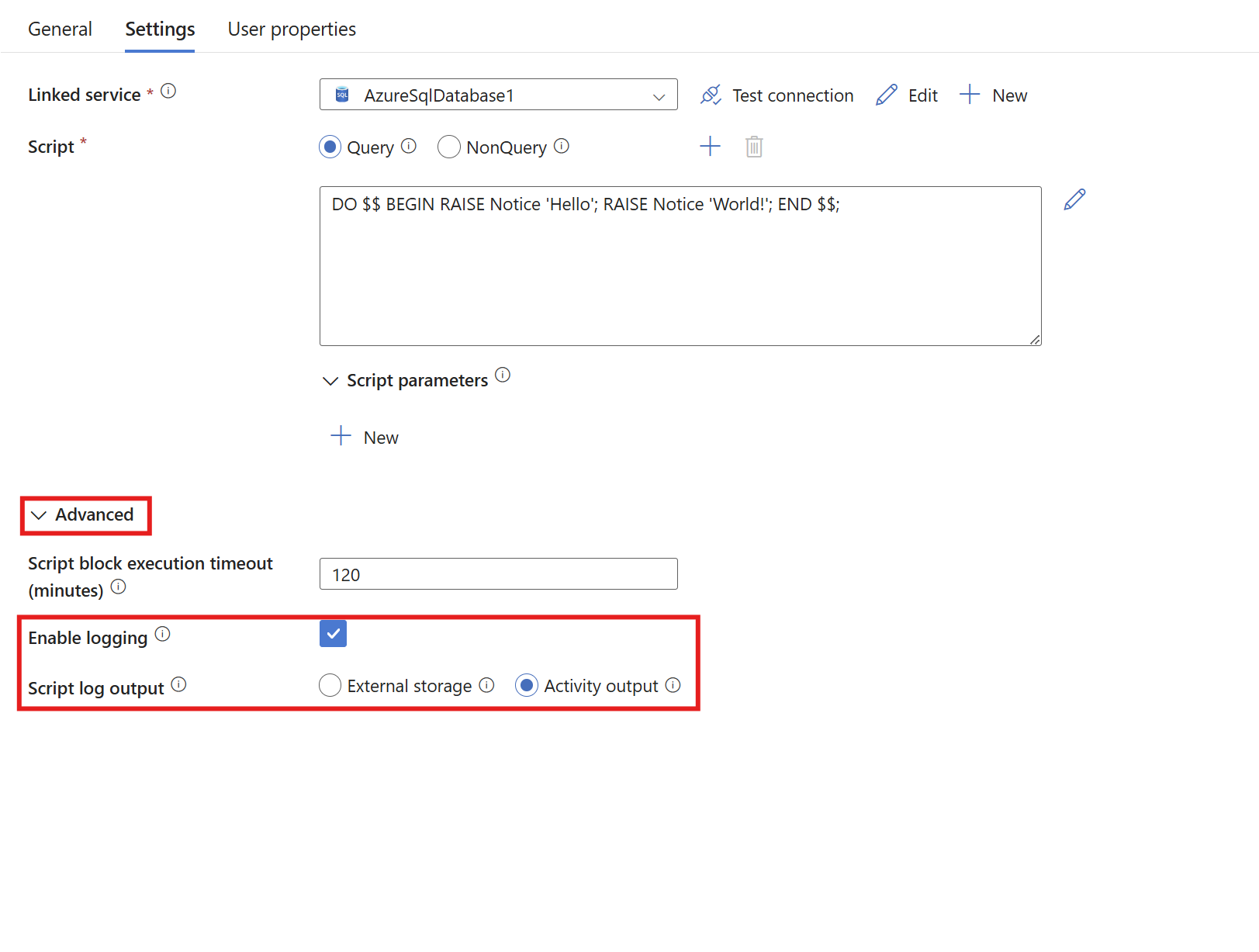
"typeProperties": {
   "scripts": [
      {
         "type": "Query",
         "text": "DO $$ BEGIN RAISE Notice 'Hello'; RAISE Notice 'World!'; END $$;"
      }
   ],
   "scriptBlockExecutionTimeout": "02:00:00",
   "logSettings": {
      "logDestination": "ActivityOutput"
   }
}