Note
Access to this page requires authorization. You can try signing in or changing directories.
Access to this page requires authorization. You can try changing directories.
This article provides an overview of AKS desktop: an application-focused developer portal for Azure Kubernetes Service (AKS) that simplifies application deployment and management without requiring deep Kubernetes expertise. AKS desktop is built on supported AKS features, best practices, and open-source Headlamp.
To install AKS desktop, see the AKS desktop GitHub repository.
Important
AKS desktop abstracts Kubernetes complexity but doesn't remove access. You can still use kubectl, YAML, or other existing tools alongside AKS desktop.
What is AKS desktop?
Kubernetes workflows often require writing and maintaining YAML, switching between tools (kubectl, dashboards, monitoring), and an understanding of low-level infrastructure concepts.
AKS desktop simplifies this process using Projects, which group everything your application needs into a single, manageable unit, and provides guided workflows for deploying, monitoring, scaling, and troubleshooting applications.
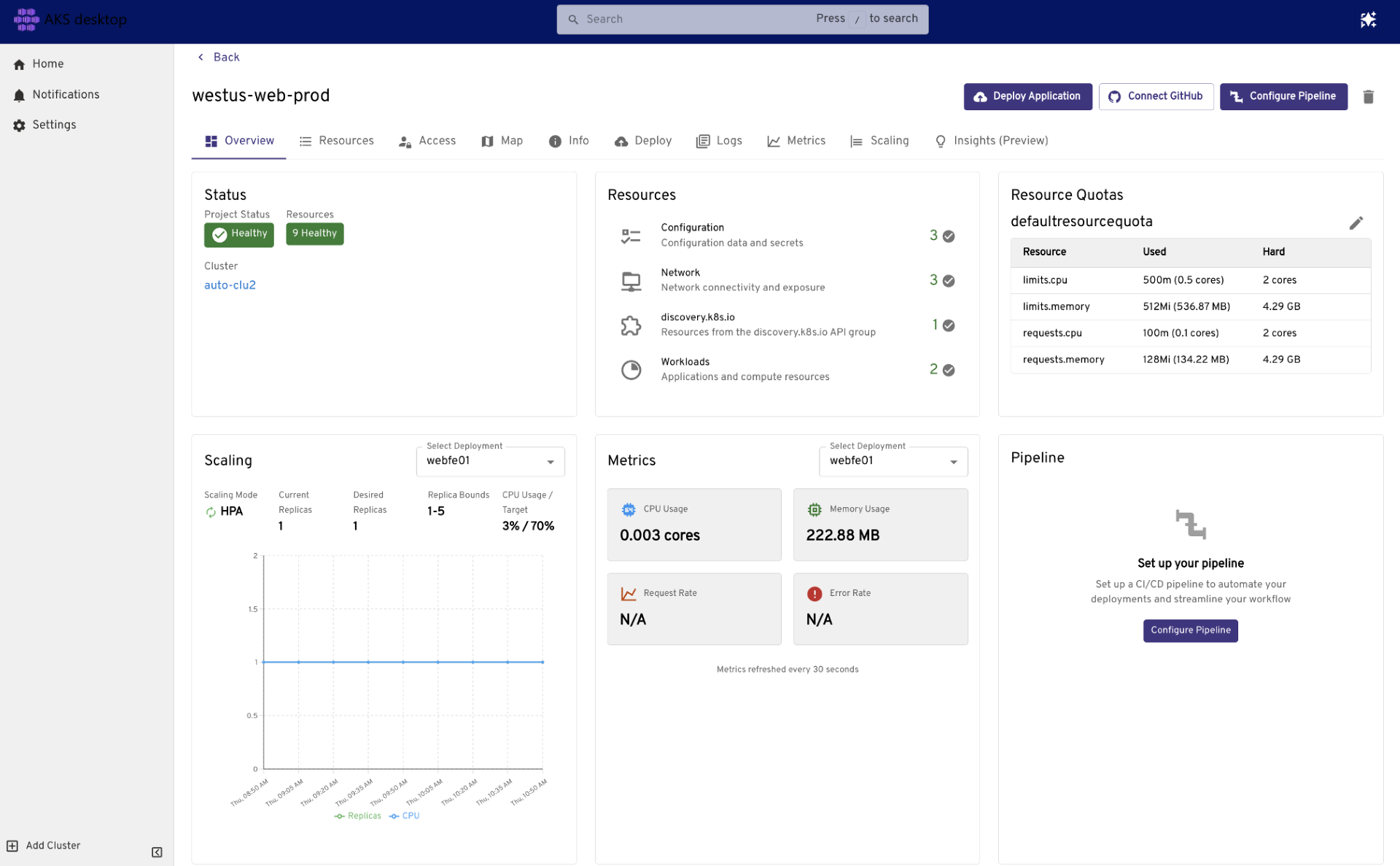
AKS desktop works within your existing environment and tools, including Visual Studio Code, GitHub, and CI/CD pipelines. It connects to your existing AKS clusters and supports multi-environment scenarios across dev, test, staging, and production, including Azure hybrid and edge deployments.
Key capabilities of AKS desktop
The following table summarizes the key capabilities of AKS desktop that help development teams deploy and manage applications on AKS without deep Kubernetes expertise:
| Capability | Description |
|---|---|
| Application-centric management | Focus on applications instead of individual Kubernetes resources. Projects group deployments, services, and config into a single unit. |
| Guided workflows | Deploy, scale, and update applications without writing Kubernetes manifests. |
| Unified observability | View logs, metrics, health status, and dependency maps in one place. |
| Multi-cluster & multi-environment support | Manage applications across dev, test, staging, and production on Azure, hybrid, and edge clusters. |
| Role-based access control | Delegate access at the Project level using Azure RBAC. |
| Existing tool integration | Integrates with Visual Studio Code, GitHub, CI/CD pipelines, and the terminal. Existing kubectl and YAML workflows remain available. |
| Built on AKS best practices | Built on supported AKS features including AKS Deployment Safeguards, Managed Prometheus, and Entra ID authentication. |
Who is AKS desktop for?
AKS desktop is designed for development teams who want to deploy and manage applications on AKS without needing deep Kubernetes expertise. This includes:
- DevOps and platform engineers who want to:
- Provide a simplified interface for developers to manage applications and their resources.
- Delegate access using guardrails and RBAC.
- Manage multiple clusters and applications with a consistent experience.
- Application developers who want to:
- Deploy and update applications without writing Kubernetes manifests.
- Debug issues using logs, metrics, live tracing, and visualizations.
- Observe, scale, and monitor applications in real time.
Projects in AKS desktop
Projects are the primary units for managing applications in AKS desktop. Projects group related Kubernetes resources, such as deployments, services, and configuration, into a single logical unit. For more information on Projects, see Overview of Projects in AKS desktop.
Frequently asked questions (FAQ)
I'm already using Headlamp. How is AKS desktop different?
AKS desktop is built on Headlamp but includes additional features, integrations, and support specifically for AKS. AKS desktop provides a more opinionated and streamlined experience for deploying and managing applications on AKS, with features like Projects, guided workflows, unified observability, and natural language troubleshooting.
Can I manage existing applications with AKS desktop?
Yes, you can import them into AKS desktop. For more information, see Namespace labeling and access for Projects in AKS desktop.
Can I view all the deployed resources outside of AKS desktop?
Yes. Once you deploy your application, you can view it using other Kubernetes tools.
Does AKS desktop support Standard AKS clusters?
AKS desktop supports Standard AKS clusters that meet specific requirements. For more information, see AKS Standard clusters for AKS desktop.
Related content
Get started with AKS desktop using the following resources: