Note
Access to this page requires authorization. You can try signing in or changing directories.
Access to this page requires authorization. You can try changing directories.
Applies to: ✔️ Fleet Manager with hub cluster
Azure Kubernetes Fleet Manager intelligent resource placement can be used to deploy the same resource to multiple clusters across a fleet. Often there's a need to modify the resource configuration to enforce rules around behavior in different environments (dev, test, prod). For this purpose, Fleet Manager provides resource overrides, which provide a capability that is conceptually similar to how Helm templates and Kustomize patches are used.
Examples of situations where modifying a resource configuration is useful include:
- I want to use a
ClusterRolenamedsecret-readeron all clusters, but have a smaller set of allowed actions for the role on my production clusters. - I want to use the same
Deploymenton all clusters, but use a different container image or port on my production clusters.
This article shows you how to create overrides for resources deployed by Fleet Manager resource placement.
Azure Kubernetes Fleet Manager supports two scopes for overrides:
- Cluster-scoped: Use
ClusterResourceOverridewithClusterResourcePlacementfor fleet administrators managing infrastructure-level changes. - Namespace-scoped: Use
ResourceOverridewithResourcePlacementfor application teams managing rollouts within their specific namespaces.
You can select the scope most applicable to you from the scope type choices at the top of the article.
Cluster-scoped resource overrides
A ClusterResourceOverride has the following properties:
clusterResourceSelectors: Specifies the set of cluster resources selected for overriding.policy: Specifies the set of rules to apply to the selected cluster resources.
Note
Policy definitions are the same for both cluster and namespace-scoped resources.
Let's use the following example ClusterRole named secret-reader to demonstrate how ClusterResourceOverride works.
apiVersion: rbac.authorization.k8s.io/v1
kind: ClusterRole
metadata:
  name: secret-reader
rules:
- apiGroups: [""]
  resources: ["secrets"]
  verbs: ["get", "watch", "list"]
Selecting cluster resources
A ClusterResourceOverride can include one or more clusterResourceSelector to choose which resources to override. Each clusterResourceSelector supports the following fields.
group: The API group of the resource.version: The API version of the resource.kind: The kind of the resource.name: The name of the resource.
Note
If you select a namespace in ClusterResourceSelector, the override applies to all resources in the namespace.
Using our example ClusterRole, let's see how we select it in a ClusterResourceOverride.
apiVersion: placement.kubernetes-fleet.io/v1
kind: ClusterResourceOverride
metadata:
  name: example-cro
spec:
  clusterResourceSelectors:
    - group: rbac.authorization.k8s.io
      kind: ClusterRole
      version: v1
      name: secret-reader
Namespace-scoped resource overrides (preview)
A ResourceOverride has the following properties:
resourceSelectors: Specifies the set of resources selected for overriding.policy: Specifies the set of rules to apply to the selected resources.
Note
Policy definitions are the same for both cluster and namespace-scoped resources.
Let's use the following example Deployment named nginx-sample to demonstrate how ResourceOverride works.
apiVersion: apps/v1
kind: Deployment
metadata:
  name: nginx-sample
  namespace: nginx-demo
spec:
  replicas: 2
  selector:
    matchLabels:
      app: nginx
  template:
    metadata:
      labels:
        app: nginx
    spec:
      containers:
        - name: nginx
          image: nginx:1.25
          ports:
            - containerPort: 80
Selecting namespace resources
A ResourceOverride can include one or more resourceSelector to choose which resources to override. Each resourceSelector supports the following fields.
group: The API group of the resource.version: The API version of the resource.kind: The kind of the resource.name: The name of the resource.
The namespace of the resource to override is determined by specifying the namespace set in the metadata of the ResourceOverride.
Using our example Deployment, let's see how we select it in a ResourceOverride.
apiVersion: placement.kubernetes-fleet.io/v1
kind: ResourceOverride
metadata:
  name: example-resource-override
  namespace: nginx-demo
spec:
  resourceSelectors:
    -  group: apps
       kind: Deployment
       version: v1
       name: nginx-sample
Important
- If you select a namespace in
resourceSelector(kind: Namespace), the override applies to all resources in the namespace. - The
ResourceOverrideneeds to be in the same namespace as the resource to override.
Now we have the resource selected. Let's look at how we configure the override using a policy.
Policy
A policy consists of a set of overrideRules that specify the changes to apply to the selected resources. Each overrideRules supports the following fields:
clusterSelector: Specifies the set of clusters to which the override rule applies.jsonPatchOverrides: Specifies the changes to apply to the selected resources.
Cluster selector
You can use the clusterSelector field in the overrideRules to specify the clusters to which the rule applies. The clusterSelector supports the following field:
clusterSelectorTerms: A list of terms that specify the criteria for selecting clusters. Each term includes alabelSelectorfield that defines a set of labels to match.
Important
Only labelSelector is supported in the clusterSelectorTerms field.
JSON patch overrides
You can use jsonPatchOverrides in overrideRules to specify the changes to apply to the selected resources. The JsonPatch property supports the following fields:
op: The operation to perform. Supported operations include:add: Adds a new value to the specified path.remove: Removes the value at the specified path.replace: Replaces the value at the specified path.
path: The path to the field to modify. Guidance on specifying paths includes:- Must start with a slash (
/) character. - Can't be empty or contain an empty string.
- Can't be a
TypeMetafield (/kindor/apiVersion). - Can't be a
Metadatafield (/metadata/nameor/metadata/namespace), except the fields/metadata/labelsand/metadata/annotations. - Can't be any field in the status of the resource.
Examples of valid paths include:
/metadata/labels/new-label/metadata/annotations/new-annotation/spec/template/spec/containers/0/resources/limits/cpu/spec/template/spec/containers/0/resources/requests/memory
- Must start with a slash (
value: The value to add, remove, or replace. Ifopisremove, you can't specifyvalue.
The jsonPatchOverrides fields apply a JSON patch on the selected resources by following RFC 6902.
Extending our example, we configure a policy to remove the list verb from the ClusterRole named secret-reader on clusters labeled with env:prod.
apiVersion: placement.kubernetes-fleet.io/v1
kind: ClusterResourceOverride
metadata:
  name: example-cro
spec:
  clusterResourceSelectors:
    - group: rbac.authorization.k8s.io
      kind: ClusterRole
      version: v1
      name: secret-reader
  policy:
    overrideRules:
      - clusterSelector:
          clusterSelectorTerms:
            - labelSelector:
                matchLabels:
                  env: prod
        jsonPatchOverrides:
          - op: remove
            path: /rules/0/verbs/2
Extending our example, we configure a policy to replace the container image in the Deployment with the nginx:1.30.0 image for clusters with the env: prod label.
apiVersion: placement.kubernetes-fleet.io/v1
kind: ResourceOverride
metadata:
  name: example-resource-override
  namespace: test-namespace
spec:
  resourceSelectors:
    -  group: apps
       kind: Deployment
       version: v1
       name: test-nginx
  policy:
    overrideRules:
      - clusterSelector:
          clusterSelectorTerms:
            - labelSelector:
                matchLabels:
                  env: prod
        jsonPatchOverrides:
          - op: replace
            path: /spec/template/spec/containers/0/image
            value: "nginx:1.30.0"
Define multiple overrides
You can add multiple jsonPatchOverrides fields to overrideRules to apply multiple changes to selected cluster resources. Here's an example:
This example removes the verbs "list" and "watch" in our sample ClusterRole named secret-reader on clusters with the label env: prod.
apiVersion: placement.kubernetes-fleet.io/v1
kind: ClusterResourceOverride
metadata:
  name: cro-1
spec:
  clusterResourceSelectors:
    - group: rbac.authorization.k8s.io
      kind: ClusterRole
      version: v1
      name: secret-reader
  policy:
    overrideRules:
      - clusterSelector:
          clusterSelectorTerms:
            - labelSelector:
                matchLabels:
                  env: prod
        jsonPatchOverrides:
          - op: remove
            path: /rules/0/verbs/2
          - op: remove
            path: /rules/0/verbs/1
This example replaces both the container image and port in the Deployment with 443 for clusters with the env: prod label.
apiVersion: placement.kubernetes-fleet.io/v1
kind: ResourceOverride
metadata:
  name: example-resource-override
  namespace: test-namespace
spec:
  resourceSelectors:
    -  group: apps
       kind: Deployment
       version: v1
       name: test-nginx
  policy:
    overrideRules:
      - clusterSelector:
          clusterSelectorTerms:
            - labelSelector:
                matchLabels:
                  env: prod
        jsonPatchOverrides:
          - op: replace
            path: /spec/template/spec/containers/0/image
            value: "nginx:1.30.0"
          - op: replace
            path: /spec/template/spec/containers/0/ports/0/containerPort
            value: "443"
Reserved Variables in the JSON Patch Override Value
Reserved variables are replaced at placement by the value of the JSON patch override rule. Currently supported reserved variables:
${MEMBER-CLUSTER-NAME}: replaced by the name of thememberCluster.
For example, to create an Azure DNS hostname that contains the name of the cluster the example ResourceOverride adds a value of fleet-clustername-chinanorth3 on clusters in the eastus Azure region.
apiVersion: placement.kubernetes-fleet.io/v1
kind: ResourceOverride
metadata:
  name: ro-kuard-demo-chinanorth3
  namespace: kuard-demo
spec:
  placement:
    name: crp-kuard-demo
  resourceSelectors:
    -  group: ""
        kind: Service
        version: v1
        name: kuard-svc
  policy:
    overrideRules:
      - clusterSelector:
          clusterSelectorTerms:
            - labelSelector:
                matchLabels:
                  fleet.azure.com/location: chinanorth3
        jsonPatchOverrides:
          - op: add
            path: /metadata/annotations
            value:
              {"service.beta.kubernetes.io/azure-dns-label-name":"fleet-${MEMBER-CLUSTER-NAME}-chinanorth3"}
Multiple override rules
You can add multiple overrideRules to a policy field to apply multiple changes to the selected resources. Here's an example for ResourceOverride.
This example replaces the container image in the Deployment with:
- The
nginx:1.20.0image for clusters with theenv: prodlabel. - The
nginx:latestimage for clusters with theenv: testlabel.
apiVersion: placement.kubernetes-fleet.io/v1
kind: ResourceOverride
metadata:
  name: ro-1
  namespace: test
spec:
  resourceSelectors:
    -  group: apps
       kind: Deployment
       version: v1
       name: test-nginx
  policy:
    overrideRules:
      - clusterSelector:
          clusterSelectorTerms:
            - labelSelector:
                matchLabels:
                  env: prod
        jsonPatchOverrides:
          - op: replace
            path: /spec/template/spec/containers/0/image
            value: "nginx:1.20.0"
      - clusterSelector:
          clusterSelectorTerms:
            - labelSelector:
                matchLabels:
                  env: test
        jsonPatchOverrides:
          - op: replace
            path: /spec/template/spec/containers/0/image
            value: "nginx:latest"
Use with cluster resource placement
Create a
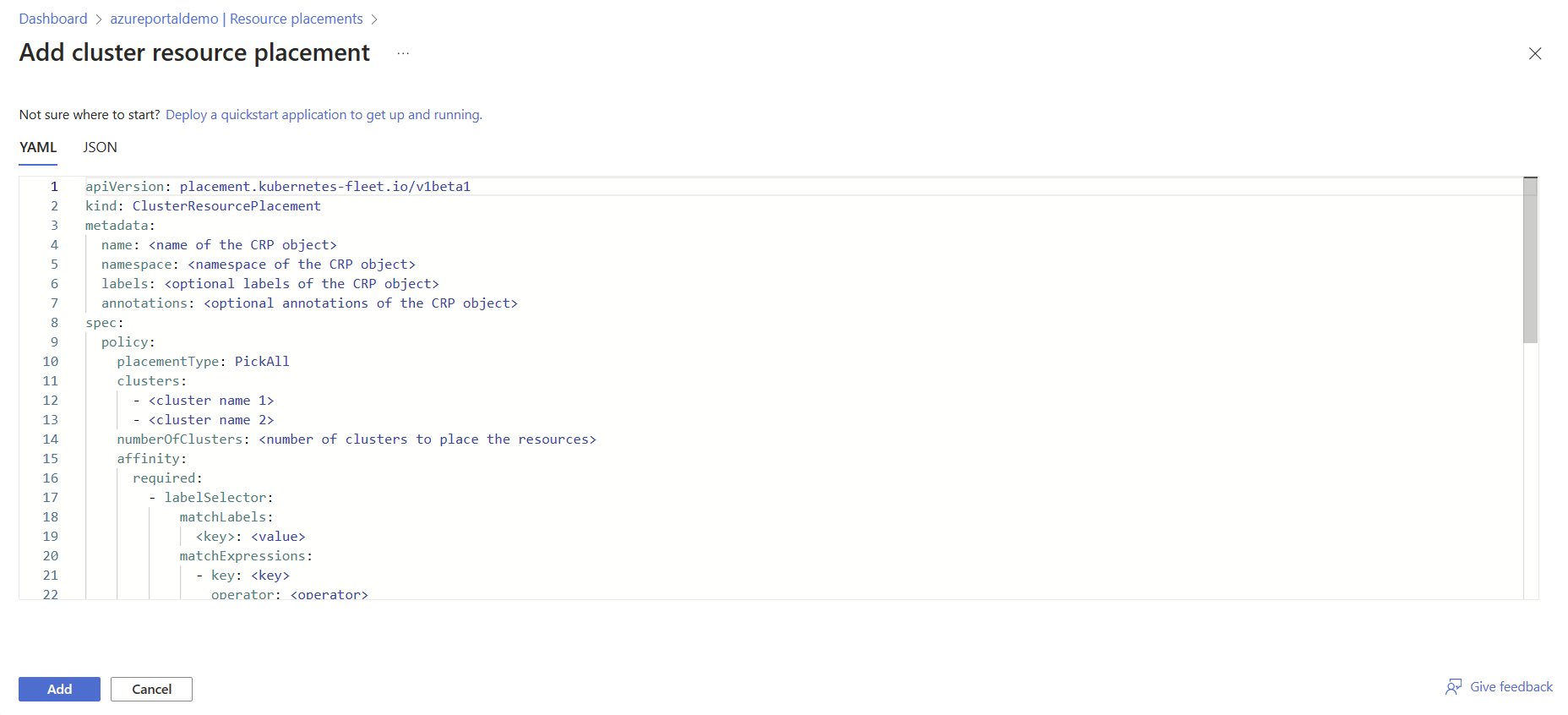
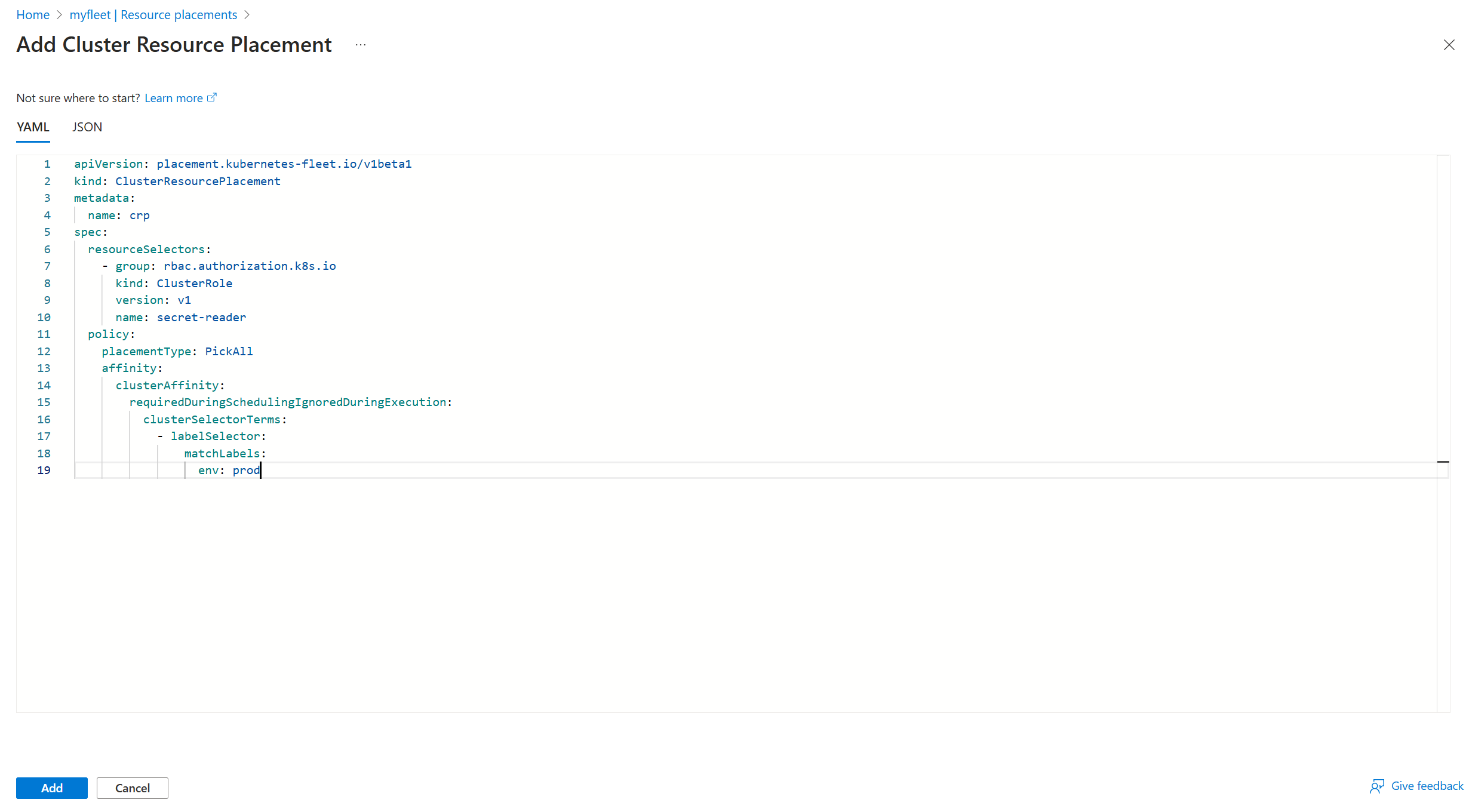
ClusterResourcePlacementto specify the placement rules for distributing the cluster resource overrides across the cluster infrastructure. The following code is an example. Be sure to select the appropriate resource.apiVersion: placement.kubernetes-fleet.io/v1 kind: ClusterResourcePlacement metadata: name: crp spec: resourceSelectors: - group: rbac.authorization.k8s.io kind: ClusterRole version: v1 name: secret-reader policy: placementType: PickAll affinity: clusterAffinity: requiredDuringSchedulingIgnoredDuringExecution: clusterSelectorTerms: - labelSelector: matchLabels: env: prodThis example distributes resources across all clusters labeled with
env: prod. As the changes are implemented, the correspondingClusterResourceOverrideconfigurations are applied to the designated clusters. The selection of a matching cluster role resource,secret-reader, triggers the application of the configurations to the clusters.Apply the
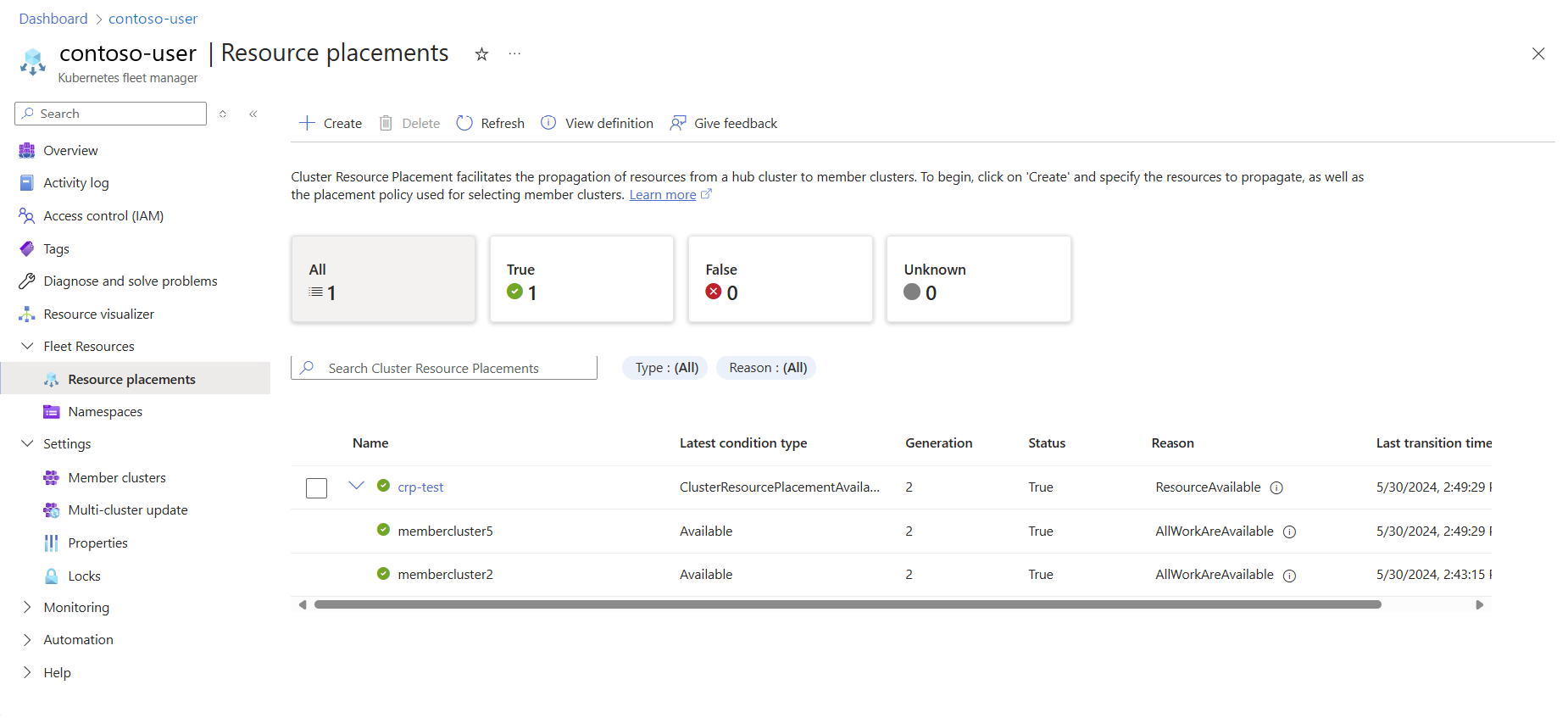
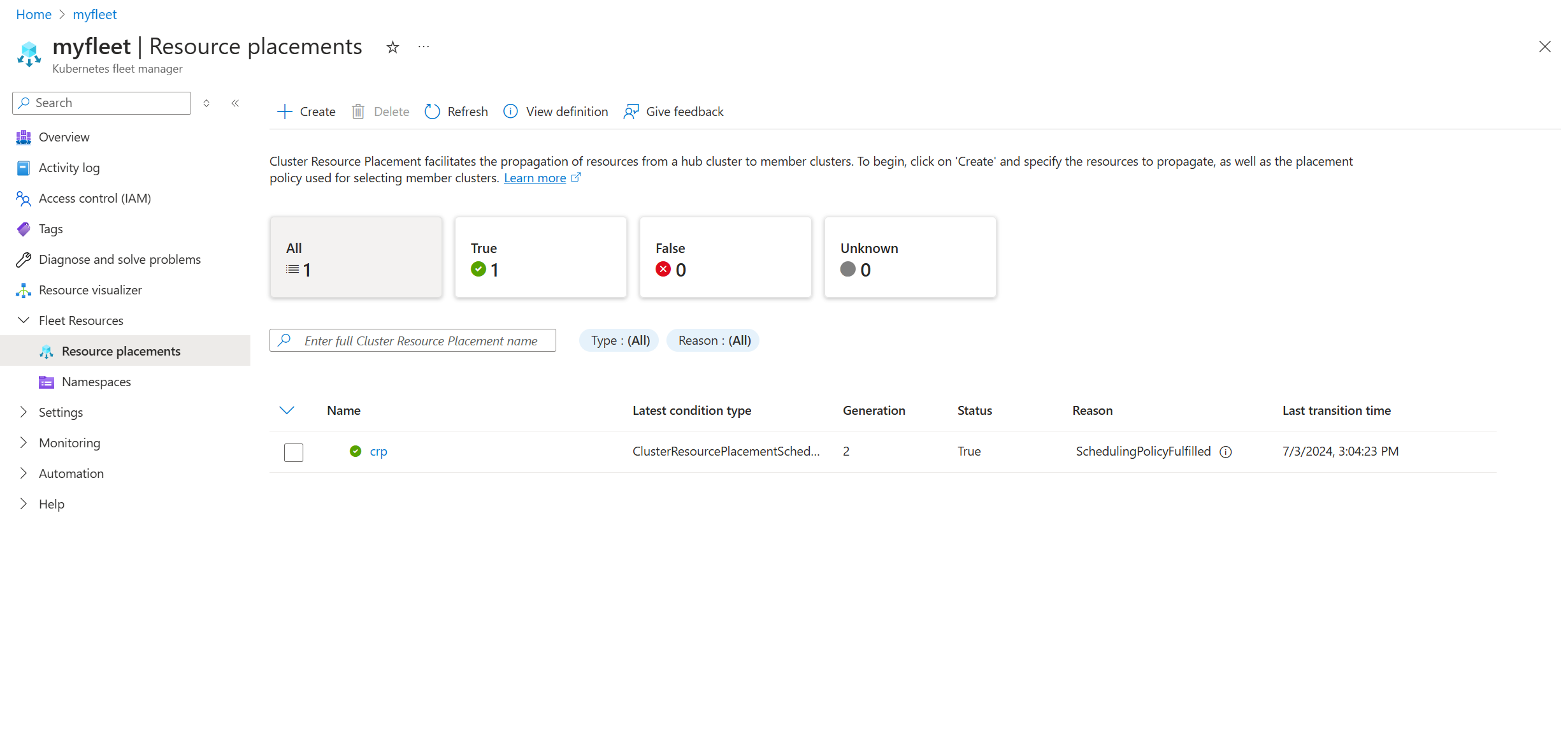
ClusterResourcePlacementby using thekubectl applycommand:kubectl apply -f cluster-resource-placement.yamlVerify that the
ClusterResourceOverridewas applied to the selected resources by checking the status of theClusterResourcePlacementresource via thekubectl describecommand:kubectl describe clusterresourceplacement crpYour output should resemble the following example:
Status:
  Conditions:
    ...
    Last Transition Time:   2024-04-27T04:18:00Z
    Message:                The selected resources are successfully overridden in the 10 clusters
    Observed Generation:    1
    Reason:                 OverriddenSucceeded
    Status:                 True
    Type:                   ClusterResourcePlacementOverridden
    ...
  Observed Resource Index:  0
  Placement Statuses:
    Applicable Cluster Resource Overrides:
      example-cro-0
    Cluster Name:  member-50
    Conditions:
      ...
      Message:               Successfully applied the override rules on the resources
      Observed Generation:   1
      Reason:                OverriddenSucceeded
      Status:                True
      Type:                  Overridden
     ...
The
ClusterResourcePlacementOverriddencondition indicates whether the resource override was successfully applied to the selected resources in the clusters. Each cluster maintains its ownApplicable Cluster Resource Overrideslist. This list contains the snapshot of the cluster resource override, if relevant. Individual status messages for each cluster indicate whether the override rules were successfully applied.
Use with resource placement
Create a
ClusterResourcePlacementresource to specify the placement rules for distributing the resource overrides across the cluster infrastructure. The following code is an example. Be sure to select the appropriate namespaces.apiVersion: placement.kubernetes-fleet.io/v1 kind: ClusterResourcePlacement metadata: name: crp-example spec: resourceSelectors: - group: "" kind: Namespace name: test-namespace version: v1 policy: placementType: PickAll affinity: clusterAffinity: requiredDuringSchedulingIgnoredDuringExecution: clusterSelectorTerms: - labelSelector: matchLabels: env: prod - labelSelector: matchLabels: env: testThis example distributes resources within
test-namespaceacross all clusters labeled withenv:prodandenv:test. As the changes are implemented, the correspondingResourceOverrideconfigurations are applied to the designated resources. The selection of a matching deployment resource,my-deployment, triggers the application of the configurations to the designated resources.Apply the
ClusterResourcePlacementresource by using thekubectl applycommand:kubectl apply -f cluster-resource-placement.yamlVerify that the
ResourceOverridewas applied to the selected resources by checking the status of theClusterResourcePlacementresource via thekubectl describecommand:kubectl describe clusterresourceplacement crp-exampleYour output should resemble the following example:
Status:
  Conditions:
    ...
    Message:                The selected resources are successfully overridden in the 10 clusters
    Observed Generation:    1
    Reason:                 OverriddenSucceeded
    Status:                 True
    Type:                   ClusterResourcePlacementOverridden
    ...
  Observed Resource Index:  0
  Placement Statuses:
    Applicable Resource Overrides:
      Name:        ro-1-0
      Namespace:   test-namespace
    Cluster Name:  member-50
    Conditions:
      ...
      Last Transition Time:  2024-04-26T22:57:14Z
      Message:               Successfully applied the override rules on the resources
      Observed Generation:   1
      Reason:                OverriddenSucceeded
      Status:                True
      Type:                  Overridden
     ...
The
ClusterResourcePlacementOverriddencondition indicates whether the resource override was successfully applied to the selected resources. Each cluster maintains its ownApplicable Resource Overrideslist. This list contains the resource override snapshot, if relevant. Individual status messages for each cluster indicate whether the override rules were successfully applied.