Note
Access to this page requires authorization. You can try signing in or changing directories.
Access to this page requires authorization. You can try changing directories.
Important
Attention: All Microsoft Sentinel features will be officially retired in Azure in China regions on August 18, 2026 per the announcement posted by 21Vianet.
Detecting anomalous behavior within an organization is often complex and time-consuming. Microsoft Sentinel's User and Entity Behavior Analytics (UEBA) simplifies this challenge by continuously learning from your data to surface meaningful anomalies that help analysts detect and investigate potential threats more effectively.
This article explains what Microsoft Sentinel User and Entity Behavior Analytics (UEBA) is, how it works, how to onboard to it, and how to use UEBA to detect and investigate anomalies to enhance your threat detection capabilities.
How UEBA works
Microsoft Sentinel UEBA uses machine learning to build dynamic behavioral profiles for users, hosts, IP addresses, applications, and other entities. It then detects anomalies by comparing current activity to established baselines, helping security teams identify threats such as compromised accounts, insider attacks, and lateral movement.
As Microsoft Sentinel ingests data from connected sources, UEBA applies:
- Behavioral modeling to detect deviations
- Peer group analysis and blast radius evaluation to assess the impact of anomalous activity
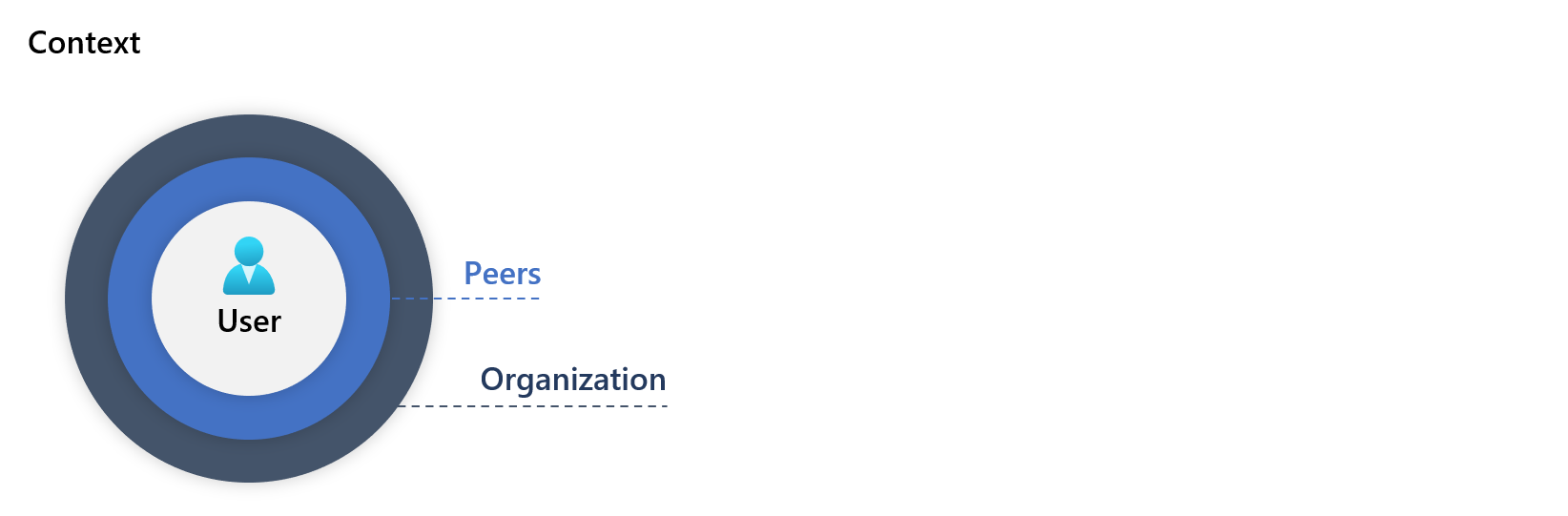
UEBA assigns risk scores to anomalous behaviors, taking into account the associated entities, severity of the anomaly, and context, including:
- Deviations across geographical locations, devices, and environments
- Changes over time and activity frequency compared to the entity's historical behavior
- Differences compared to peer groups
- Deviations from organization-wide behavior patterns
This diagram shows how you enable UEBA, and how UEBA analyzes data and assigns risk scores to prioritize investigations:
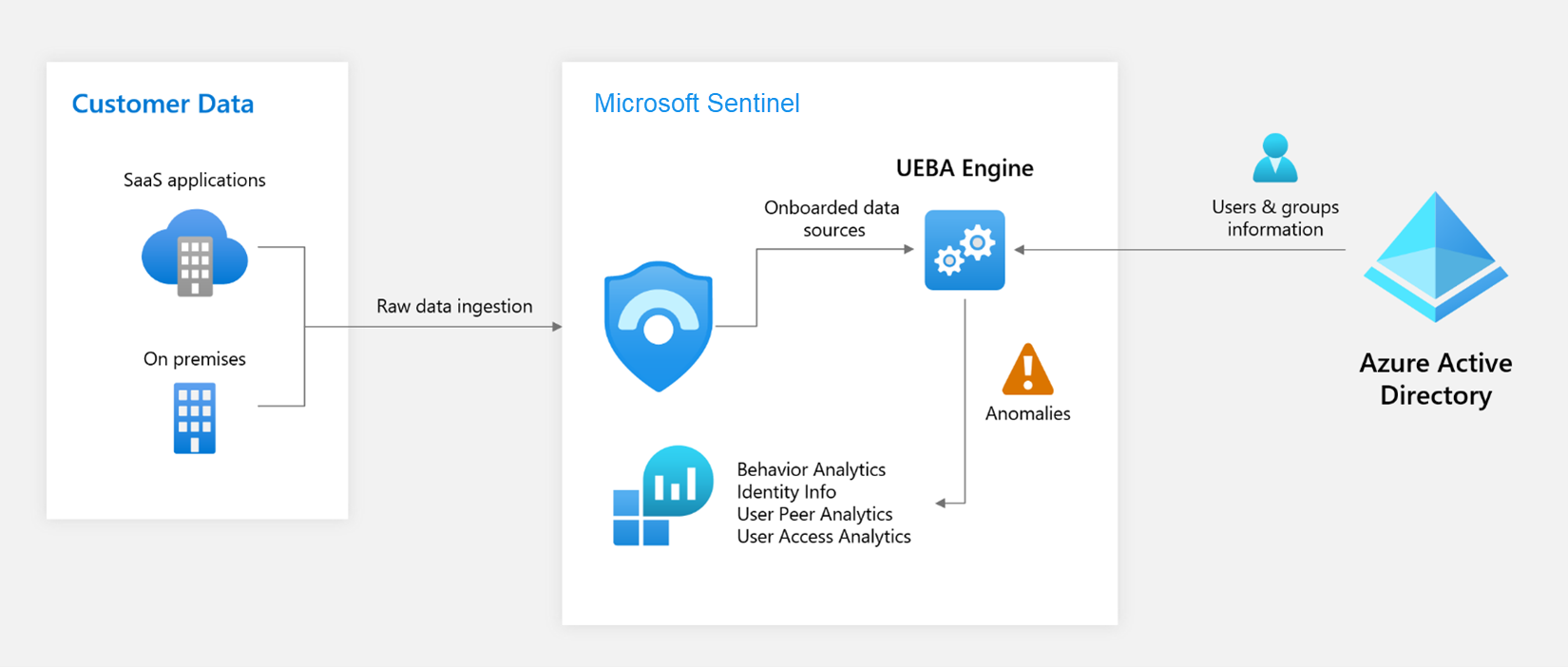
For more information about UEBA tables, see Investigate anomalies using UEBA data.
UEBA is natively integrated into Microsoft Sentinel, providing a seamless experience for security operations teams and embedded experiences that enhance threat investigation and response.
Enable UEBA to create behavior profiles and detect anomalies
To fully benefit from UEBA's advanced threat detection capabilities:
Enable UEBA in Microsoft Sentinel and connect key data sources, such as Microsoft Entra ID, and Office 365. For more information, see Enable entity behavior analytics.
Install the UEBA Essentials solution, a collection of dozens of pre-built hunting queries curated and maintained by Microsoft security experts. The solution includes multi-cloud anomaly detection queries across Azure, and Amazon Web Services (AWS). Installing the solution helps you get started quickly with threat hunting and investigations using UEBA data, instead of building these detection capabilities from scratch.
For information about installing Microsoft Sentinel solutions, see Install or update Microsoft Sentinel solutions.
Integrate UEBA insights into workbooks, incident workflows, and hunting queries to maximize their value across your SOC workflows.
Investigate anomalies using UEBA data
Microsoft Sentinel stores UEBA insights across several tables, each optimized for a different purpose. Analysts commonly correlate data across these tables to investigate anomalous behavior end to end.
This table provides an overview of the data in each of the UEBA tables:
| Table | Purpose | Key details |
|---|---|---|
| IdentityInfo | Detailed profiles of entities (users, devices, groups) | Built from Microsoft Entra ID. Essential for understanding user behavior. |
| BehaviorAnalytics | Enriched behavioral data with geolocation and threat intelligence | Contains deviations from baseline with prioritization scores. Data depends on enabled connectors (Entra ID, AWS, and so on). |
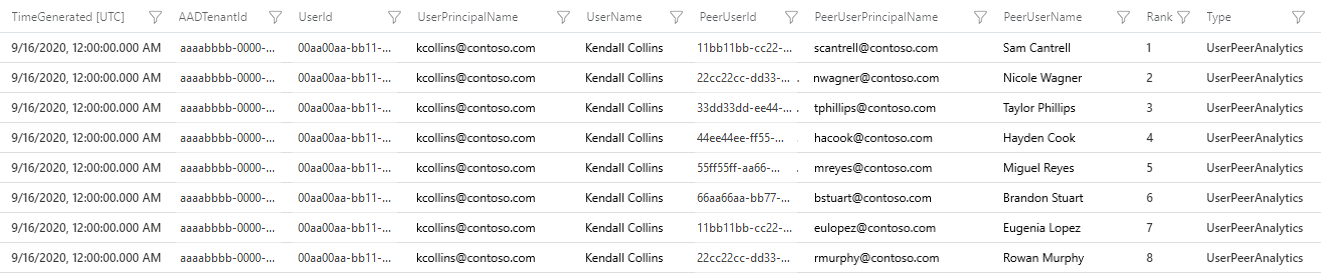
| UserPeerAnalytics | Dynamically calculated peer groups for behavioral baselines | Ranks top 20 peers based on security group membership, mailing lists, and other associations. Uses TF-IDF (term frequency–inverse document frequency) algorithm (smaller groups carry higher weight). |
| Anomalies | Events identified as anomalous | Supports detection and investigation workflows. |
This screenshot shows an example of data in the UserPeerAnalytics table with the eight highest-ranked peers for the user Kendall Collins. Sentinel uses the TF-IDF algorithm to normalize weights when calculating peer ranks. Smaller groups carry higher weight.
For more detailed information about UEBA data and how to use it, see:
- UEBA reference for a detailed reference of all UEBA-related tables and fields.
UEBA scoring
UEBA provides two scores to help security teams prioritize investigations and detect anomalies effectively:
| Aspect | Investigation priority score | Anomaly score |
|---|---|---|
| Table | BehaviorAnalytics |
Anomalies |
| Field | InvestigationPriority |
AnomalyScore |
| Range | 0–10 (0 = benign, 10 = highly anomalous) |
0–1 (0 = benign, 1 = highly anomalous) |
| Indicator of | How unusual a single event is, based on profile-driven logic | Holistic anomalous behavior across multiple events using machine learning |
| Used for | Quick triage and drilling into single events | Identifying patterns and aggregated anomalies over time |
| Processing | Near real-time, event-level | Batch processing, behavior-level |
| How it's calculated | Combines Entity Anomaly Score (rarity of entities like user, device, country/region) with Time Series Score (abnormal patterns over time, such as spikes in failed sign-ins). | AI/ML anomaly detector trained on your workspace's telemetry |
For example, when a user performs an Azure operation for the first time:
- Investigation priority score: High, because it's a first-time event.
- Anomaly score: Low, because occasional first-time Azure actions are common and not inherently risky.
While these scores serve different purposes, you can expect some correlation. High anomaly scores often align with high investigation priority, but not always. Each score provides unique insight for layered detection.
Next steps
For practical guidance on UEBA implementation and usage, see:
- Enable entity behavior analytics in Microsoft Sentinel.
- Investigate incidents with UEBA data.
- UEBA reference.
- Hunt for security threats.