Note
Access to this page requires authorization. You can try signing in or changing directories.
Access to this page requires authorization. You can try changing directories.
Important
Azure Database for PostgreSQL version 2.0 provides improved native Azure Database for PostgreSQL support. If you use Azure Database for PostgreSQL version 1.0 in your solution, upgrade your Azure Database for PostgreSQL linked service at your earliest convenience.
What is Azure Data Factory
Azure Data Factory is a fully managed, serverless, data integration service built to orchestrate and operationalize complex hybrid extract-transform-load (ETL), extract-load-transform (ELT), and data integration projects. An Azure integration runtime supports connecting data stores and computing services with publicly accessible endpoints. If you enable the managed virtual network feature of an Azure integration runtime, it supports connecting to data stores by using Azure Private Link service in private network environments.
Azure Data Factory offers an Azure Database for PostgreSQL connector with support for various capabilities, depending on the integration runtime selected.
Linked service
In Azure Data Factory, a linked service is a connection to a data source. When working with Azure Database for PostgreSQL, you can define a linked service by using JSON to specify the connection details programmatically. This approach is useful for automation, version control, and deployment scenarios. The JSON definition includes properties such as the server name, database name, authentication type, and other connection parameters. By creating a linked service, you can easily connect to your Azure Database for PostgreSQL flexible server and perform data integration tasks within Azure Data Factory.
You can create a linked service by using the Azure Data Factory UI or programmatically by using JSON. The linked service allows you to connect to your Azure Database for PostgreSQL flexible server and perform data integration tasks within Azure Data Factory.
Prerequisites
- An Azure Database for PostgreSQL flexible server. To learn more, see Create an Azure Database for PostgreSQL.
- (Optional) An Azure integration runtime created within a managed virtual network.
Create a linked service via the Azure portal
You can create a linked service by using the Azure Data Factory UI or programmatically by using JSON. The linked service allows you to connect to your Azure Database for PostgreSQL flexible server and perform data integration tasks within Azure Data Factory.
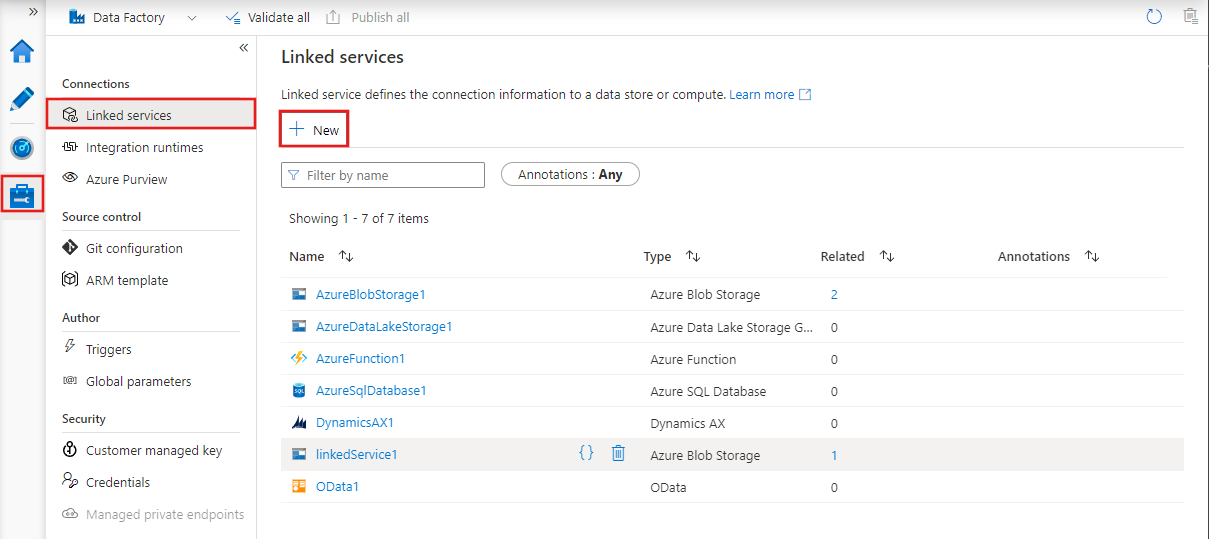
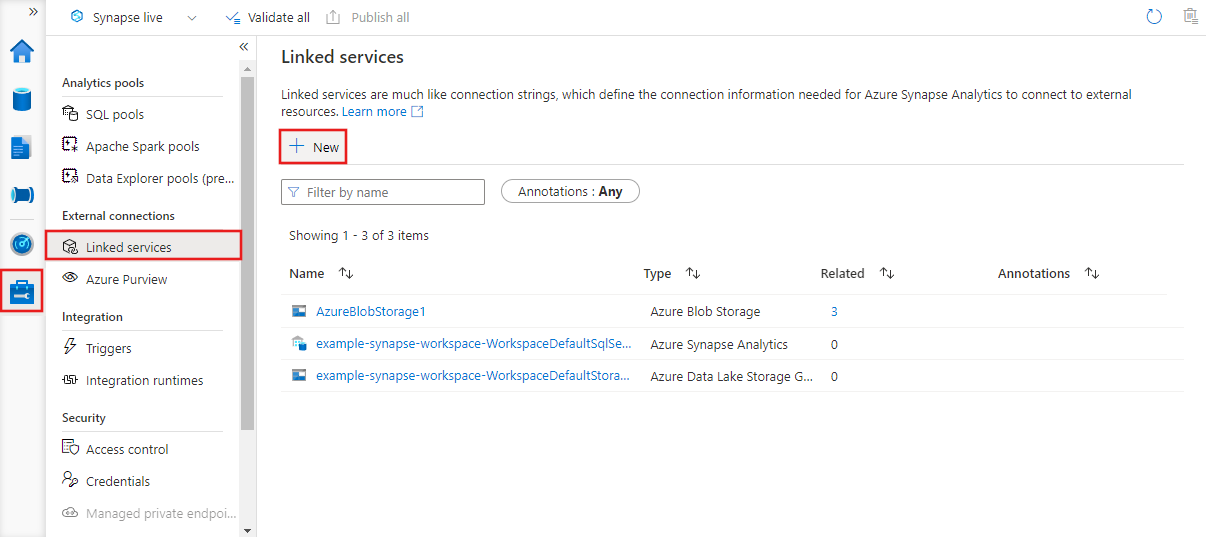
Go to the Manage tab in your Azure Data Factory or Synapse workspace, select Linked Services, and then select New:
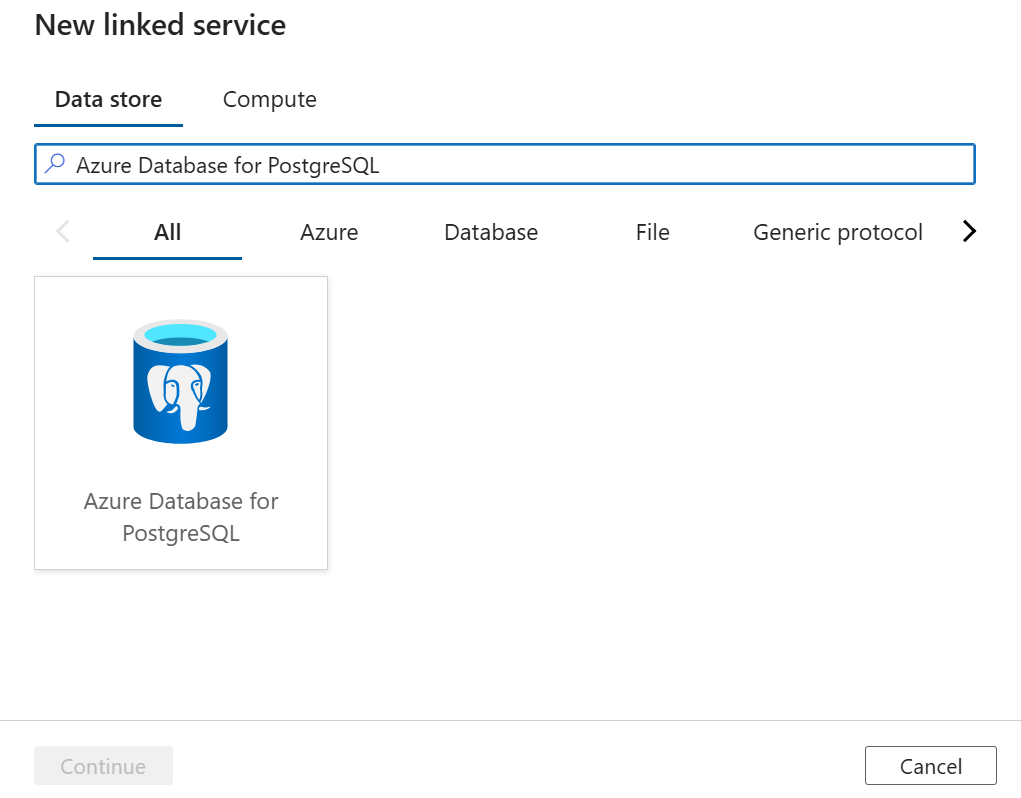
From the linked services page, create a new linked service by selecting + New. It opens a window with a list of all Azure Data Factory connectors. Search for Azure Database for PostgreSQL, select it, and then select Continue.
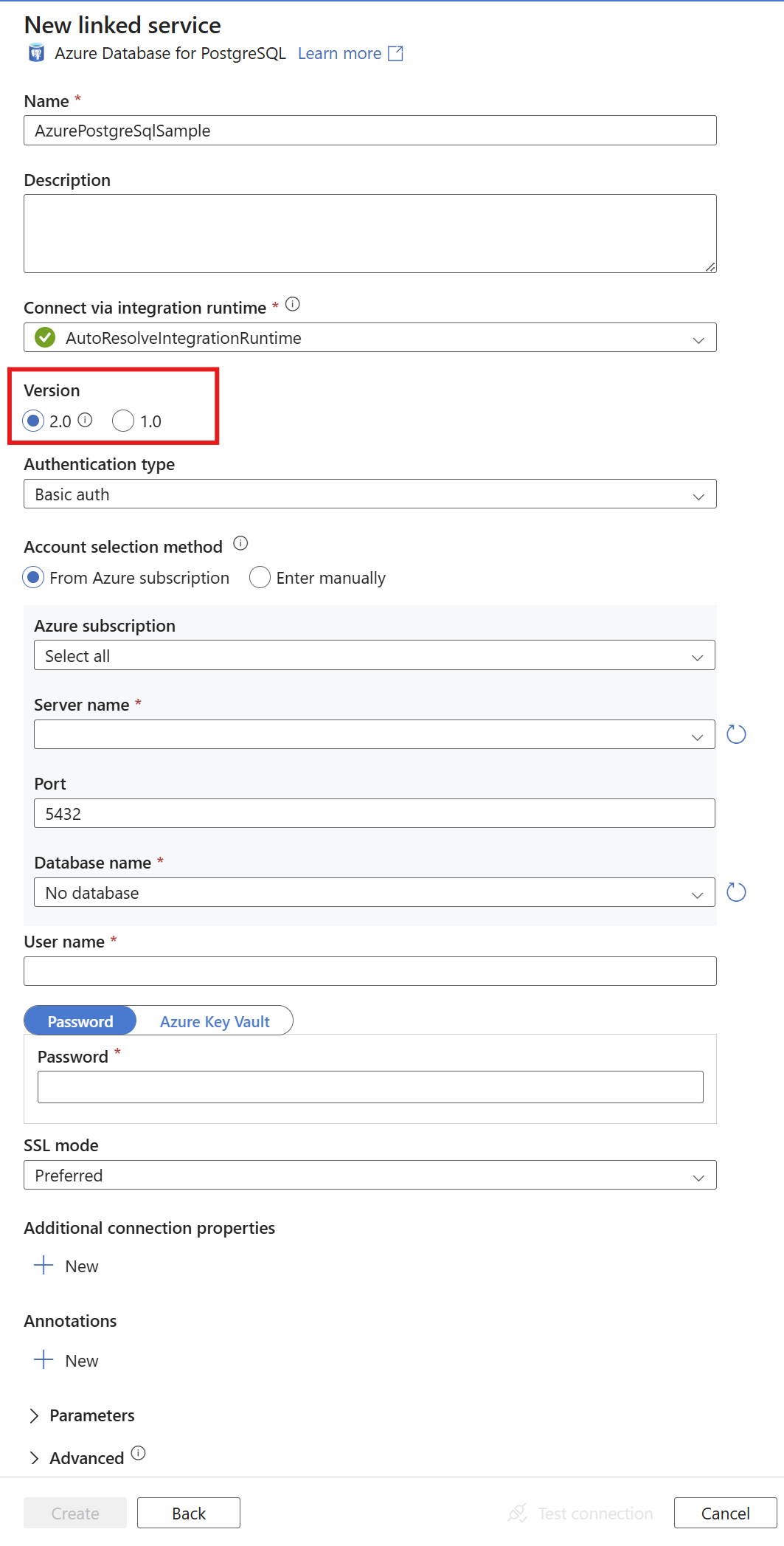
Make sure that Version 2.0 is selected.
Authentication
Four methods are supported for authentication: basic authentication, service principal, system-assigned managed identity, and user-assigned managed identity.
Basic Authentication
Select Basic auth as the authentication type. Enter your Azure PostgreSQL flexible server connection details, including Server name, Username, and Password.

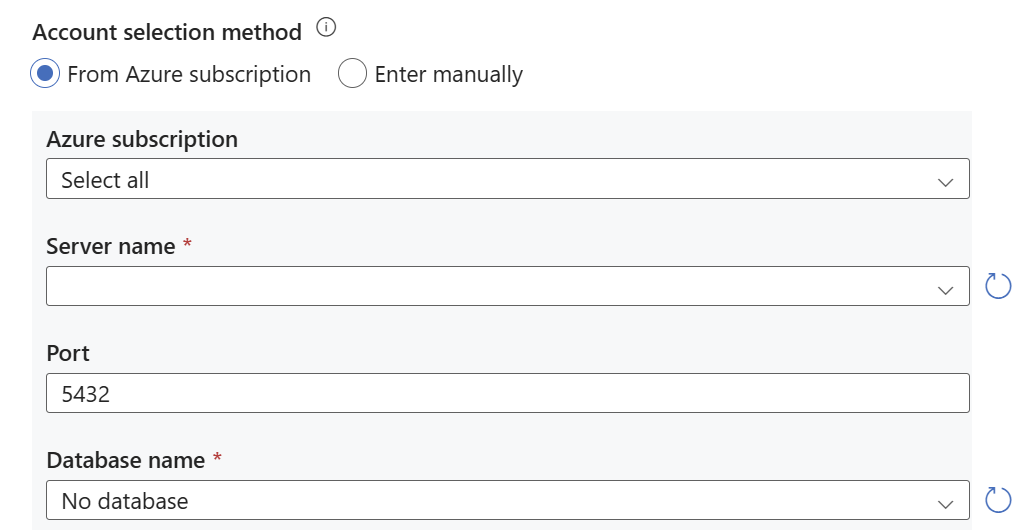
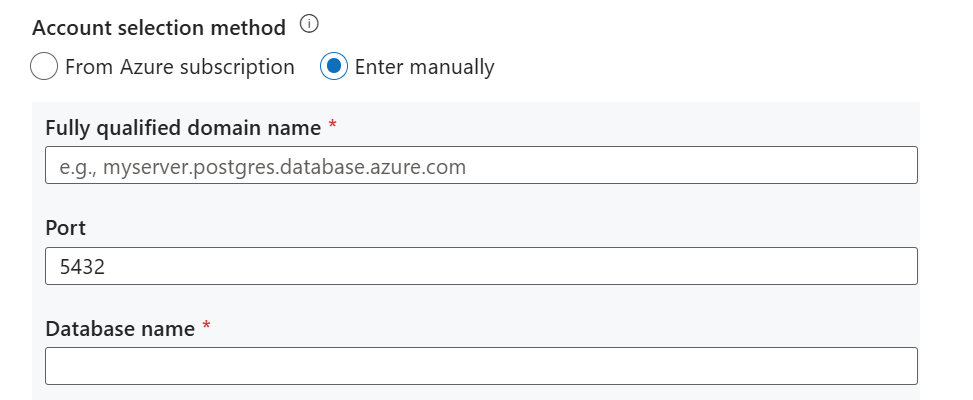
Select either From Azure subscription or Enter manually in Account selection method.
Select the Azure subscription, Server name, and Database name. Also, enter the Port.
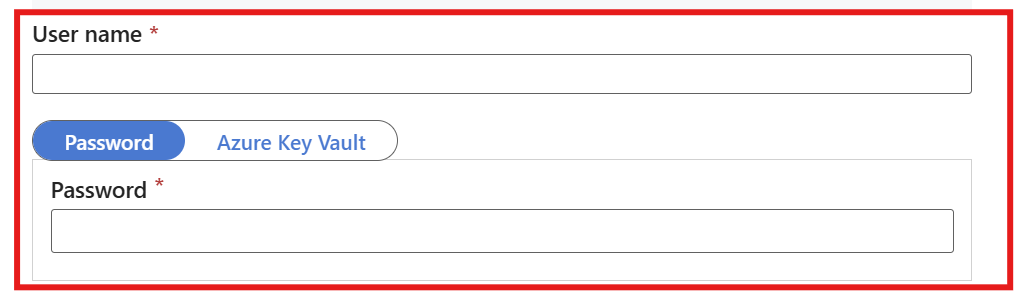
Enter the Username and Password.
Now you can Test the connection and create the linked service.
Service principal authentication
To set up service principal authentication, you need to set up a linked service in Azure Data Factory or Synapse Analytics to connect to your Azure Database for PostgreSQL. The process involves selecting the appropriate authentication method, configuring connection details, and verifying the connection. Ensure you have the necessary prerequisites and permissions before proceeding.
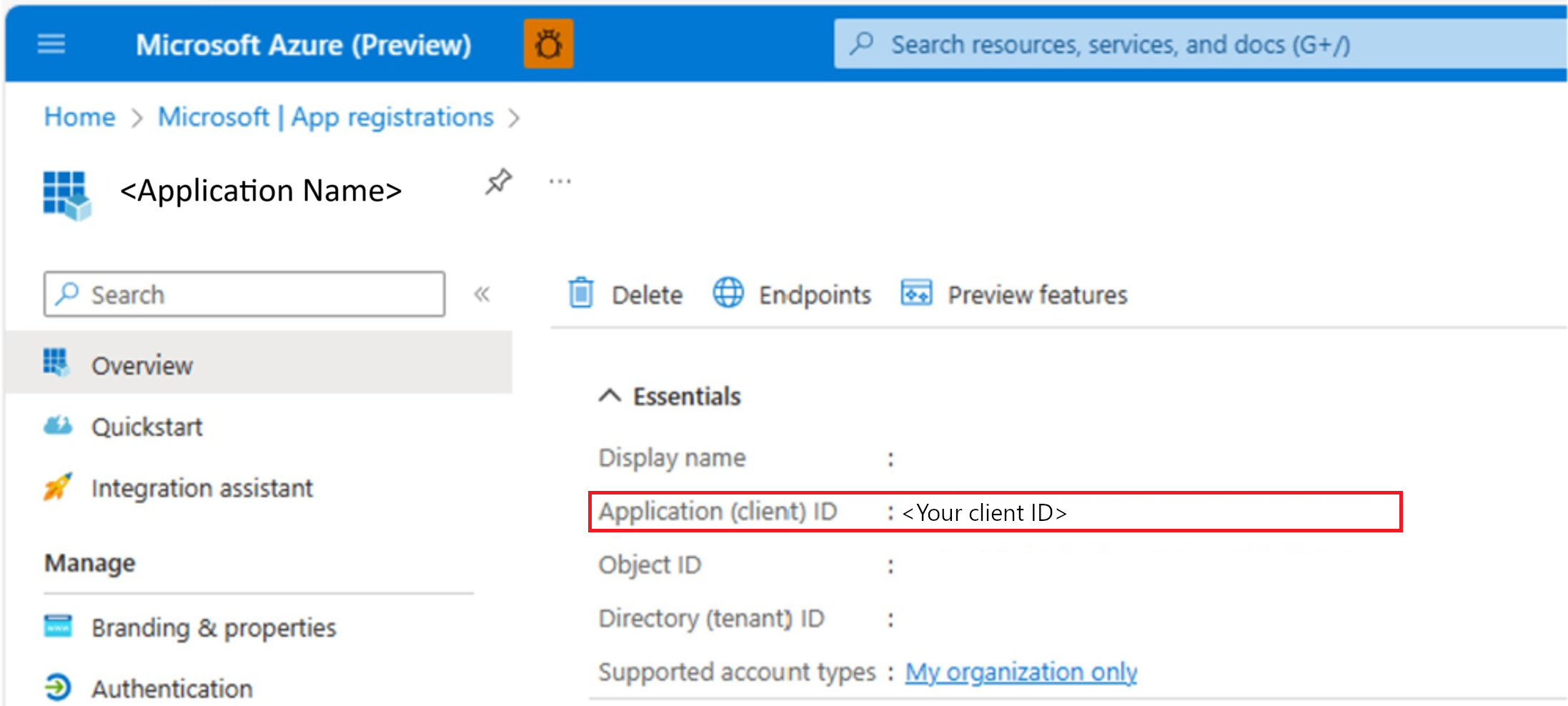
Register a Microsoft Entra app and create a service principal.
Select Service Principal as the authentication type.
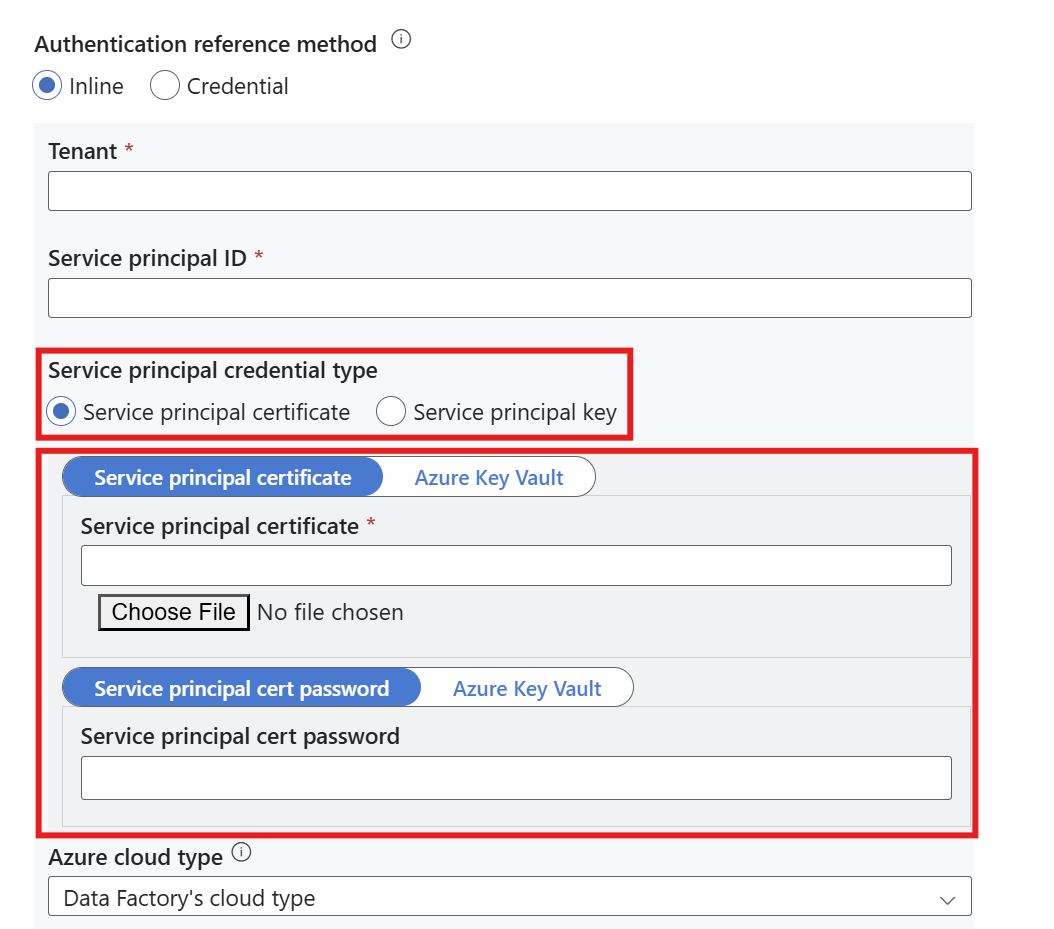
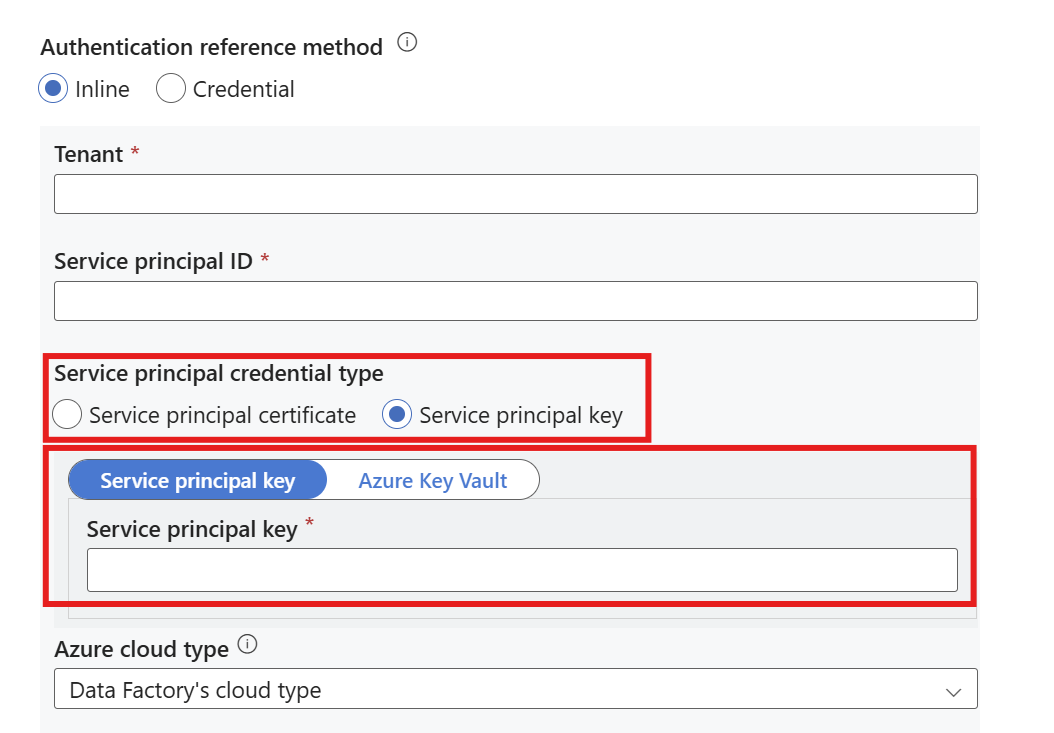
There are two types of service principal credential types. Both service principal methods require Tenant, Service principal ID, and Azure Cloud Type values.

Select either From Azure subscription or Enter manually in Account selection method.
Select the Azure subscription, Server name, and Database name. Also, enter the Port.
Enter your Service Principal Name, also shown as the Display Name for your service principal key.
Select Inline in the Authentication reference method.
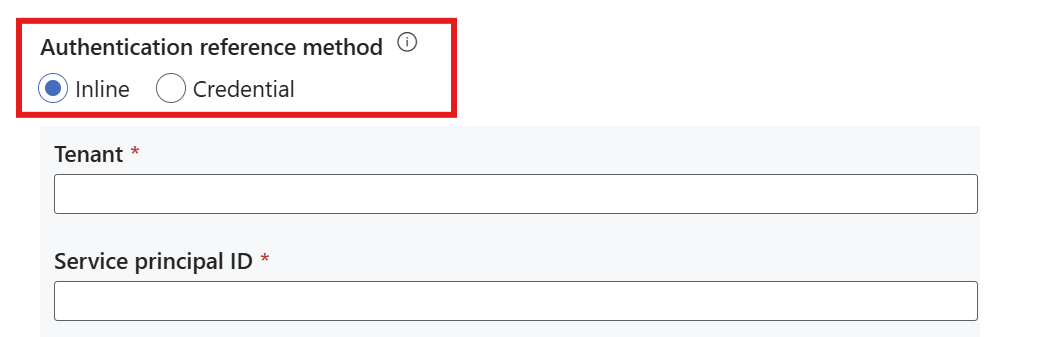
Enter the Tenant. The tenant ID is in Azure, where the Service Principal Name was created.

Enter the Service principal ID. You can find the client ID in Azure, where the Service Principal Name was created.
Select Service Principal Certificate or Service Principal Key in the Service principal credential type.
Service principal certificate authentication requires a service principal certificate and optionally a service principal password.
Select your Azure cloud type.
Now you can Test the connection and create the linked service.


System-assigned Managed Identity authentication
To use system-assigned managed identity as the authentication type in the linked service in Azure Data Factory or Synapse Analytics to connect to your Azure Database for PostgreSQL, complete the following steps. The process involves selecting the appropriate authentication method, configuring connection details, and verifying the connection. Ensure you have the necessary prerequisites and permissions before proceeding.
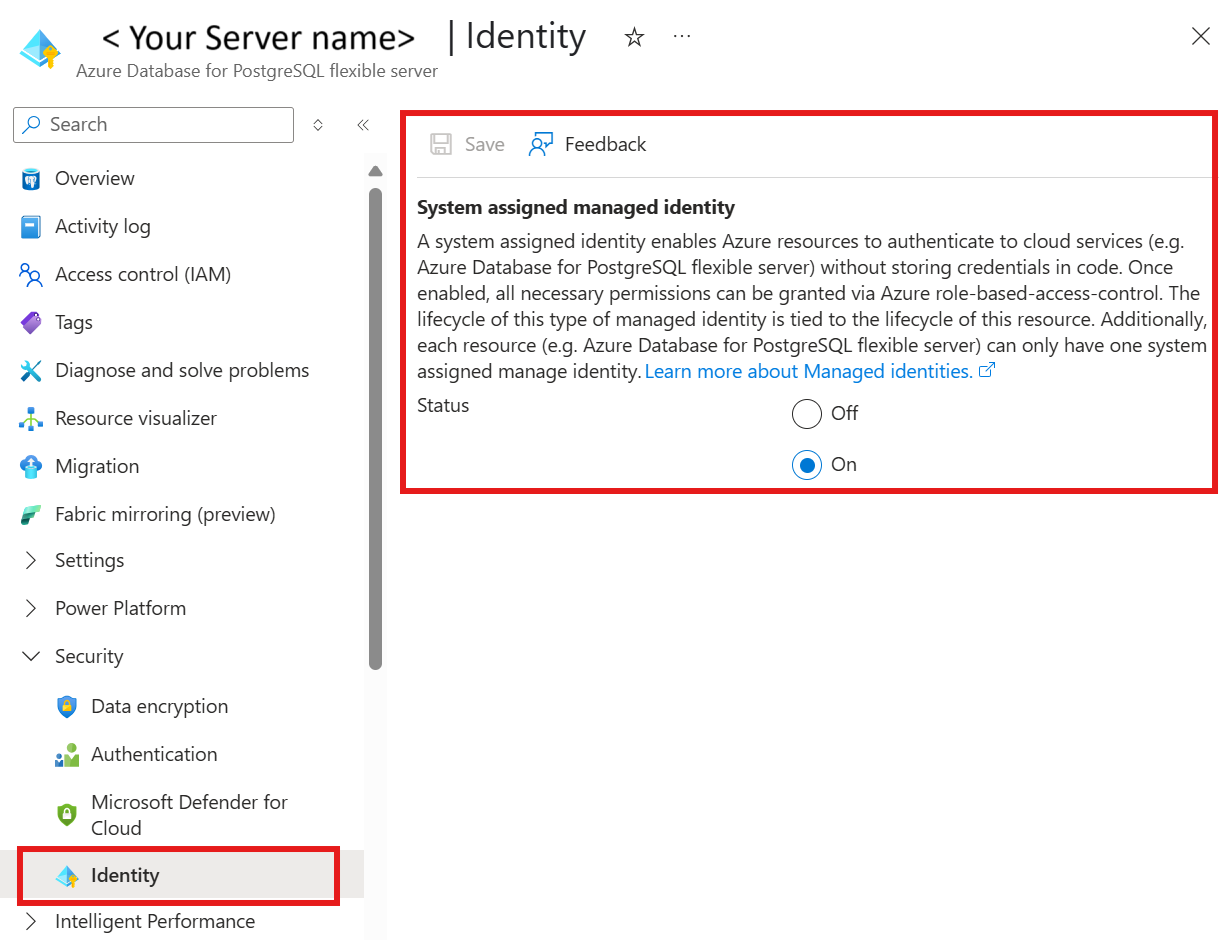
In your Azure Database for PostgreSQL resource under Security
Select Identity
Make sure that System assigned managed identity is On
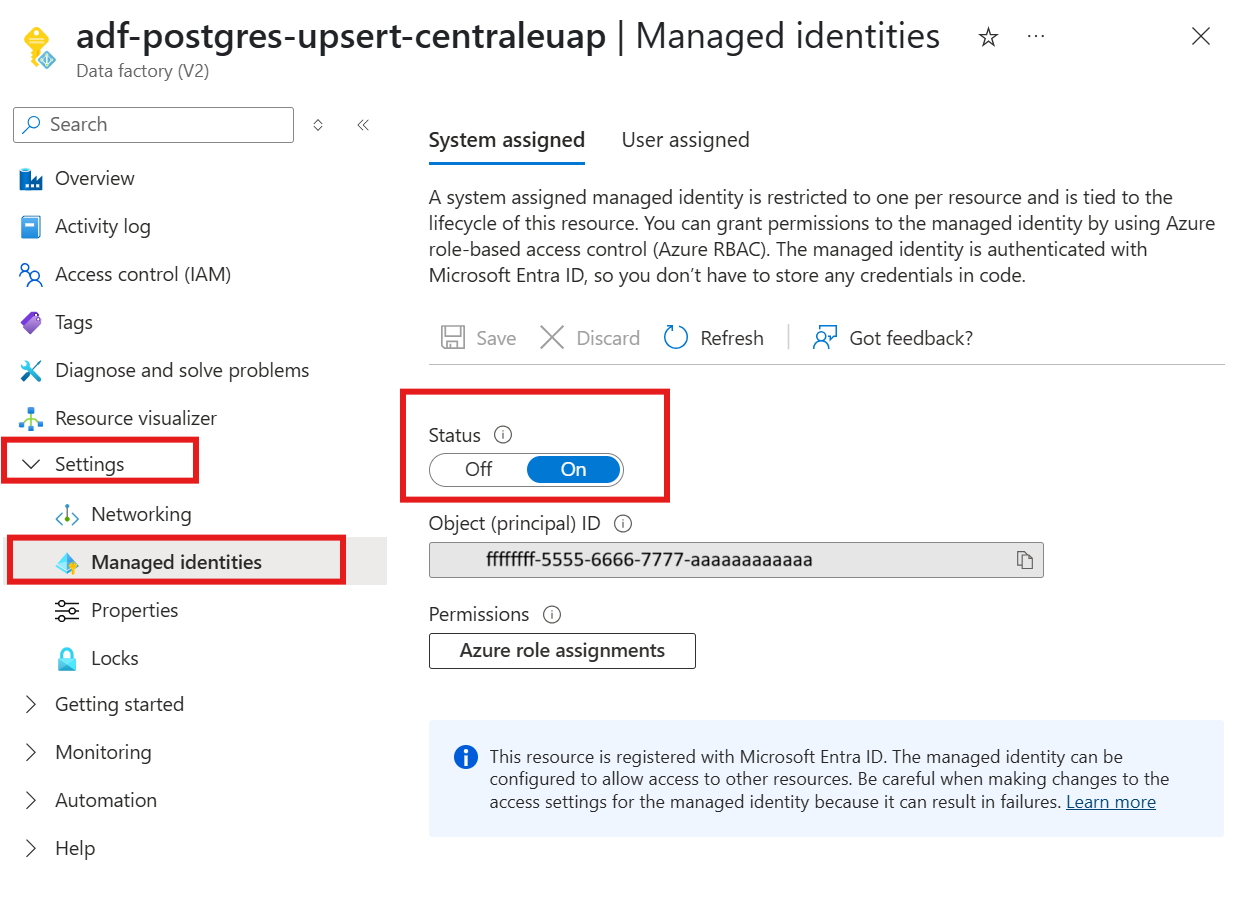
In your Azure Data Factory resource,
Select Settings and then Managed Identities
Under the System assigned tab, make sure that status is On
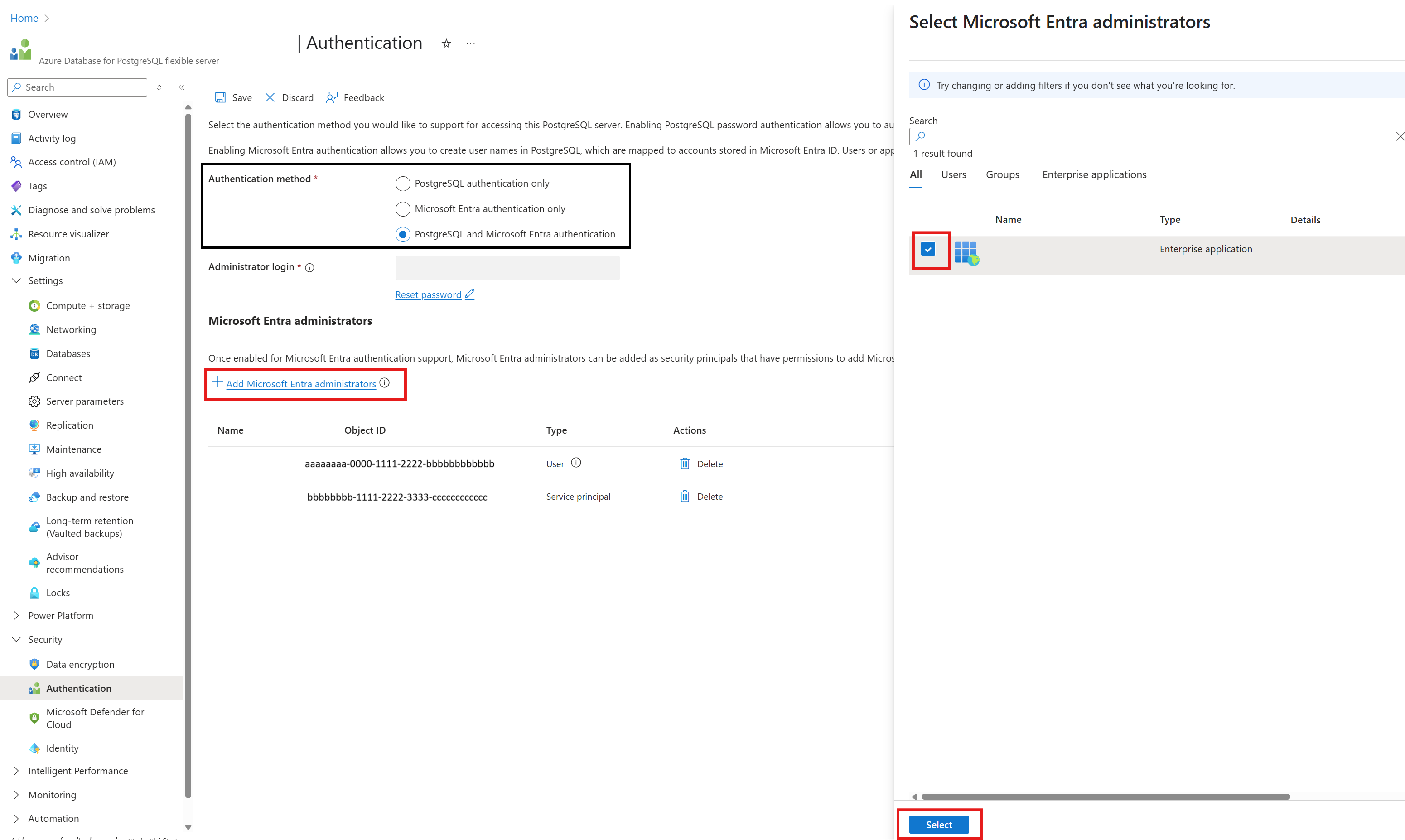
In your Azure Database for PostgreSQL resource under Security
Select Authentication
Select either Microsoft Entra authentication only or PostgreSQL and Microsoft Entra authentication Authentication method.
Select + Add Microsoft Entra administrators
Add the system-assigned managed identity for the Azure Data Factory resource as one of the Microsoft Entra Administrators
In the Linked Service of the Azure Data Factory, select System-assigned managed identity as the Authentication type.

Select either From Azure subscription or Enter manually in Account selection method.
Select the Azure subscription, Server name, and Database name. Also, enter the Port.
Now you can Test the connection and create the linked service.
User-assigned Managed Identity authentication
Using User-assigned managed identity as the authentication type in the linked service in Azure Data Factory or Synapse Analytics to connect to your Azure Database for PostgreSQL requires the following steps. The process involves selecting the appropriate authentication method, configuring connection details, and verifying the connection. Ensure you have the necessary prerequisites and permissions before proceeding.
Create a User-assigned Managed Identity resource in the Azure portal. To learn more, see Manage user-assigned managed identities.
Assign the User-assigned Managed Identity to your Azure database for PostgreSQL resource
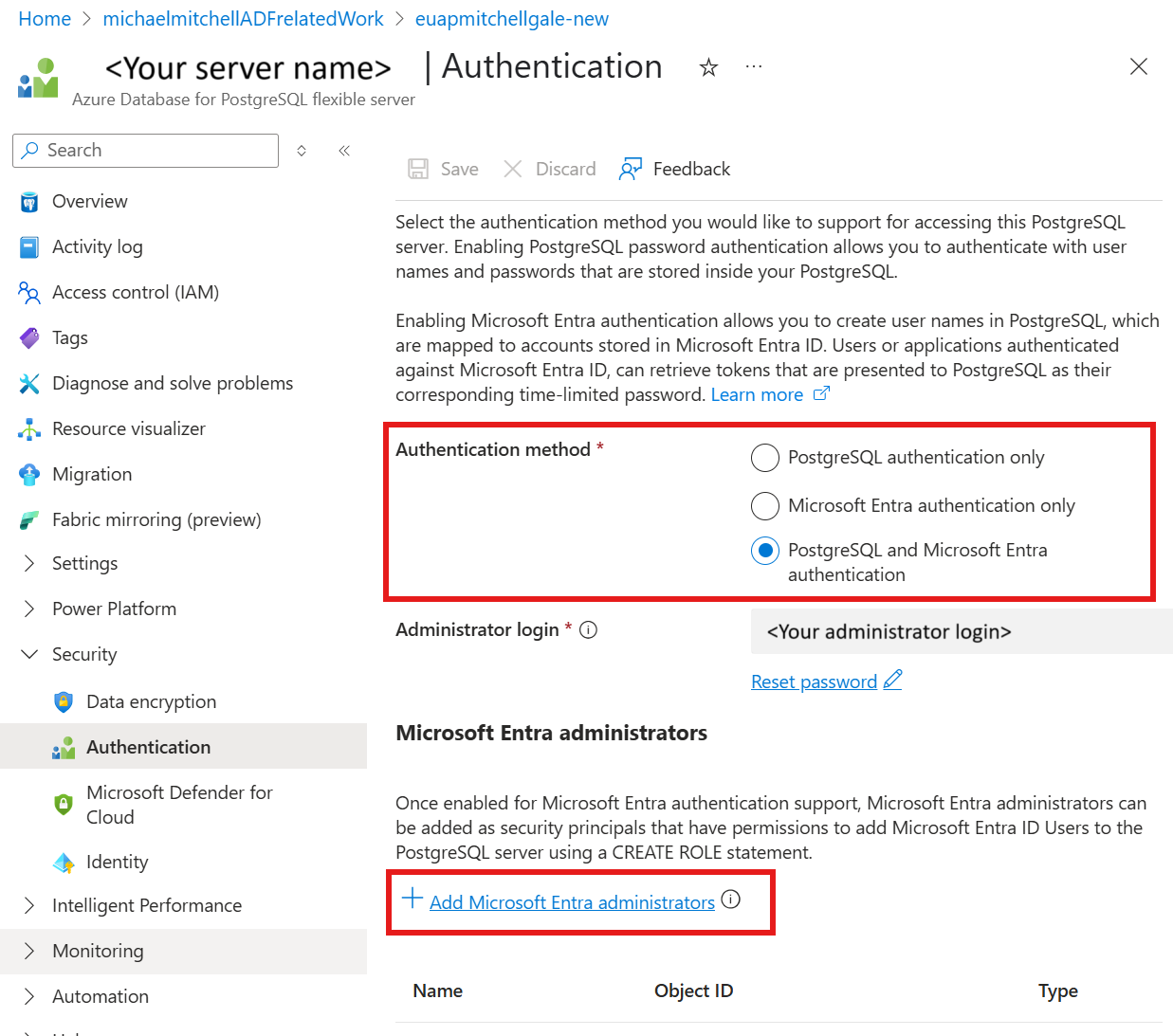
In your Azure database for PostgreSQL server resource, under Security
Select Authentication
Select either Microsoft Entra authentication only or PostgreSQL and Microsoft Entra authentication Authentication method.
Select + Add Microsoft Entra administrators and select your user-assigned managed identity
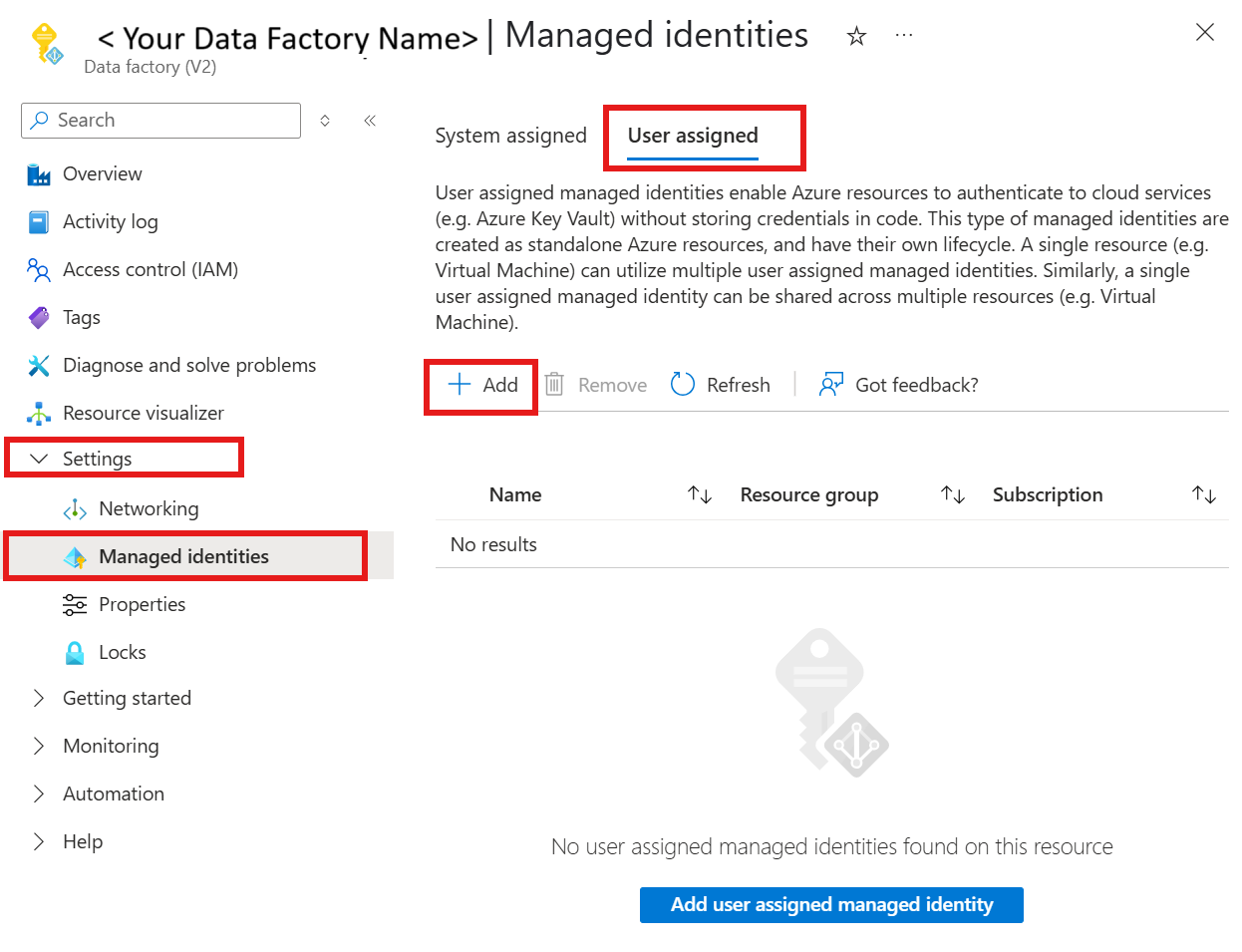
Assign the User-assigned Managed Identity to your Azure Data Factory resource
Select Settings and then Managed Identities
Under the User assigned tab, select + Add and select your user-managed identity
In the Linked Service of Azure Data Factory, select User-assigned managed identity as the Authentication type.

Select either From Azure subscription or Enter manually in Account selection method.
Select the Azure subscription, Server name, and Database name. Also, enter the Port.
On Credentials, select a user-assigned managed identity credential or create a new one by using + New.
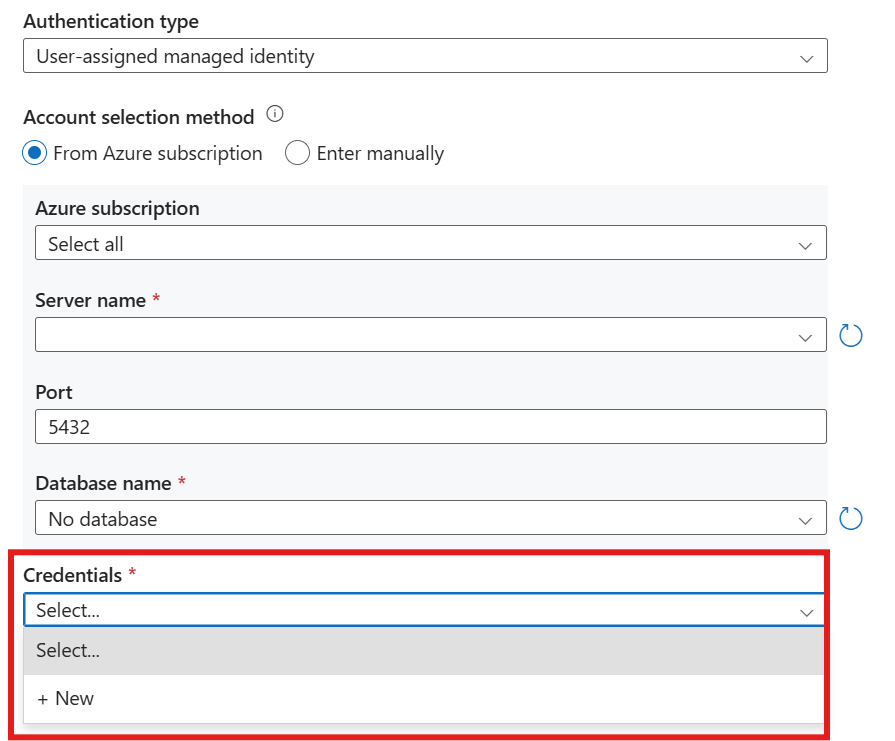
If you need to create a new credential, select + New.
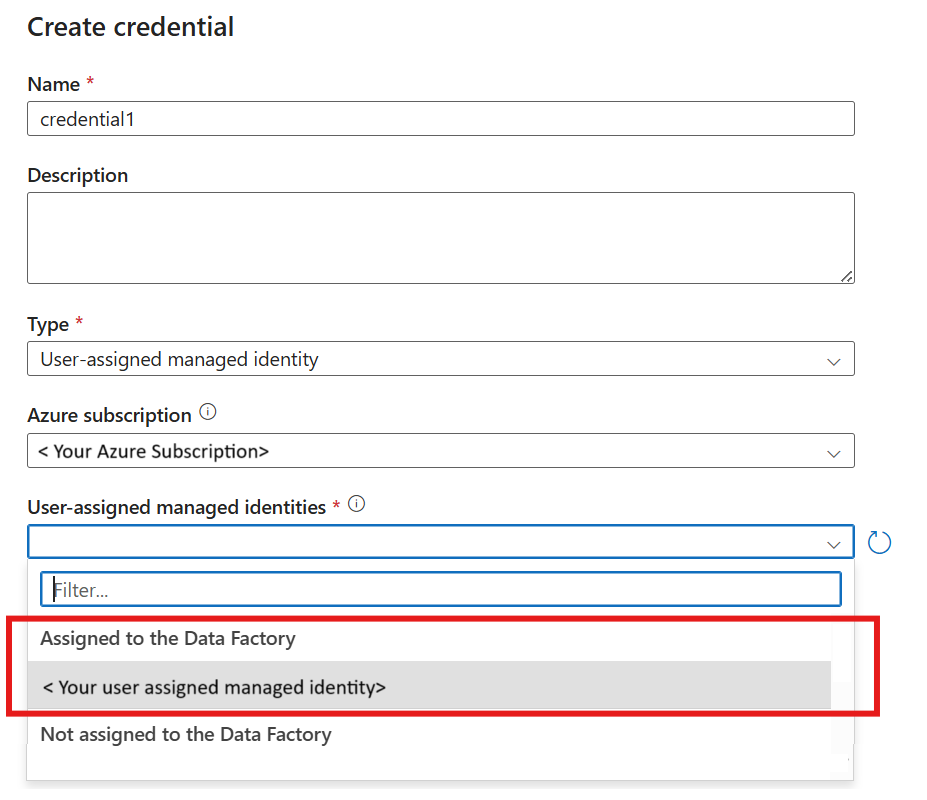
Make sure that Type is User-assigned managed identity.
Select your Azure subscription.
In User-assigned managed identities, select under Assigned to Data Factory your managed identity and select Create.
Now you can Test the connection and create the linked service.
Test Connection
After you fill in all required connection fields, the bottom right-hand corner displays a Test connection button. The test connection button verifies that the linked service can connect to your Azure Database for PostgreSQL server.
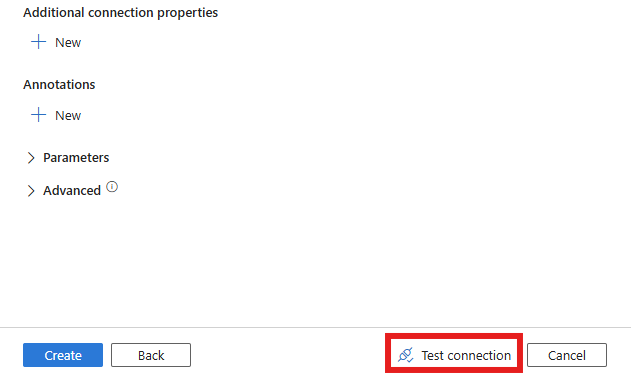
Select Create.
Linked service JSON
The following table describes the properties of the linked service for Azure Database for PostgreSQL. The properties are defined in JSON format, which you use to create the linked service programmatically.
| Property | Description | Required |
|---|---|---|
| name | Name of the linked service. See Naming rules | Yes |
| type | Type of the linked service. Use AzurePostgreSql | Yes |
| server | Fully qualified host name for Azure Database for PostgreSQL flexible server | Yes |
| port | The Azure Database for PostgreSQL flexible server port number | Yes |
| database | Database name | Yes |
| sslMode | A numeric value representing the SSL connection configuration. 0 for Disabled, 1 for Allow, 2 for Prefer, 3 for Require, 4 for VerifyCA, and 5 for VerifyFull | Yes |
| authenticationType | Specify the authentication to use. BasicAuth, ServicePrincipal, SystemAssignedManagedIdentity, or UserAssignedManagedIdentity | Yes |
| credential | Specify the user-assigned managed identity as the credential object. | Required for UserAssignedManagedIdentity. Otherwise, isn't required |
| username | Username for basic auth or service principal name for service principal authentication | Yes |
| password | Username password for the Basic Auth | Required when BasicAuth. Otherwise, isn't required |
| tenant | Tenant ID | Required for ServicePrincipal authentication type |
| servicePrincipalId | Service Principal ID | Required for ServicePrincipal authentication type |
| servicePrincipalCredentialType | Service Principal Type. ServicePrincipalCert or ServicePrincipalKey | Yes |
| servicePrincipalEmbeddedCert | The service principal certificate | Required when ServicePrincipalCert. Otherwise, isn't required |
| servicePrincipalEmbeddedCertPassword | The service principal certificate password | No |
| servicePrincipalKey | The service Principal key | Required if ServicePrincipalKey is the servicePrincipalCredentialType. Otherwise, isn't required |
Depending on the type of authentication, different fields require different JSON payloads.
The following examples show JSON configurations for different authentication methods, including Basic Authentication, Service Principal Certificate, and Service Principal Key. You can customize these JSON templates to suit your specific requirements.
A linked service that uses BasicAuth is defined in JSON format as follows:
{
    "name": "<Name of the linked service>",
    "properties": {
        "type": "AzurePostgreSql",
        "version": "2.0",
        "typeProperties": {
            "server": "<server host name>",
            "port": 5432,
            "database": "<database name>",
            "sslMode": 2,
            "username": "<Service Principal Name>",
            "authenticationType": "BasicAuth",
            "password": "<username password>"
        }
    }
}
A linked service that uses Service Principal certificate is defined in JSON format as follows:
{
    "name": "<Name of the linked service>",
    "properties": {
        "type": "AzurePostgreSql",
        "version": "2.0",
        "typeProperties": {
            "server": "<server host name>",
            "port": 5432,
            "database": "<database name>",
            "sslMode": 2,
            "username": "<Service Principal Name>",
            "authenticationType": "ServicePrincipal",
            "tenant": "<Tenant ID>",
            "servicePrincipalId": "<SP ID>",
            "servicePrincipalCredentialType": "ServicePrincipalCert",
            "servicePrincipalEmbeddedCert": "<Embedded certificate>",
            "servicePrincipalEmbeddedCertPassword": "<Service Principal certificate password>"
        }
    }
}
A linked service that uses Service Principal key is defined in JSON format as follows:
{
    "name": "<Name of the linked service>",
    "properties": {
        "type": "AzurePostgreSql",
        "version": "2.0",
        "typeProperties": {
            "server": "<server host name>",
            "port": 5432,
            "database": "<database name>",
            "sslMode": 2,
            "username": "<Service Principal Name>",
            "authenticationType": "ServicePrincipal",
            "tenant": "<Tenant ID>",
            "servicePrincipalId": "<SP ID>",
            "servicePrincipalCredentialType": "ServicePrincipalKey",
            "servicePrincipalKey": "<Service Principal Key>"
        }
    }
}
Example with system-assigned managed identity:
{
    "name": "AzurePostgreSqlLinkedService",
    "type": "Microsoft.DataFactory/factories/linkedservices",
    "properties": {
        "annotations": [],
        "type": "AzurePostgreSql",
        "version": "2.0",
        "typeProperties": {
            "server": "<server name>",
            "port": 5432,
            "database": "<database name>",
            "sslMode": 2,
            "authenticationType": "SystemAssignedManagedIdentity"
        }
    }
}
Example with user-assigned managed identity:
{
    "name": "AzurePostgreSqlLinkedService",
    "type": "Microsoft.DataFactory/factories/linkedservices",
    "properties": {
        "annotations": [],
        "type": "AzurePostgreSql",
        "version": "2.0",
        "typeProperties": {
            "server": "<server name>",
            "port": 5432,
            "database": "<database name>",
            "sslMode": 2,
            "authenticationType": "UserAssignedManagedIdentity",
            "credential": {
                "referenceName": "<your credential>",
                "type": "CredentialReference"
            }
        }
    }
}
Create linked services via API
You can create linked services in the Azure Data Factory portal by using the management hub and any activities, datasets, or data flows that reference them.
You can create linked services by using one of these tools: .NET API, PowerShell, REST API, Azure Resource Manager Template, and Azure portal.
When you create a linked service, you need appropriate authorization for the designated service. If you don't have sufficient access, you can't see the available resources and must use the manual entry option.
Activities
Activities are tasks within a pipeline that can execute specific tasks. By using script activity, you can run PostgreSQL scripts to query or modify your databases.
Script Activity: Transform data using the Script activity in Azure Data Factory or Synapse Analytics.
Copy Activity: Copy activity in Azure Data Factory and Azure Synapse Analytics.
Lookup Activity: Control flow lookup activity.